Leaderboard







Popular Content
Showing content with the highest reputation on 05/07/17 in all areas
-
hey man can I be CBA instead of muffins Yours truly, tom6 points
-
👑CzarScripts #1 Bots 👑 👑 LATEST BOTS 👑 If you want a trial - just post below with the script name, you can choose multiple too. 👑 Requirements 👑 Hit 'like' 👍 on this thread5 points
-
Download: Click here I took a look at some annoying issues between Windows, Mac, and Linux since they all decide to do their own thing when it comes to window decoration (setting title bars, adjust frame sizes, etc). I found a solution that works for Windows and Linux, which means it should also work for Mac as well. These frame changes were made only to the main client interface, but if all goes well I'll do it to everything else to ensure OSBot looks exactly the same across all operating systems. Additionally I slightly modified the Boot interface. Your OSBot should look like exactly like this (minus the various OS decorating): Additionally we made some changes to MoveMouseEvent to try and speed up some reaction time, let us know if that works any better. Additionally V2, I tried to speed up OSBot loading so bot farmers should try and test spam opening multiple clients. Let me know how this works for you guys, especially you darn Mac users.5 points
-
@Maldesto has been playing Ghosts since release, do you even research before giving rank? For all the smart people out there: this game is trash. Staff didnt even try to google the "Call of duty" + "Ghosts". disgusting.4 points
-
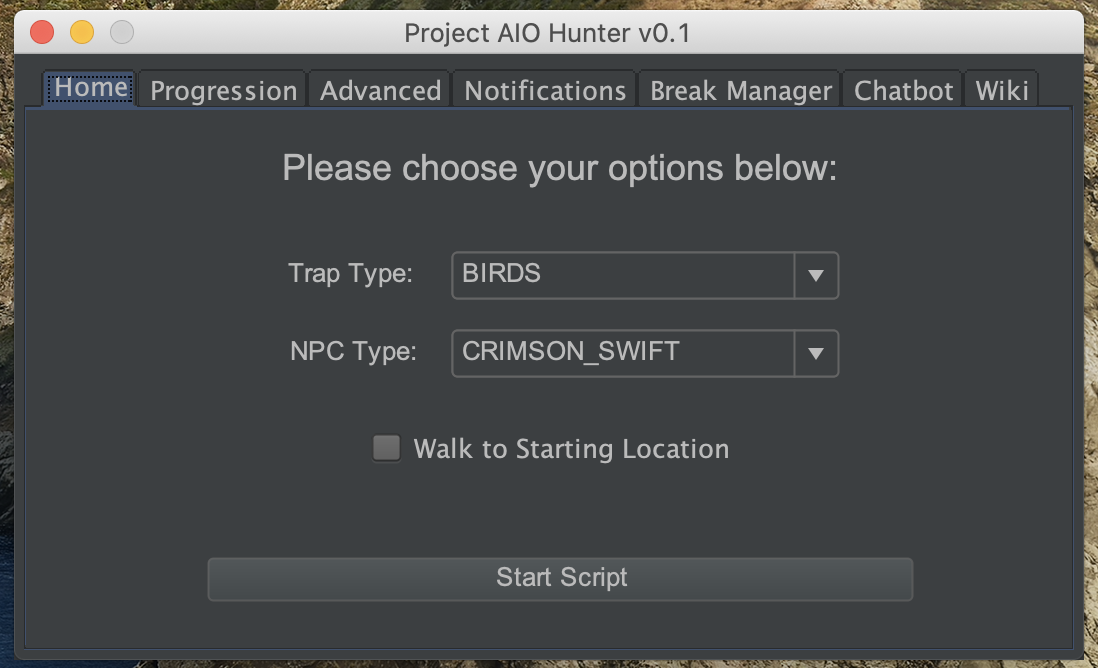
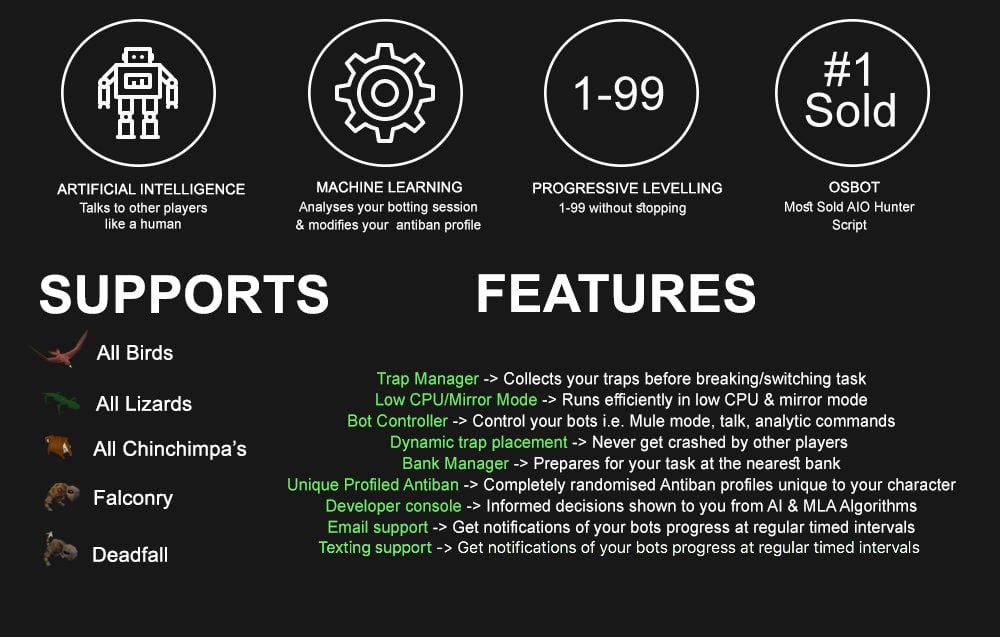
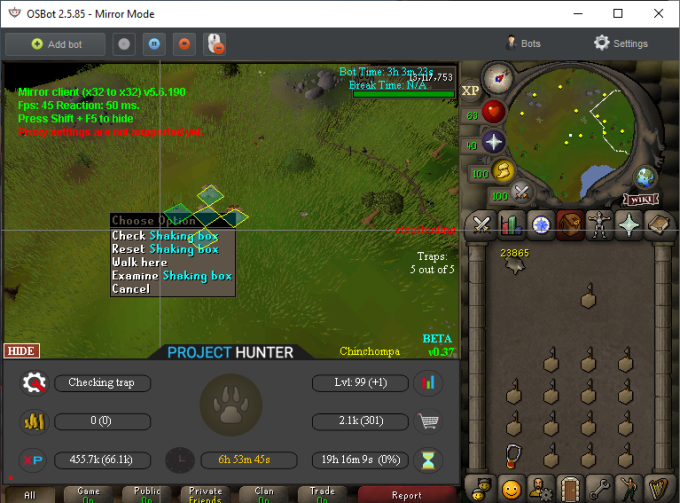
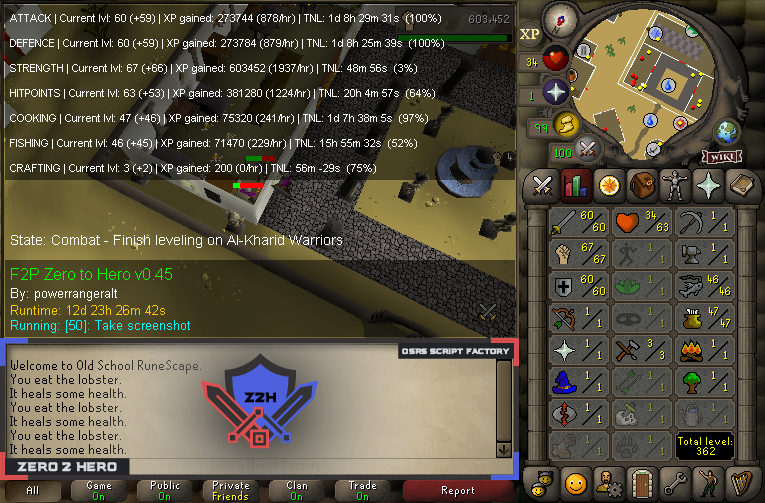
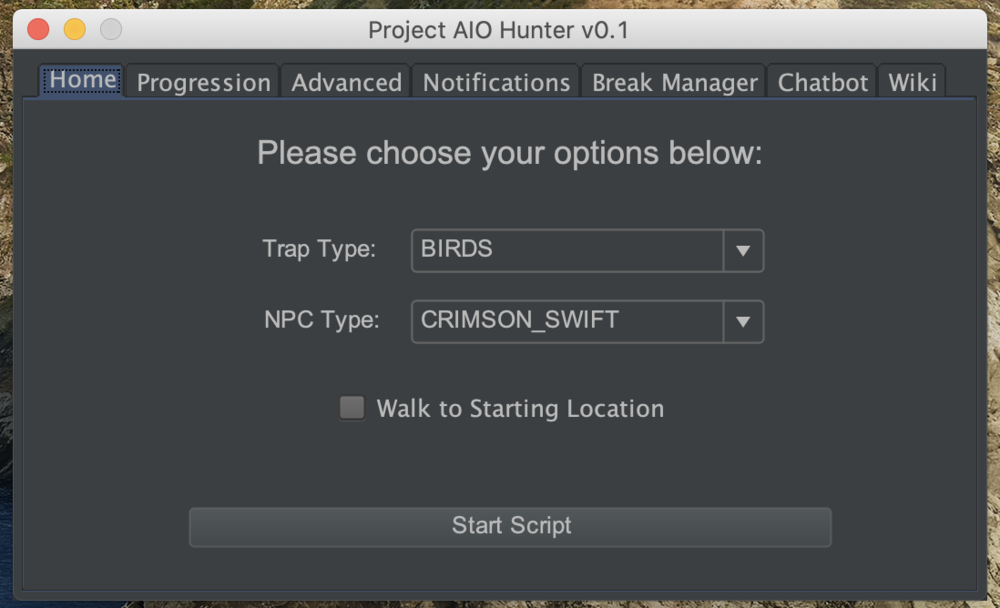
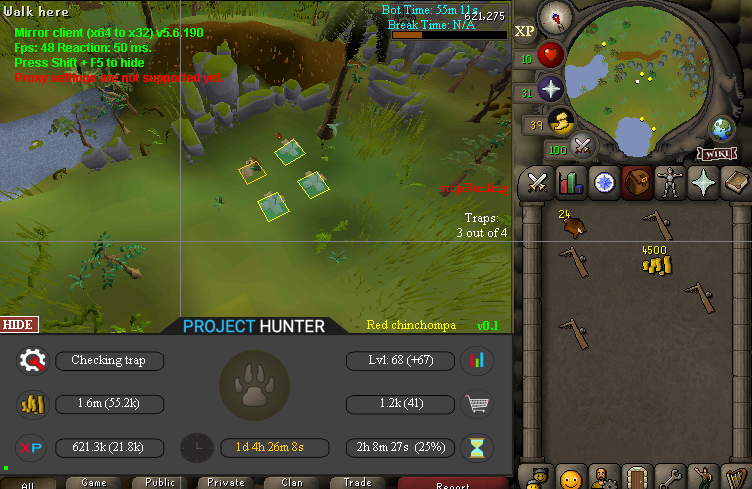
3 points3 pointsNo, because it brings us infinite joy when something like this happens. We promote the people that are most likely to scam just to fuck with you. Why are you even asking this question wtf3 points3 pointswhats the point in searching up all that stuff now? you should check his buddys to see if they have any hidden stuff so they can get banned before they actually scamquit3 points3 points3 pointsscript.players.getAll().stream().filter(x -> script.myPlayer().equals(x.getInteracting())).findFirst().isPresent(); // there is a player ATTEMPTING to attack, not necessarily already attacked script.myPlayer().isHitBarVisible(); // only works if the attack triggered health bar display (not a splashed spell) script.projectiles.getAll().stream().filter(x -> script.myPlayer().equals(x.getTargetEntity())).findFirst().isPresent(); // a ranged/magic attack was launched against the bot Combining the 3 will give you a relatively good coverage on simple cases but unfortunately the topic of accurately determining combat is very complex. Imagine a player casts wind strike on you in the wilderness (he's interacting with you in this case) then quickly eats food (he's no longer interacting with you), the health bar is not visible but there is a projectile launched with your player as its target, if it hits then your health bar will be visible but if it splashes, your health bar will not be visible, the player is not interacting with you because the interaction was interrupted by eating and there is no projectile launched towards your player. But you are in combat with him for 8 seconds or whatever the timer is. The only way to determine if you really are under attack 100% is by caching this state once you detect an attacker and clearing the cache once the combat timer is up so if you want the maximum precision (eg pking scripts) you will have to multithread your script and dedicate a whole thread to managing the combat state and determining the opponent.3 points2 pointsNEW: Released Chop & Firemake plugin Added 8 Forestry events!!!!!!!! Easy 99, Next! Map Chooser System Progress Results! Help How to use this with Bot Manager? Script ID is 631, and the parameters will be the profile you saved in the setup window, e.g. oak15.txt I want a new feature added? Make a post below and I am always listening, within reason! The bot is doing something I don't like? Make a post below and I will adjust the code to match your play style!2 points2 pointsPPOSB - AIO Hunter Brand new trapping system just released in 2024! *ChatGPT Supported via AltChat* https://www.pposb.org/ ***Black chinchompas and Black salamanders have been added back*** Supports the completion of Varrock Museum & Eagle's Peak OR CLICK HERE TO PAY WITH 07 GOLD! The script has been completely rewritten from the ground up! Enjoy the all new v2 of the script JOIN THE DISCORD CHAT FOR QUESTIONS/ SUPPORT/ CHATTING/ UPDATES! New GUI: Features: Click Here Current functioning hunter tasks: (green - complete || yellow - started || red - incomplete) Screenshots: Progressive Leveling: 1-19 --> Crimson swift 19-43 --> Tropical wagtail 43-63 --> Falconry 63+ --> Red chinchompas Updates How to setup Dynamic Signatures Report a bug CLI Support - The script now supports starting up with CLI. The commands are given below. Please put in ALL values (true or false) for CLI to work properly. Make sure they are lowercase values, and they are each separated with an underscore. The script ID for the hunter bot is 677. Parameters: EnableProgression_EnableVarrockMuseum_EnableEaglesPeak_EnableGrandExchange Example: -script 677:true_true_false_true ***Don't forget to check out some of my other scripts!*** OSRS Script Factory Click here to view thread LEAVE A LIKE A COMMENT FOR A TRIAL The script is not intended for Ironman accounts. It still works for Ironman accounts, but you must have all equipment, gear, and items.


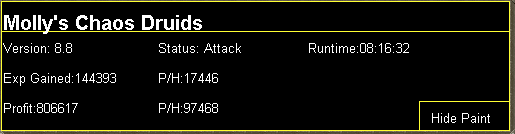
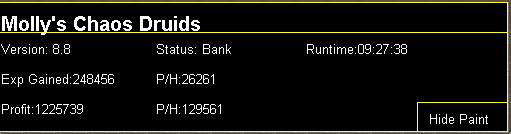
 2 points2 pointsMolly's Chaos Druids This script fights chaos druids in Taverly dungeon, Edgeville dungeon and Ardougne. Profits can easily exceed 200k p/h and 60k combat exp/ph, this is a great method for training low level accounts and pures. Buy HERE Like this post and then post on this thread requesting a 24hr trial. When I have given you a trial I will like your post so you will receive a notification letting you know you got a trial. Requirements - 46 Thieving for Ardougne -82 Thieving and a Lockpick for Yanille - 5 Agility for Taverly(recommended) - No other requirements! Though I do recommend combat stats of 20+ as a minimum Features: - Supports eating any food - Hopping out of bot worlds - Recovers from deaths(respawn point must be lumbridge), includes re-equipping items on death - Potion support - Automatically detects and withdraws/uses Falador teleport tabs if using Taverly dungeon - Automatically detects and withdraws/equips/uses glories if using Edgeville dungeon - Supports looting bag Setup: Start the script, fill out the GUI, and be in the general area of where you want to run the script. CLI setup: Proggies: In the works: Known bugs: Bug report form, this is a MUST for problems to be resolved quickly: Description of bug(where, what, when, why): Log: Your settings: Mirror mode: Y/N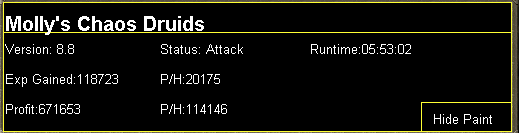
 2 pointsPotters Sand Crabs PLANNED FEATURES: Task Mode - Progressive leveling Multiple crab spots Hop worlds if crashed Special attack support Resets aggro Moves mouse outside screen when possible Combat potion support Banking support to resupply Script Progress Screenshots2 pointsgot banned for using windows wtf plz demote @Muffins linux is shit anyways! 2 my knowledge other ppl say he already got demote for powerabuse before clearly hasnt learned his ways smh @Maldesto2 points2 points2 pointsOnly if you want to get the script parameters that the user has set. You can get the script parameters using getParameters() The script parameter format will be set by the script writer. It will likely be on the script thread, if not you will have to ask them. It may be the case the script has no parameters at all, in which case you can just set the script parameters to "none". You cannot set breaks using CLI. Not sure exactly sure what you mean by automatically close down a bot from the command line, do you mean when the script exits, or after x amount of time?2 points2 pointsApologies that i couldn't get more to you. If jamez wishes to return, he'll have to refund you the remaining 74m.2 points2 pointsGot this guy making me some Logos / Script Paints. Looking forward to the result.2 pointsWell after being demoted 3?? times, mald thought maybe he would be better this time2 pointsI don't see anything wrong but then again I'm 122 points2 points- No dictionary, but I downloaded the entire osrs hiscores and im using those for name generation now. My names are the most superior of any. -They can be rested for which ever period you choose -Yes i just wrote a new one 3 days ago 400 in stock with 24h+ cooldown2 points2 points@iiExoricst can you please add my skype: Khalidbanihani I'll be refunding you.2 points1 pointWant to buy with OSGP? Contact me on Discord! Detailed feature list: - Supports all rooftops (Draynor, Al-Kharid, Varrock, Canafis, Falador, Seers, Polivneach, Relekka, Ardougne) - Supports most courses (Gnome stronghold, Shayzien basic, Barbarian stronghold, Ape toll, Varlamore basic, Wilderness (Legacy), Varlamore advanced, Werewolf, Priffddinas) - Supports Agility pyramid - All food + option to choose when to eat - (Super) Energy potions + Stamina potions support - Progressive course/rooftop option - Waterskin support - Option to loot and sell pyramid top - CLI support for goldfarmers Custom Breakmanager: - Setup Bot and break times - Randomize your break times - Stop script on certain conditions (Stop on first break, Stop after X amount of minutes, Stop when skill level is reached) - Worldhopping - Crucial part to botting in 2023! Script queueing: - Support queueing multiple script in a row - All Khal scripts support flawless transitions in between scripts - Start creating your acc in a few clicks from scratch to multiple 99's - Flawless CLI support - Learn more here: How to use CLI parameters: - Example Usage: -script 463:ScriptFile.BreakFile.DiscordFile SAVEFILE = Saved Filename BREAKFILE = Breakmanager Filename DISCORDFILE= discordSettings Filename - SAVEFILE: Save file can be created in the GUI. Navigate to the tab you want to run and press "Save As CLI file". Please choose your filename wisely (No special characters) - BREAKFILE (Optional): Breakfile can also be create in the GUI, set the breaksettings you wish to use and press "Save new CLI BreakFile". Please choose your filename wisely (No special characters) - Final form (Note that with some bot manager you do not need to specify '-script 463'): -script 463:TaskList1.4515breaks (With breaks) -script 463:TaskList1.4515breaks.discord1 (With breaks & discord) -script 463:TaskList1..discord1 (NO breaks & discord, leave 2nd parameter empty) Proggies:1 point1 pointWant to buy with OSGP? Contact me on Discord! Detailed feature list: - Task/progressive based setup - Gem cutting - Amethyst cutting - Glassblowing - Molten glass smelter - Armour crafting - Jewelry crafting/smelting - Jewelry stringing - Battlestaff combinging - Flax picking + spinning - Drift net weaving - Hide tanning - Shield crafting - Birdhouse crafting - Clockwork crafting - CLI support for goldfarmers Custom Breakmanager: - Setup Bot and break times - Randomize your break times - Stop script on certain conditions (Stop on first break, Stop after X amount of minutes, Stop when skill level is reached) - Worldhopping - Crucial part to botting in 2024! Script queueing: - Support queueing multiple script in a row - All Khal scripts support flawless transitions in between scripts - Start creating your acc in a few clicks from scratch to multiple 99's - Flawless CLI support - Learn more here: How to use CLI parameters: - Example Usage: -script 666:ScriptFile.BreakFile.DiscordFile SAVEFILE = Saved Filename BREAKFILE = Breakmanager Filename - SAVEFILE: Save file can be created in the GUI. Navigate to the tab you want to run and press "Save As CLI file". Please choose your filename wisely (No special characters) - BREAKFILE (Optional): Breakfile can also be create in the GUI, set the breaksettings you wish to use and press "Save new CLI BreakFile". Please choose your filename wisely (No special characters) - Final form (Note that with some bot manager you do not need to specify -script 666): -script 666:TaskList1.4515breaks (With breaks) -script 666:TaskList1.4515breaks.discord1 (With breaks & discord) -script 666:TaskList1..discord1 (NO breaks & discord)1 point1 pointWant to buy with OSGP? Contact me on Discord! Detailed feature list: - Supports every altar - Supports every rune Air, Mind, Water, Earth, Fire, Body runes (Just walk back and forth) Fire runes (Ring of dueling to Castle wars) Mind runes (Ring of dueling to Castle wars + Mind altar teleport) Nature runes (Unnote at shop and walk to altar) Nature runes (Ring of dueling to Castle wars + Necklace of passage to Fairy ring) Nature runes (Ring of dueling to Castle wars + Ardougne cape to Fairy ring) Nature runes (Ring of dueling to Castle wars + Quest cape to Fairy ring) Nature runes (Ring of dueling to Castle wars + POH teleport to Fairy ring) Cosmic runes (Walks back and forth - Uses obstacles based on agility level) Cosmic runes (Ring of dueling to Castle wars + Necklace of passage to Fairy ring) Cosmic runes (Ring of dueling to Castle wars + Quest cape to Fairy ring) Law altar (Ring of dueling to Castle wars + Balloon method to Entrana) Astral altar (Teleports back to bank) Lava runes (Ring of dueling to Castle wars) Stream runes (Ring of dueling to Castle wars) Smoke runes (Ring of dueling to Castle wars) Mud runes (Walks back and forth in varrock) Mud runes (Digsite teleport) Blood runes (Arceuus) Blood runes (Ring of dueling to Castle wars + POH teleport to Fairy ring) (93 agility req) Soul runes (Arceuus) Wrath runes (Ring of dueling to Castle wars + Mythical cape ) - Pouches support - Menu invokes - Daeyalt essence support - Pouch repair - Energy/Stamina potions support - Food support - Combination rune support - Binding necklaces + Magic imbue - Abyss support (Edgeville / Ferox enclave banking) Death handler, will grab your stuff and continue (Abyss only) Abyssal bracelets/Ring of life support Pouches repair at zamorak mage - ZMI altar support Walks short unsafe path OR walks long safe path Quick prayer support Full bank mode (Add fillers so all runes get deposited, but not the pouches/Rune pouch) - Mining daeyalt essence - Master/Runners setup Setup a bunch of runners for your main account who stands at an altar Either play your main yourself or use the master mode Combination runes, magic imbue + binding necklaces available Runners can bring binding necklaces, talismans to the master Stamina potion support for runners Custom Breakmanager: - Setup Bot and break times - Randomize your break times - Stop script on certain conditions (Stop on first break, Stop after X amount of minutes, Stop when skill level is reached) - Worldhopping - Crucial part to botting in 2023! Script queueing: - Support queueing multiple script in a row - All Khal scripts support flawless transitions in between scripts - Start creating your acc in a few clicks from scratch to multiple 99's - Flawless CLI support - Learn more here: How to use CLI parameters: - Example Usage: -script 482:ScriptFile.BreakFile.DiscordFile SAVEFILE = Saved Filename BREAKFILE = Breakmanager Filename - SAVEFILE: Save file can be created in the GUI. Navigate to the tab you want to run and press "Save As CLI file". Please choose your filename wisely (No special characters) - BREAKFILE (Optional): Breakfile can also be create in the GUI, set the breaksettings you wish to use and press "Save new CLI BreakFile". Please choose your filename wisely (No special characters) - Final form (Note that with some bot managers you do not need to specify -script 482): -script 482:TaskList1.4515breaks (With breaks) -script 482:TaskList1.4515breaks.discord1 (With breaks & discord) -script 482:TaskList1..discord1 (NO breaks & discord) Proggies:1 point1 point1 point1 pointAdditionally we made some changes to MoveMouseEvent to try and speed up some reaction time, let us know if that works any better. Additionally V2, I tried to speed up OSBot loading so bot farmers should try and test spam opening multiple clients. ^^^^^1 pointWhich of your scripts you think would maximize the profits for suicide botting?1 point1 pointYou can use your own LoginHandler, or play around with pausing and resuming the scriptExecutor. I'd advise to just go with the LoginHandler solution though. Bear in mind that you'll have the disable all randoms through CLI for this1 point1 pointHas he not started your order at all? Please do change your account details however.1 point1 pointI believe I said WE promoted him, do you really think I make those decisions on my own? And sure I never come in the chatbox but there are chatbox assistants and moderators who are in there very often. In addition to that, we do have the ability to check chatbox logs which we usually do before we promote chatbox assitants. Also, it's very easy to suggest me 5 more competent CBA's right now, after he got banned for scamming... But where were you when we promoted Jamez, I can't recall getting a pm from you with those suggestions? (keep in mind the timezones those people live in if you do that next time) As for the second statement, anyone who is not illiterate has the ability to read what is stated on the pips. I believe when those were created we put the words on the pip, in addition to that the name of the rank is also stated on their profile. I've never heard of anyone complaining about the fact that the pips were too similar, in fact they're not similar at all right now so even for illiterate people the difference is clearly visible. But if you have any suggestions for what we should do to make it clear to both illiterate and colorblind people, feel free to post it here: https://osbot.org/forum/forum/148-forum-feedbacksuggestions/ I would like to say something else to you, you seem to hate on everything the staff has to say or every decision or change that we make, somehow you're always involved. Do you have issues with authority figures or are you just someone who likes to complain about everything? If you have proper suggestions to improve things around these forums I would very much like to hear them, but also keep in mind that we have the whole community to take into account and not just the opinion of one man. In addition to that, in some situations we're limited to what our forum software is able to offer us.1 point1 point1 point1 point1 point^^^^^^^^^^ he wants explanation i think cuz thats the same thing as above haha1 point1 point1 point1 point1 point1 pointLiterally had nothing but trouble with this script, recently had the Anakus running and came back a hour later dead in eddy bank, script was supposed to have full invent of food and pots as it did when i started it and copied the inventory. Never really had this script working right, one day came back to find my account opening and closing the bank for 30 minuites, and yes i had what it was looking for in there,1 pointHave a google on the concept and benefits of OOP (Object Oriented Programming)1 point1 pointFrom my personal experience, IP's do matter, a lot. I'm not saying that Proxy Fish is selling used proxies, which I'm sure of he doesn't. However, a few weeks ago, Jagex has upgraded their anti-marco systems and from my research it appears that IP's located in datacenters are going to get you flagged/banned sooner. My guess is that they started to use MaxMind or similar (Don't quote me on that). This is 100% statistical data and no random guesses or bias, I had to work my way out the hard way Note that it's still completely possible to survive through tutorial island/questing and last for a long while even with worst 'flagged' IPs if you design your code right. Try it yourself: Run an account manually, does it get banned? No. Replicate that.1 point