Leaderboard





Popular Content
Showing content with the highest reputation on 09/14/17 in Posts
-
17 pointsChangelog: -Added Script Selector image caching -Added Script Selector image timeout -Corrected GrandExchange getAmountRemaining()17 points
-
👑CzarScripts #1 Bots 👑 👑 LATEST BOTS 👑 If you want a trial - just post below with the script name, you can choose multiple too. 👑 Requirements 👑 Hit 'like' 👍 on this thread6 points
-
5 points
-
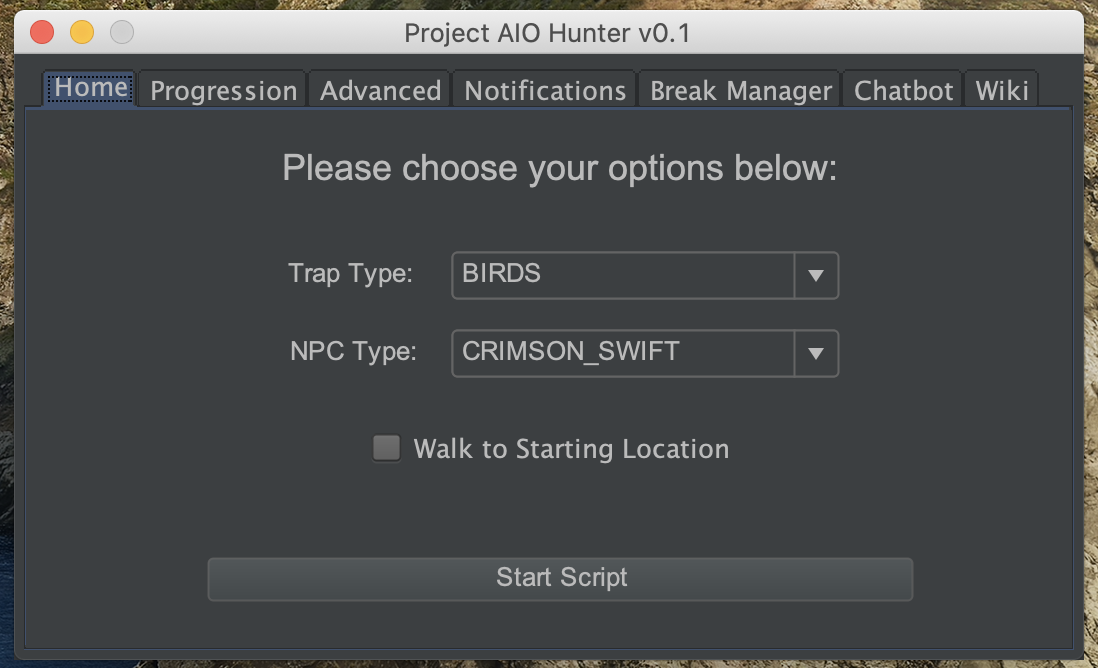
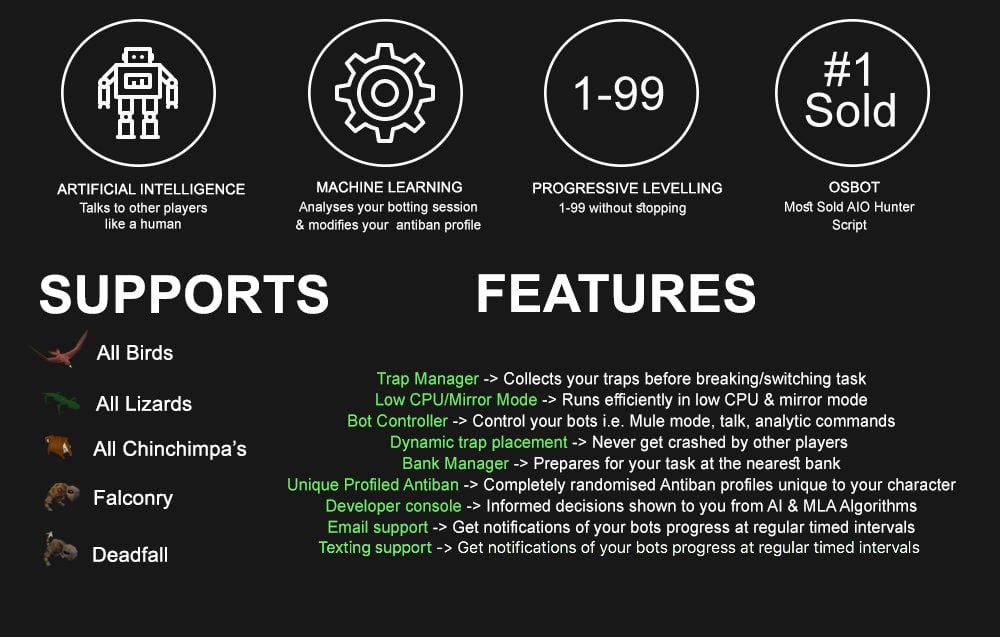
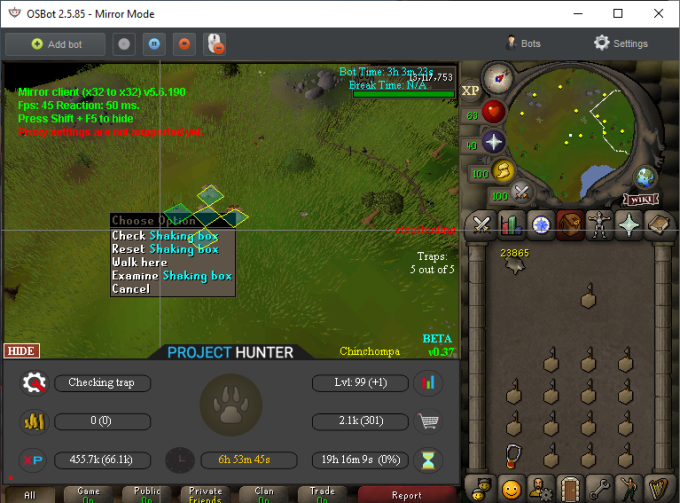
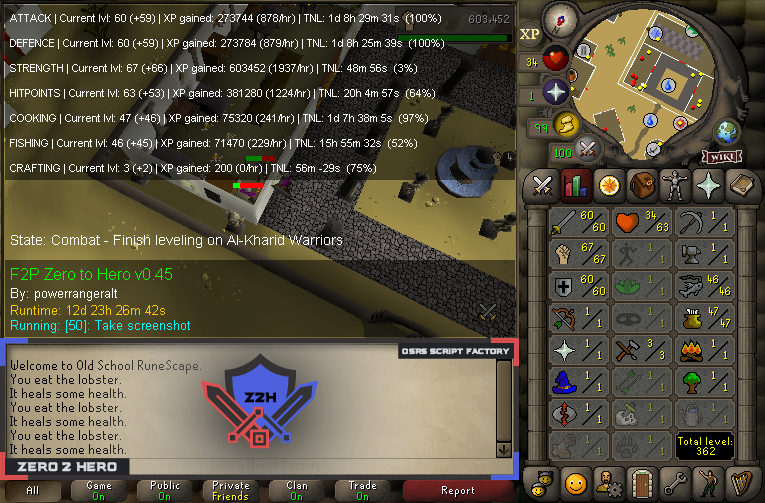
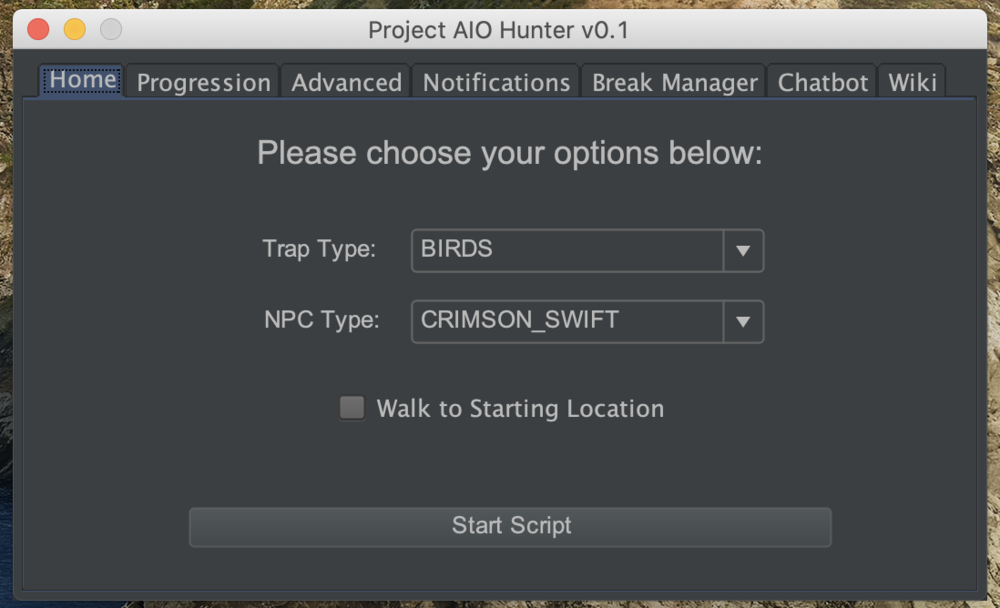
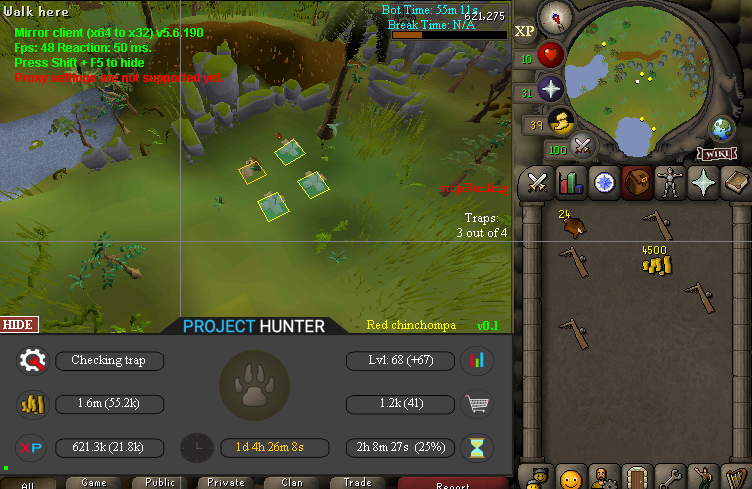
4 pointsPPOSB - AIO Hunter Brand new trapping system just released in 2024! *ChatGPT Supported via AltChat* https://www.pposb.org/ ***Black chinchompas and Black salamanders have been added back*** Supports the completion of Varrock Museum & Eagle's Peak OR CLICK HERE TO PAY WITH 07 GOLD! The script has been completely rewritten from the ground up! Enjoy the all new v2 of the script JOIN THE DISCORD CHAT FOR QUESTIONS/ SUPPORT/ CHATTING/ UPDATES! New GUI: Features: Click Here Current functioning hunter tasks: (green - complete || yellow - started || red - incomplete) Screenshots: Progressive Leveling: 1-19 --> Crimson swift 19-43 --> Tropical wagtail 43-63 --> Falconry 63+ --> Red chinchompas Updates How to setup Dynamic Signatures Report a bug CLI Support - The script now supports starting up with CLI. The commands are given below. Please put in ALL values (true or false) for CLI to work properly. Make sure they are lowercase values, and they are each separated with an underscore. The script ID for the hunter bot is 677. Parameters: EnableProgression_EnableVarrockMuseum_EnableEaglesPeak_EnableGrandExchange Example: -script 677:true_true_false_true ***Don't forget to check out some of my other scripts!*** OSRS Script Factory Click here to view thread LEAVE A LIKE A COMMENT FOR A TRIAL The script is not intended for Ironman accounts. It still works for Ironman accounts, but you must have all equipment, gear, and items.


 4 points
 -
4 pointsRelease notes (2.5): Many interface related bug fixes! Most scripts that weren't working should work without problems now. Loading messages are back (requires latest stable osbot version) Crashes in certain rare scenarios fixed Ability to disable the mirror mode text via Shift + F5 Other miscellaneous bug fixes. MAC/LINUX users please note: Mirror mode was originally designed for windows, and is optimized the most for it. And while it's now supported on OS X & LINUX - the performance of it is best when used on windows.4 points
-
4 points
-
4 pointsLooking back at my old posts/threads, I look so dumb. I was asking similar questions that a lot of new gold farmers ask now such as "Where should i bot to make money", "Should i use public or private scripts", etc. Everyone starts somewhere. I lost over $100 when starting out, mostly due to overpaying for a private script that I could write for myself now within 30 minutes. I also wasted money on accounts and proxies and a lot of my time. Took me like 2 months to finally realize how to properly gold farm and make good profits. I spent like a month learning how to program before I got back into gold farming and then started farming on a small scale. Over time I got bigger and bigger and now im to the point that my whole farm is automated and i have to do no work except load new .txt files every once in a while when all my accounts have been used. It's a journey but it is well worth it. People need to see gold farming as a business. When you start a new business, you're not going to make insane profits at first. You might even lose some money at first. But with anything, if you stick with it long enough and build off of your mistakes, you'll figure it out and it'll get easier.4 points
-
3 points#1 SOLD MAGIC SCRIPT #1 MOST FEATURES MAGIC SCRIPT ESC MODE, HOVER-CLICK, NEAREST ITEM CLICK, FLAWLESS JMod nearby and we still alive. Anti-ban and Optimal script usage Anti-ban: - Don't go botting more than 3 hours at once, take breaks! Otherwise the ban-rate is highly increased! - Bans also depend on where you bot, for the best results: bot in unpopular locations Banking-related spells are the lowest ban-rate (spells which require banking or can be casted near a bank, e.g. superheating, maybe alching, jewelry enchanting etc etc) since you can just go to a full world and blend in with other non-bots (humans), for example: world 2 grand exchange If casting spells on npcs, then unpopular locations reduce the banrate by alot, So make sure not to go to botting hotspots otherwise you may be included in ban waves. - Some good areas used to be (until some got popular): grizzly bear, yanille stun-alching, any overground tiles (upstairs etc) but once the areas are overpopulated, try to go to another location which is similar to the aforementioned locations. This is a very popular thread with many many users so if a new location is mentioned, the location will be populated very quickly so I can only suggest examples of good locations - Don't go botting straight after a game update, it can be a very easy way to get banned. Wait a few hours! If you ever get banned, just backtrack your mistakes and avoid them in the future: you cannot be banned without making botting mistakes. Keep in mind you can be delay-banned from using previous scripts, so don't go using free/crap scripts for 24 hours then switching to a premium script, because the free/crap previous script can still get you banned! For more anti-ban information, see this thread which was created by an official developer: http://osbot.org/forum/topic/45618-preventing-rs-botting-bans/3 points
-
3 pointsDISCLAIMER: THIS DOESN'T INVOLVE CODE. THIS IS MERELY FOR BEGINNERS WHO HAVEN'T GRASPED THE REQUIRED CRITICAL THINKING SKILLS TO SCRIPT. Hello All! Recently decided that I'd attempt to use my Java knowledge for botting. I'm not super experienced but I'm organized when it comes to development and that's what I'm going to teach you today. Being organized is one of the most crucial steps to understanding how to piece your script together. Apaec has an excellent guide that you should read if you haven't already. (It's pinned so I'm not going to bother linking it). In his guide he mentions State Machines. Which are a series of boolean statements, true or false, which decide what action the bot will perform. It's great that he introduces the idea but I felt like he doesn't go into enough detail about how to plan a script. Because while you can jump right in and start coding, you want a foundation and goals in mind to improve efficiency and in turn will allow for you to build on top of what you've already created later on. Currently I'm working on a 1-33 Progressive Magic Leveler. This is for TeleGrab, but there's a decent amount of thought process behind just getting to that goal level of 33. These are some of the goals required to eventually get to level 33: Where to get items Equipment Runes What spells to use When to swap spells Where to splash These are only a handful of the goals and if you're anything like me having the goals in mind is great, but not listing them step by step still makes it a confusing path to getting to your completed script. How/Where to get Items: So first step is to plan out how to get the required runes/equipment to get to level 33 efficiently. I'll be using a muling system for gathering materials so I don't have to worry about having the bot running everywhere which makes the script more complicated and also more prone to get stuck. So we're not going to go into the muling process. We'll just simply state that we have a mule that has all the required materials for our magic adventure. Needed Equipment: So what materials are actually needed? Well Splashing is by far the easiest way to do this, but I want to also get it within a decent amount of time. To splash you need a Magic Bonus of -65 to splash 100% of the time. So to reach that -65 Magic Bonus we'll use an Iron Full Helm, Platebody, Platelegs, and Kite Shield. This will get us to -65. We won't be using a staff as elemental staves provide a +5 Magic Bonus. We could use the "Cursed Goblin Staff" which provides no Magic Bonus, but since we'll only be using autocast spells until level 3, there's no need! So the core equipment will be the iron set. Needed Runes/Spells to Use/When to Swap: Well at level 1 Magic you will only have access to Wind Strike. At Level 3 you'll gain Confuse. At level 11 you gain Weaken and finally at level 19 we'll have Curse, which we'll use until 33. Our Intended Spell Usage: 1-3 Wind Strike | 1 Air 1 Mind per Cast 3-11 Confuse | 1 Body 2 Earth 3 Water per Cast 11-19 Weaken | 1 Body 2 Earth 3 Water per Cast 19-33 Curse | 1 Body 2 Water 3 Earth per Cast Now that we've planned our Spell Casting route, we need to calculate how many runes we'll need to get to our desired levels! Searching up any old xp calculator for OSRS should do the trick. So we'll need 32 Air and 32 Mind Runes to get to level 3 For 3-11 we'll need 92 Body, 184 Earth, and 276 Water Runes using confuse 11-19: 125 Body, 250 Earth, and 375 Water Runes 19-33: 493 Body, 986 Water, and 1479 Earth Runes Total Runes for 1-33: 32 Air Runes 32 Mind Runes 710 Body Runes 1913 Earth Runes 1637 Water Runes Where to Splash: Where we choose to splash will also decide where to keep our mule. I'll demonstrate how all of this planning ties together in a flowchart at the end. But where shall we splash? Lumbridge is insanely crowded on F2P which are the type of accounts I'll be using to get level 33. Draynor isn't too far but can result in some problems if the Dark Wizards wander too far. Varrock is rather far but once past the Dark Wizards we have numerous NPCs to attack. I like the idea of Varrock the best so we'll route ourselves there. Flowchart: This is where we combine all our goals and ideas to construct the script! The resulting flowchart I've created from this may differ from yours depending on what you find most important for the bot to do first! Note: This isn't a final flowchart. It's laying the groundwork. Immediate Issues with this Flowchart: What if the mule doesn't have materials? What if the bot can't hold the items? What qualifies as "materials?" Can air runes be depleted and the script continue? This is just an example. It's not fully done but it gives you a better idea on how to plan your script. Always ask yourself about the "what ifs" Thanks for reading, I hope you learned something and good luck in staying organized. The planning stage decides how well your final script will look. Resources: draw.io zybez osrs magic calculator3 points
-
2 pointsEagle Scripts' AIO Farming What is AIO Farming AIO Farming is a fully customizable Farming Script that helps you gain those Farming Levels What does AIO Farming support - Fully Customizable* - Profile System - Caching System** - Uses Tool Leprechaun To Note Items - Logs Out After All Patches Are Done. Once Any Patch Needs Any Interaction, The Script Will Login. * The User can choose what locations to farm on, what patches to work with and what plants to farm on specific patches ** As long as you're using profiles, the script will utilize data from any previous script runs Discord https://discord.gg/xhsxa6g Progress Reports Locations Supported - Ardougne - Brimhaven - Canifis - Catherby - Falador - Farming Guild - Kourend - Lletya - Lumbridge - Varrock - Tree Gnome Stronghold - Tree Gnome Village - Tai Bwo Wannai Plants Supported - All Herbs - All Allotments - All Trees - All Fruit Trees - Calquat Tree - All Cacti - Flowers (Marigold & Nasturtium, Limpwurt) Instructions GUI Startup Make sure to: Select a FarmingLocation, add FarmingPatches to it, choose a TraversingMethod and thén add the actual FarmingLocation to the queue. Please note that this script does not support the spellbook for traversing. CLI Startup The script's Id is 986. The script's only CLI parameter is the profile name that you'd like to load. Beware: The name can not contain any spaces. Changelog2 points
-
2 pointsAIO Farming has now entered Beta Stage. All of you have been granted access to the script, if you are somehow not able/willing to participate in the Beta, please tell me so I can grant somebody else access. Please note: - For most efficiency, always use the Falador Farming Patch as #1 in the queue of Farming Locations, as it will currently resupply at this location - The script uses teleport tablets to go to the farming location (catherby uses camelot, falador uses falador, kourend uses falador, ardougne uses camelot) - Due to broken webwalking links - Do not use Kourend for now Please make sure to give me full bug reports on all the problems, you can use the following template to do so. Please only post bug reports regarding the Beta on this thread, not the script's actual thread. OSBot Version: Mirror Mode?: Description Of Bug: Console Error: Screenshot (upload in imgur): Custom breaking enabled?:2 points
-
2 points
-
You just thrive on notifications really dont you?2 points
-
2 pointshe said if we donate he will update or ask psiak to pm Explv to update it!2 points
-
2 pointsI'd also suggest /r/HardWareSwap on reddit. Good place to buy and sell hardware.2 points
-
2 pointsBecause he's lying to people saying he's going to add more but he isn't. Some people aren't buying it just for the quests it has now, they're buying it also anticipating more quests being added. I'm surprised it hasn't even been removed off the SDN due to the misleading nature of the script owner and lying to his customers. It still is a great script for what it offers, but like it has been posted 16+ months without an update while telling people you are adding more features is kind of bullshit. He hasn't even added simple quests to at least back up his claims, he just keeps saying "yes" without any proof. Just tell people you aren't updating it, don't lie about it.2 points
-
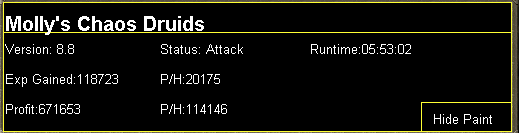
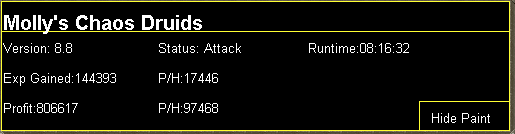
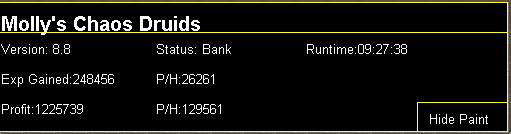
1 point1 pointNEW! Added Gemstone Crab! 81 Hours at Cows Brutal Black Dragon support Sulphur Nagua support Blue Dragon 99 ranged 99 Ranged at Gemstone Crab 81 Range F2p Safespotting Hill Giants Hotkey List // F1 = set cannon tile // F2 = hide paint // F3 = Set afk tile // F4 = reset afk tile // F6 = Set safespot tile // F7 = activate tile selector // F8 = Reset tile selector // F9 and F10 used by the client, EDIT: will re-assign as they are no longer used by client // F11 = Set breaks tile // F12 = Reset breaks tile User Interface Banking Tab Demo (handles everything with banking) You can copy inventory (to avoid adding individual items...), you can insert item names which have Auto-Fill (for you lazy folk!) and you can choose whether to block an item and avoid depositing it in bank, ideal for runes and ammo. Looting Tab Demo (From looting to alchemy, noted/stackable items too) You can choose whether to alch an item after looting it simply by enabling a checkbox, with a visual representation. All items are saved upon exiting the bot, for your convenience! Tasking Demo (Not to be confused with sequence mode, this is an individual task for leveling) You can set stop conditions, for example to stop the bot after looting a visage, you can have a leveling streak by changing attack styles and training all combat stats, you can have windows alert bubbles when an event occurs and an expansive layout for misc. options! Prayer Flick Demo (Just example, I made it faster after recording this GIF) There are two settings: Safe mode and efficient mode, this is safe mode: Fight Bounds Demo Allows you to setup the fight bounds easily! Simplified NPC chooser Either choose nearby (local) NPCs or enter an NPC name to find the nearest fight location! Simple interface, just click! Level Task Switch Demo (Switching to attack combat style after getting 5 defence) You can choose how often to keep levels together! e.g. switch styles every 3 levels Cannon Demo (Cannon is still experimental, beta mode!) Choose to kill npcs with a cannon, recharges at a random revolution after around 20-24 hits to make sure the cannon never goes empty too! Results Caged Ogres: How does this bot know where to find NPCs? This bot will find far-away npcs by simply typing the NPC name. All NPCs in the game, including their spawn points have been documented, the bot knows where they are. You can type 'Hill giant' while your account is in Lumbridge, and the bot will find it's way to the edgeville dungeon Hill giants area! Here is a visual representation of the spawn system in action (this is just a visual tool, map mode is not added due to it requiring too much CPU) Fight Area Example (How the bot searches for the npc 'Wolf') Walking System The script has 2 main walking options which have distinctive effects on the script. The walking system is basically a map with points and connections linking each point. It tells the script where to go, and decides the routes to take when walking to fightzones. Walking system 1 This uses a custom walking API written by myself and is constantly being updated as new fightzones are added. Pros: - Updates are instant, no waiting times - More fightzones are supported Cons: - Sometimes if an object is altered, the changes are not instant - Restarting the script too many times requires loading this webwalker each time which adds unnecessary memory (there is no way to make it only load at client startup since I don't control the client) Walking system 2 This is the default OSBot webwalking API - it is relatively new and very stable since the developers have built it, but is currently lacking certain fightzones (e.g. stronghold) and other high level requirement zones. It is perfect for normal walking (no object interactions or stairs, entrances etc) and never fails. Pros: - Stable, works perfect for normal walking - All scripters are giving code to improve the client webwalker - More efficient when restarting the script since it is loaded upon client start Cons: - No stronghold support yet - Some new/rare fightzones not supported yet - If there is a game-breaking update or an unsupported fightzone, it may take some time to add/repair (less than 24 hours usually) So which system should I choose? Whichever one suits your chosen fightzone best! There really shouldn't be any problems - the sole purpose of these options are for backup and emergency purposes, if the script ever messes up there is always the next option to select. Note: If the script ever fails, there will be immediate updates to fix the walking systems! Script Queue/Bot Manager: Script ID is 758, and the parameters will be the profile name that you saved in the fighter setup! Bug Report templates: New feature request - What is the new feature - Basic description of what the script should do - Basic actions for the script: 'Use item on item' etc. For when the script gets stuck on a tile (or continuous loop): - Which exact tile does the script get stuck on? (exact tile, not 'near the draynor village') - Plugin or normal script? - Did you try all 3 walking options? Script has a logic bug (e.g. dies while safespotting) or (cannon mode doesn't pickup arrows) - What is the bug - How did you make the bug happen - (optional) recommendation for the bug, e.g. 'make the script walk back' or something - Tried client restart? - Normal script or a plugin? - Which exact setup options are enabled? Afk mode, cannon mode, etc etc.1 point1 point────────────── PREMIUM SUITE ────────────── ─────────────── FREE / VIP+ ─────────────── ──────────────────────────────────────────────────────────── ⌠ Sand crabs - $4,99 | Rooftop Agility - $5,99 | AIO Smither - $4,99 | AIO Cooker - $3,99 | Unicow Killer - £3,99 | Chest Thiever - £2,99 | Rock crabs - $4,99 | Rune Sudoku - $9,99 ⌡ ⌠ AIO Herblore - FREE & OPEN-SOURCE | Auto Alcher - FREE | Den Cooker - FREE | Gilded Altar - FREE | AIO Miner - VIP+ ⌡ ──────────────────────────────────── What is a trial? A trial is a chance for you to give any of my scripts a test run. After following the instructions below, you will receive unrestricted access to the respective script for 24 hours starting when the trial is assigned. Your trial request will be processed when I log in. The trial lasts for 24 hours to cater for time zones, such that no matter when I start the trial, you should still get a chance to use the script. Rules: Only 1 trial per user per script. How to get a trial: 'Like' this thread AND the corresponding script thread using the button at the bottom right of the original post. Reply to this thread with the name of the script you would like a trial for. Your request will be processed as soon as I log in. If i'm taking a while, i'm probably asleep! Check back in the morning Once I process your request, you will have the script in your collection (just like any other SDN script) for 24 hours. Private scripts: Unfortunately I do not currently offer private scripts. ________________________________________ Thanks in advance and enjoy your trial! -Apaec.1 point1 pointWant to buy with OSGP? Contact me on Discord! Detailed feature list: - Supports every altar - Supports every rune Air, Mind, Water, Earth, Fire, Body runes (Just walk back and forth) Fire runes (Ring of dueling to Castle wars) Mind runes (Ring of dueling to Castle wars + Mind altar teleport) Nature runes (Unnote at shop and walk to altar) Nature runes (Ring of dueling to Castle wars + Necklace of passage to Fairy ring) Nature runes (Ring of dueling to Castle wars + Ardougne cape to Fairy ring) Nature runes (Ring of dueling to Castle wars + Quest cape to Fairy ring) Nature runes (Ring of dueling to Castle wars + POH teleport to Fairy ring) Cosmic runes (Walks back and forth - Uses obstacles based on agility level) Cosmic runes (Ring of dueling to Castle wars + Necklace of passage to Fairy ring) Cosmic runes (Ring of dueling to Castle wars + Quest cape to Fairy ring) Law altar (Ring of dueling to Castle wars + Balloon method to Entrana) Astral altar (Teleports back to bank) Lava runes (Ring of dueling to Castle wars) Stream runes (Ring of dueling to Castle wars) Smoke runes (Ring of dueling to Castle wars) Mud runes (Walks back and forth in varrock) Mud runes (Digsite teleport) Blood runes (Arceuus) Blood runes (Ring of dueling to Castle wars + POH teleport to Fairy ring) (93 agility req) Soul runes (Arceuus) Wrath runes (Ring of dueling to Castle wars + Mythical cape ) - Pouches support - Menu invokes - Daeyalt essence support - Pouch repair - Energy/Stamina potions support - Food support - Combination rune support - Binding necklaces + Magic imbue - Abyss support (Edgeville / Ferox enclave banking) Death handler, will grab your stuff and continue (Abyss only) Abyssal bracelets/Ring of life support Pouches repair at zamorak mage - ZMI altar support Walks short unsafe path OR walks long safe path Quick prayer support Full bank mode (Add fillers so all runes get deposited, but not the pouches/Rune pouch) - Mining daeyalt essence - Master/Runners setup Setup a bunch of runners for your main account who stands at an altar Either play your main yourself or use the master mode Combination runes, magic imbue + binding necklaces available Runners can bring binding necklaces, talismans to the master Stamina potion support for runners Custom Breakmanager: - Setup Bot and break times - Randomize your break times - Stop script on certain conditions (Stop on first break, Stop after X amount of minutes, Stop when skill level is reached) - Worldhopping - Crucial part to botting in 2023! Script queueing: - Support queueing multiple script in a row - All Khal scripts support flawless transitions in between scripts - Start creating your acc in a few clicks from scratch to multiple 99's - Flawless CLI support - Learn more here: How to use CLI parameters: - Example Usage: -script 482:ScriptFile.BreakFile.DiscordFile SAVEFILE = Saved Filename BREAKFILE = Breakmanager Filename - SAVEFILE: Save file can be created in the GUI. Navigate to the tab you want to run and press "Save As CLI file". Please choose your filename wisely (No special characters) - BREAKFILE (Optional): Breakfile can also be create in the GUI, set the breaksettings you wish to use and press "Save new CLI BreakFile". Please choose your filename wisely (No special characters) - Final form (Note that with some bot managers you do not need to specify -script 482): -script 482:TaskList1.4515breaks (With breaks) -script 482:TaskList1.4515breaks.discord1 (With breaks & discord) -script 482:TaskList1..discord1 (NO breaks & discord) Proggies:1 point1 pointWant to buy with OSGP? Contact me on Discord! Detailed feature list: - Multiple modes: Varrock - Walk to sawmill and bank Varrock - Walk sawmill / Varrock teleport (tablet) Varrock - Walk sawmill / Varrock telkeport (spell) Woodcutting guild - Banks for logs Woodcutting guild - Chop logs Castle wars - Balloon method / Ring of dueling Castle wars - Ring of elements / Ring of dueling POH butler mode Castle Wars - House teleport (Tab OR Spell) / Ring of dueling POH butler mode Camelot PVP - House teleport (Tab OR Spell) / Camelot teleport (Tab or Spell) - Potion support - Normal butler / Demon butler - CLI support for goldfarmers Custom Breakmanager: - Setup Bot and break times - Randomize your break times - Stop script on certain conditions (Stop on first break, Stop after X amount of minutes, Stop when skill level is reached) - Worldhopping - Crucial part to botting in 2023! Script queueing: - Support queueing multiple script in a row - All Khal scripts support flawless transitions in between scripts - Start creating your acc in a few clicks from scratch to multiple 99's - Flawless CLI support - Learn more here: How to use CLI parameters: - Example Usage: -script 463:ScriptFile.BreakFile.DiscordFile SAVEFILE = Saved Filename BREAKFILE = Breakmanager Filename - SAVEFILE: Save file can be created in the GUI. Navigate to the tab you want to run and press "Save As CLI file". Please choose your filename wisely (No special characters) - BREAKFILE (Optional): Breakfile can also be create in the GUI, set the breaksettings you wish to use and press "Save new CLI BreakFile". Please choose your filename wisely (No special characters) - Final form (Note that with some bot manager you do not need to specify '-script 844'): -script 844:TaskList1.4515breaks (With breaks) -script 844:TaskList1.4515breaks.discord1 (With breaks & discord) -script 844:TaskList1..discord1 (NO breaks & discord)1 point1 pointBefore buying, please ensure you check-out with the correct script. Swapping scripts is not possible. View in store $4,99 for lifetime use - Link to Sand Crabs script thread (better exp/h!) - Requirements: Camelot tabs / runes in main tab of bank Designated food in main tab of bank ~ 20-30+ combat level Features: CLI Support! (new!) Supports Ranged & Melee Attractive & fully customisable GUI Attractive & Informative paint Supports any food Custom cursor On-screen paint path and position debugging Supports [Str/Super Str/Combat/Super combat/Ranged/Attack/Super attack] Potions Collects ammo if using ranged Stops when out of [ammo/food/potions] or if something goes wrong Supports tabs / runes for banking Option to hop if bot detects cannon Global cannon detection Option to hop if there are more than X players Refreshes rock crab area when required Avoids market guards / hobgoblins (optional) Automatically loots caskets / clues / uncut diamonds Enables auto retaliate if you forgot to turn it on No slack time between combat Flawless path walking Advanced AntiBan (now built into client) Special attack support Screenshot button in paint GUI auto-save feature Dynamic signatures ...and more! How to start from CLI: You need a save file! Make sure you have previously run the script and saved a configuration through the startup interface (gui). Run with false parameters eg "abc" just so the script knows you don't want the gui loaded up and want to work with the save file! Example: java -jar "osbot 2.4.67.jar" -login apaec:password -bot username@[member=RuneScape].com:password:1234 -debug 5005 -script 421:abc Example GUI: Gallery: FAQ: Check out your own progress: http://ramyun.co.uk/rockcrab/YOUR_NAME_HERE.png Credits: @Dex for the amazing animated logo @Bobrocket for php & mysql enlightenment @Botre for inspiration @Baller for older gfx designs @liverare for the automated authing system1 point1 pointMolly's Planker This script makes planks at Varrock East for gold. Buy HERE Requirements: None for regular method, for balloon method you need rings of dueling, willow logs(1 per run), be under 40KG weight with full inventory of coins + logs(wear graceful items for example) and you must have completed the quest Enlightened Journey. Features: - Hopping out of bot worlds - Stamina potion usage - Regular energy pot usage, this can be used in conjunction with stamina pots to reduce the amount of stamina pots used - Makes normal, oak, and teak planks -Enlightened journey balloon support Setup: Start at Varrock East, have coins and logs in bank and let it do work! CLI Setup: Proggies: Normal planks, no stam pots used:1 point1 pointMolly's Chaos Druids This script fights chaos druids in Taverly dungeon, Edgeville dungeon and Ardougne. Profits can easily exceed 200k p/h and 60k combat exp/ph, this is a great method for training low level accounts and pures. Buy HERE Like this post and then post on this thread requesting a 24hr trial. When I have given you a trial I will like your post so you will receive a notification letting you know you got a trial. Requirements - 46 Thieving for Ardougne -82 Thieving and a Lockpick for Yanille - 5 Agility for Taverly(recommended) - No other requirements! Though I do recommend combat stats of 20+ as a minimum Features: - Supports eating any food - Hopping out of bot worlds - Recovers from deaths(respawn point must be lumbridge), includes re-equipping items on death - Potion support - Automatically detects and withdraws/uses Falador teleport tabs if using Taverly dungeon - Automatically detects and withdraws/equips/uses glories if using Edgeville dungeon - Supports looting bag Setup: Start the script, fill out the GUI, and be in the general area of where you want to run the script. CLI setup: Proggies: In the works: Known bugs: Bug report form, this is a MUST for problems to be resolved quickly: Description of bug(where, what, when, why): Log: Your settings: Mirror mode: Y/N
 1 point1 point1 point1 pointThanks at least someone understands that scripting is not merely writing getMagicToLevel33, the end. "Oh but this script is basic, i am only paying 5m for it!" The most annoying comments I get when people want private scripts. Just because it's simple to do as a human does not mean it is simple to code. Anyways, on topic, good flow chart. Hope to see the release of your script soon. Good organization.1 point1 point1 pointYou've got the best CPU for that motherboard, but the motherboard isn't the best for the CPU. You can't overclock on that motherboard, but the CPU can overclock in a motherboard that supports overclocking. But you shouldn't worry about that, just get a decent CPU cooler so the CPU lasts longer and always runs at peak performance! The PSU is probably fine, I'm gonna guess it's bronze, and cooler master is a good brand. But yeah, for 24/7 loads, gold or platinum are usually recommended. Anyways, good luck!1 point1 point1 point1 pointJeeez, thank you How can you cheap out on $10, when you got a lot of youtube money1 point1 pointI've always wondered how people don't test their code1 point1 pointI can probably update surface stuff, but not dungeons etc. unless someone provides me with an updated map. It will require much effort to update though, so not sure when I will do it1 point1 pointYeah with that amount of hdd space it mustve been a server pc ups is worth like 150 on top if it works1 point1 pointYes. Firstly, you need to grab a bunch of tile data to work with. You can do this by creating a new Area object and using the getPositions function to get the tiles in that range. Then, you'll need to check those tiles' flags to see whether they can be walked on or not. You need to do this separately and still be able to filter out the 'bad tiles'. Thirdly, when you have all those 'walkable' tiles, you then need to figure out whether there are objects situated on those tiles. Objects such as cannons, flowers, fires, and others will prevent you from being able to light a fire in that spot. The MethodProvider has MethodProvider.objects, which links you to the Objects object. From there, you can use the Objects.get(x, y) function, or you could use a PositionFilter which filters out tiles that aren't occupied with 'bad objects.' I would chose the former, because your list of good tiles will work better if you can just check for objects at their coordinates.1 point1 pointSpamming to 100 post count will get your thread denied. Try sythe if you wanna sell accounts with 1 post without approval based sales.1 point1 point1 pointNice release. Everyone who is a gray name, I suggest buying VIP to get Mirror Mode and help fight the fight against Jagex and protect your accounts from bans even more!1 pointgotta have 100 posts first before u can sell accounts1 point1 point1 point1 pointStop lying to your users, you haven't added a quest (According to your log) in over 16 months.1 point1 pointtry to avoid botting seers for too long. I think thats the most bannable spot atm. Thanks for the feedback1 point1 point1 point1 point