





Leaderboard







Popular Content
Showing content with the highest reputation on 12/01/17 in Posts
-
12 points@godlars @Fishing @Fidget @Team Cape @District8102 @Faust @Spidermonkey @IR0N @cadmanmonkey @Failure @CodeDdx @El Dingus @casualracism @MAMU 31CM @The Legman @0wne2dk1ll @1anter @erythaean2 @Real Madrid @Lukebo @10kidswithaids @humblevibe @GeneralMayor @Fearsy @FuryShark @PDJ @dewildevis1 @fonchox @Jadderz @Anura @Light @aftabdear @Goldas @tyoui @Dfewsloc @lol123jer @kazemaru @12thbuc @glurak @CreamCaramel @bootyslayer @bot985 @purplewatilla @boozer @Harky91 @DJ Khaled @atoo @jesenican @Zombo @HoneyDewBubbleT @Clouds1993 @emigdiodia @WhoKnew @iMute @Deceiver * Winner will be announced 2017-12-24 * How to win: 1. Like this thread 2. Make 1 or more posts (this thread) 3.12 points
-
8 points
-
4 points@Kim Won the VIP giveaway sweepstakes! This is the first time I have ever won ANYTHING in a giveaway! I am so excited! Thank you so much. Hope I can make good use of your gift and eventually contribute some solid knowledge/scripting to the community!4 points
-
👑CzarScripts #1 Bots 👑 👑 LATEST BOTS 👑 If you want a trial - just post below with the script name, you can choose multiple too. 👑 Requirements 👑 Hit 'like' 👍 on this thread3 points
-
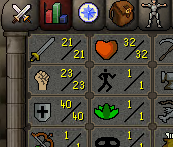
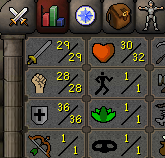
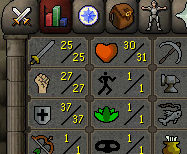
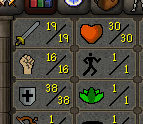
3 points3 pointsHi, this is my guide on how to Christmas in the Chatbox. 1. Get the 'Stylish' browser plugin 2. Add osbot.org targeted style script using below style img[ng-switch-when=':boge:'] { display: inline-block; -moz-box-sizing: border-box; box-sizing: border-box; background: url(https://i.imgur.com/hR6mkVU.png) no-repeat; width: 30px; height: 30px; padding-left: 30px; } 3. Engage in posting I hope you liked my guide3 points3 pointsmy transition to ty to my favorite little retard @Wet Rag for drawing this for me3 points3 points@avid * Winner will be announced 2017-12-01 * How to win: 1. Like this thread 2. Make 1 or more posts (this thread) 3.3 points2 pointsYou can honestly make 1m/hour with just Magic. You need better gear for it and you'll be sweet, or maybe your making mistakes during the kills and its adding to the time. Or if your botting just make sure your on your home worlds and you don't have heaps of shit going on your PC. Its good having your bots run on nice ping. If you want max kills per hour though the best things to do is have 85+ Ranged & Mage.2 points2 points2 pointsThank you. What really hurts is that, people accused me of lying.. But when I show them the pictures of my house now. They shut up.2 points1 pointNEW! Added Gemstone Crab! 81 Hours at Cows Brutal Black Dragon support Sulphur Nagua support Blue Dragon 99 ranged 99 Ranged at Gemstone Crab 81 Range F2p Safespotting Hill Giants Hotkey List // F1 = set cannon tile // F2 = hide paint // F3 = Set afk tile // F4 = reset afk tile // F6 = Set safespot tile // F7 = activate tile selector // F8 = Reset tile selector // F9 and F10 used by the client, EDIT: will re-assign as they are no longer used by client // F11 = Set breaks tile // F12 = Reset breaks tile User Interface Banking Tab Demo (handles everything with banking) You can copy inventory (to avoid adding individual items...), you can insert item names which have Auto-Fill (for you lazy folk!) and you can choose whether to block an item and avoid depositing it in bank, ideal for runes and ammo. Looting Tab Demo (From looting to alchemy, noted/stackable items too) You can choose whether to alch an item after looting it simply by enabling a checkbox, with a visual representation. All items are saved upon exiting the bot, for your convenience! Tasking Demo (Not to be confused with sequence mode, this is an individual task for leveling) You can set stop conditions, for example to stop the bot after looting a visage, you can have a leveling streak by changing attack styles and training all combat stats, you can have windows alert bubbles when an event occurs and an expansive layout for misc. options! Prayer Flick Demo (Just example, I made it faster after recording this GIF) There are two settings: Safe mode and efficient mode, this is safe mode: Fight Bounds Demo Allows you to setup the fight bounds easily! Simplified NPC chooser Either choose nearby (local) NPCs or enter an NPC name to find the nearest fight location! Simple interface, just click! Level Task Switch Demo (Switching to attack combat style after getting 5 defence) You can choose how often to keep levels together! e.g. switch styles every 3 levels Cannon Demo (Cannon is still experimental, beta mode!) Choose to kill npcs with a cannon, recharges at a random revolution after around 20-24 hits to make sure the cannon never goes empty too! Results Caged Ogres: How does this bot know where to find NPCs? This bot will find far-away npcs by simply typing the NPC name. All NPCs in the game, including their spawn points have been documented, the bot knows where they are. You can type 'Hill giant' while your account is in Lumbridge, and the bot will find it's way to the edgeville dungeon Hill giants area! Here is a visual representation of the spawn system in action (this is just a visual tool, map mode is not added due to it requiring too much CPU) Fight Area Example (How the bot searches for the npc 'Wolf') Walking System The script has 2 main walking options which have distinctive effects on the script. The walking system is basically a map with points and connections linking each point. It tells the script where to go, and decides the routes to take when walking to fightzones. Walking system 1 This uses a custom walking API written by myself and is constantly being updated as new fightzones are added. Pros: - Updates are instant, no waiting times - More fightzones are supported Cons: - Sometimes if an object is altered, the changes are not instant - Restarting the script too many times requires loading this webwalker each time which adds unnecessary memory (there is no way to make it only load at client startup since I don't control the client) Walking system 2 This is the default OSBot webwalking API - it is relatively new and very stable since the developers have built it, but is currently lacking certain fightzones (e.g. stronghold) and other high level requirement zones. It is perfect for normal walking (no object interactions or stairs, entrances etc) and never fails. Pros: - Stable, works perfect for normal walking - All scripters are giving code to improve the client webwalker - More efficient when restarting the script since it is loaded upon client start Cons: - No stronghold support yet - Some new/rare fightzones not supported yet - If there is a game-breaking update or an unsupported fightzone, it may take some time to add/repair (less than 24 hours usually) So which system should I choose? Whichever one suits your chosen fightzone best! There really shouldn't be any problems - the sole purpose of these options are for backup and emergency purposes, if the script ever messes up there is always the next option to select. Note: If the script ever fails, there will be immediate updates to fix the walking systems! Script Queue/Bot Manager: Script ID is 758, and the parameters will be the profile name that you saved in the fighter setup! Bug Report templates: New feature request - What is the new feature - Basic description of what the script should do - Basic actions for the script: 'Use item on item' etc. For when the script gets stuck on a tile (or continuous loop): - Which exact tile does the script get stuck on? (exact tile, not 'near the draynor village') - Plugin or normal script? - Did you try all 3 walking options? Script has a logic bug (e.g. dies while safespotting) or (cannon mode doesn't pickup arrows) - What is the bug - How did you make the bug happen - (optional) recommendation for the bug, e.g. 'make the script walk back' or something - Tried client restart? - Normal script or a plugin? - Which exact setup options are enabled? Afk mode, cannon mode, etc etc.1 point1 pointNEW: Released Chop & Firemake plugin Added 8 Forestry events!!!!!!!! Easy 99, Next! Map Chooser System Progress Results! Help How to use this with Bot Manager? Script ID is 631, and the parameters will be the profile you saved in the setup window, e.g. oak15.txt I want a new feature added? Make a post below and I am always listening, within reason! The bot is doing something I don't like? Make a post below and I will adjust the code to match your play style!1 point1 pointby Czar Buy now (only $8.99!) 143 HOURS IN ONE GO!!!!! update: this bot is now featured on the front page of osbot! More reviews than every other fishing bot combined! 100 hour progress report!!! How to use Script Queue: ID is 552, and the parameters will be the profile name that you saved in setup! This process is really simple, just to save you headache1 point1 point'the intelligent choice' by Czar Want to buy the bot, but only have rs gp? Buy an OSBot voucher here1 pointThis was the first script I created for OSBot, I have seen many people make / try to make this script, so I figured why not open source mine so that people could learn from it, or use it Source: https://github.com/Explv/Tutorial-Island Jar File: https://github.com/Explv/Tutorial-Island/releases1 pointDebugging scripts in osbot is pretty simple once you learn abut debugging localprocesses. Here are the basic steps you will need 1. Add a breakpoint into your local script you have create 2. Set your build output to go to your OSBOT scripts folder 3. Create a debug configuration that starts an application with the entry point of org.osbot.boot 4. Run your configuration (do not debug it) to bring up osbot so your local processes in intellij can see it. 5. log into your account and then you are ready to attach to the local script process through intellij. Once you have attached run your script and you should now be debugging your script so any breakpoints that the code hits will now stop and allow you to see the variables. 6. you can also add watches to quickly look up things without using print lines and make debugging much easier now. 7. if you need to do more complex statements you can use evaluate expression to have multiple lines. Looks like images got deleted from site so to view the gifs that explain each step use this google cache link https://webcache.googleusercontent.com/search?q=cache:zre9YWkp3WsJ:https://osbot.org/forum/topic/133159-using-the-debugger-with-osbot-local-scripts/+&cd=1&hl=en&ct=clnk&gl=us or this imgur link: https://imgur.com/a/smwr5lu1 pointOBS, DISABLE ADBLOCK TO SEE PICTURES. Hey guys! Feel free to follow my journey on multiple accounts from scratch to Zulrah. The accounts will be 95% botted. Banned accounts will be replaced as fast as possible. All accounts are freshly made. With my increased demand for accounts you can now build accounts for me, check out this thread. Day 1-50 A new chapter! I will try to keep as consisten updates as possible as I will be putting in alot of work the upcoming months, not to mention that christmas is catching upon us. Stay blessed during the holidays. Update 1 Update 2 Update 3 - New PC Small achievement update The day I got 99 magic on one of my first zulrah accounts is today. Still blessed to be running this. 85-99 just by killing zulrah, gg Jagex. UPDATE 2018-28-03 Huge update finally! Currently geared and ready accounts! Also have about 8-10 accounts ready to be used when I feel like I am ready to risk them. As many of you know there was a banwave about 1-2 weeks ago, well, zulrah bots was a hot topic on reddit, twitter and on Runescape forums. All my accounts made it through the wave while people got banned from left to right. Zulrah scales skyrocketed and I started to bot even more than I did before the banwave. I lost a few accounts 3-4 days ago, 4 accounts was lost so not a big deal luckily. Currently I am waiting until the Jagex stops monitoring zulrah so closely, it has been 2 days since I stopped and I already want to get back to it. As for people that got inspired to start botting zulrah reading through my thread over the last couple of months, please, don't bot your accounts right now. It's risky, very risky. I thought I was going to get away with it, but reality kicked in and hit me. That's something I have to accept, people have lost SOOO many accounts unfortunately. And oh, I know some people wanted to see some actual loot from the farm. I have loot from the week many bots got wiped. I have never seen this much loot (value) from my farm ever before (1 week). About 1.1b in loot last week. Also, big thanks to @TWC, @Fratem, @Chuckle for account builds, services and generally supportive helpful guys in this community. And special thanks to this amazing account builder @zzluis12 for making over 10 accounts at the same time for me.
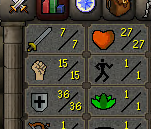
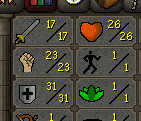
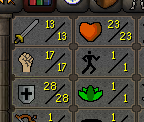
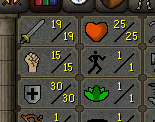
.png.cb018813b75e1ee9f186d90c1a9980be.png)
.png.0bd3f2420c2ef9623f659aac212efa87.png)
.png.eb9f4bed77c05e3d5ca1111c708167d0.png)
.png.6ed53a49671c16f1a517a6534ae0816c.png)
.png.abaa77e6443643021a77d4325b1fc71f.png) 1 point1 pointVery trusted only, budget is 600m msg me or post here if you got anything Pref G maul1 point1 pointcan i get a trial pls also the sand crab one. didnt get to try it ytd since bot is down1 point@zuzel111 is who I use for firecapes! I can do DT if you'd like1 point1 point1 pointConsidering how yesterdays day went, came here expecting a sarcastic "Thanks scripts not working/want refund/got banned". Have to say I'm pleasantly suprised. Congratz. I've decided to stop participating in these giveaways so more chance for new plebs like you to get it.1 point1 point1 point1 pointThats why i couln't see a thing after it supposedly loaded a client... Nice Job:)1 point1 pointHiya Frostbug, I hate to ask.. but i haven't botted since around 2008 and i'm a bit nervous about it, I'm starting up a new account today to test a few scripts on before i start running clients on my newest PC build. Do you think you could start a trial for me? I fully intend to buy if the script is stable and sustainable(within reason) Thanks in advance, whether you choose to let me try it out or not!1 point1 point1 point1 point1 point1 point1 point1 pointYah, me dun did a goof, so me delete. Long storyerino. Will b reuploading this weekenderino, maybe b uploading new version, we will c1 point1 point1 point1 pointThanks for the kind words (: ___ Hey guys, Client was misbehaving after the recent game update. It has since been fixed - https://osbot.org/forum/topic/133441-bot-is-fixed/ Best Apa1 point1 point1 point1 pointSince the last RuneScape update theres a problem in the bot, yes most of the script have this problem. Wait until they fix it, or try to play the game without botting..its really nice game try it1 point1 pointHas just traded me 9m before i started the service other 9m to be traded after service is done! AWESOME GUY SO FAR!1 pointbest of luck selling TMB.1 point1 pointHave officially hired @isamday6 for this service , he will be training 38-55 agility & 51-60 str for the agreed amount of 18M OSRS; which will be completed no later then Saturday 11AM EST.1 pointHell no, I am still up and running!1 point1 point1 point1 pointClient is currently down for hook updates. Please read the forums before posting in the future.1 point1 point1 pointReally nice job, you inspired me to make my own small farm, 80/80 on a few atm :). Just one question, when you use nmz do you break or not?1 point1 point1 = Unexepected server responce please try using a different world. 2 = login to the game 3 = Invalid name/password 4 = banned username 5 = Account is already logged in try agian in 60 secs... 6 = Runescape has been updated! Please reload this page. 7 = This world is full. Please use a different world. 8 = Unable to connect. login server offline. 9 = Login limit exceeded. Too many connections from you address. 10 = Unable to connect. Bad session id. 11 = We suspect someone knows your password. Press 'change your password' on the front page. 12 = You need a members account to login to this world. Please subscribe, or use a different world. 13 = Could not complete login. Please try using a different world. 14 = The server is being updated. Please wait 1 minute and try again. 15 = Another server responce please try agian 16 = Too many incorrect longs from your address. Please wait 5 minutes before trying again. 17 = You are standing in a members-only area. To play on this world move to a free area first. 18 = Account locked as we suspect it has been stolen. Press 'recover a locked account' on front page. 19 = This world is running a closed beta. sorry invited players only. please use a different world. 20 = Invalid loginserver requested please try using a different world. 21 = You have only just left another world. your profile will be transferred in 4seconds. 22 = Malformed login packet. Please try agian. 23 = No reply from loginserver. Please wait 1minute and try again. 24 = Error loading your profile. please contact customer support. 25 = Unexepected loginserver response 26 = This computers address has been blocked as it was used to break our rules. 27 = Service unavailable. Those are all the known ones. Credits to a user on here but forgot his name.1 point
1 point1 pointVery trusted only, budget is 600m msg me or post here if you got anything Pref G maul1 point1 pointcan i get a trial pls also the sand crab one. didnt get to try it ytd since bot is down1 point@zuzel111 is who I use for firecapes! I can do DT if you'd like1 point1 point1 pointConsidering how yesterdays day went, came here expecting a sarcastic "Thanks scripts not working/want refund/got banned". Have to say I'm pleasantly suprised. Congratz. I've decided to stop participating in these giveaways so more chance for new plebs like you to get it.1 point1 point1 point1 pointThats why i couln't see a thing after it supposedly loaded a client... Nice Job:)1 point1 pointHiya Frostbug, I hate to ask.. but i haven't botted since around 2008 and i'm a bit nervous about it, I'm starting up a new account today to test a few scripts on before i start running clients on my newest PC build. Do you think you could start a trial for me? I fully intend to buy if the script is stable and sustainable(within reason) Thanks in advance, whether you choose to let me try it out or not!1 point1 point1 point1 point1 point1 point1 point1 pointYah, me dun did a goof, so me delete. Long storyerino. Will b reuploading this weekenderino, maybe b uploading new version, we will c1 point1 point1 point1 pointThanks for the kind words (: ___ Hey guys, Client was misbehaving after the recent game update. It has since been fixed - https://osbot.org/forum/topic/133441-bot-is-fixed/ Best Apa1 point1 point1 point1 pointSince the last RuneScape update theres a problem in the bot, yes most of the script have this problem. Wait until they fix it, or try to play the game without botting..its really nice game try it1 point1 pointHas just traded me 9m before i started the service other 9m to be traded after service is done! AWESOME GUY SO FAR!1 pointbest of luck selling TMB.1 point1 pointHave officially hired @isamday6 for this service , he will be training 38-55 agility & 51-60 str for the agreed amount of 18M OSRS; which will be completed no later then Saturday 11AM EST.1 pointHell no, I am still up and running!1 point1 point1 point1 pointClient is currently down for hook updates. Please read the forums before posting in the future.1 point1 point1 pointReally nice job, you inspired me to make my own small farm, 80/80 on a few atm :). Just one question, when you use nmz do you break or not?1 point1 point1 = Unexepected server responce please try using a different world. 2 = login to the game 3 = Invalid name/password 4 = banned username 5 = Account is already logged in try agian in 60 secs... 6 = Runescape has been updated! Please reload this page. 7 = This world is full. Please use a different world. 8 = Unable to connect. login server offline. 9 = Login limit exceeded. Too many connections from you address. 10 = Unable to connect. Bad session id. 11 = We suspect someone knows your password. Press 'change your password' on the front page. 12 = You need a members account to login to this world. Please subscribe, or use a different world. 13 = Could not complete login. Please try using a different world. 14 = The server is being updated. Please wait 1 minute and try again. 15 = Another server responce please try agian 16 = Too many incorrect longs from your address. Please wait 5 minutes before trying again. 17 = You are standing in a members-only area. To play on this world move to a free area first. 18 = Account locked as we suspect it has been stolen. Press 'recover a locked account' on front page. 19 = This world is running a closed beta. sorry invited players only. please use a different world. 20 = Invalid loginserver requested please try using a different world. 21 = You have only just left another world. your profile will be transferred in 4seconds. 22 = Malformed login packet. Please try agian. 23 = No reply from loginserver. Please wait 1minute and try again. 24 = Error loading your profile. please contact customer support. 25 = Unexepected loginserver response 26 = This computers address has been blocked as it was used to break our rules. 27 = Service unavailable. Those are all the known ones. Credits to a user on here but forgot his name.1 point





















Account
Navigation
Search
Configure browser push notifications
Chrome (Android)
- Tap the lock icon next to the address bar.
- Tap Permissions → Notifications.
- Adjust your preference.
Chrome (Desktop)
- Click the padlock icon in the address bar.
- Select Site settings.
- Find Notifications and adjust your preference.
Safari (iOS 16.4+)
- Ensure the site is installed via Add to Home Screen.
- Open Settings App → Notifications.
- Find your app name and adjust your preference.
Safari (macOS)
- Go to Safari → Preferences.
- Click the Websites tab.
- Select Notifications in the sidebar.
- Find this website and adjust your preference.
Edge (Android)
- Tap the lock icon next to the address bar.
- Tap Permissions.
- Find Notifications and adjust your preference.
Edge (Desktop)
- Click the padlock icon in the address bar.
- Click Permissions for this site.
- Find Notifications and adjust your preference.
Firefox (Android)
- Go to Settings → Site permissions.
- Tap Notifications.
- Find this site in the list and adjust your preference.
Firefox (Desktop)
- Open Firefox Settings.
- Search for Notifications.
- Find this site in the list and adjust your preference.