Leaderboard
-

Czar
Global Moderator14Points23250Posts -
Alek
Ex-Staff12Points7878Posts -

The Undefeated
Members7Points1968Posts -
Khaleesi
Script Officer6Points27686Posts




Popular Content
Showing content with the highest reputation on 07/15/17 in Posts
-
I think I got the input bug fixed, finally. If not it's definitely a lot better than it was before. I made sure to test on having multiple tabs open, since that would seem to trigger it the most. Changelog: -Patch: Bot menu text color restored after bot loaded -Patch: Initial bot in bot menu set to selected -Patch: Another attempt at input enable/disable issue -Patch: Script selector list shows default icon on images that failed to load -QOL: Script selector can be traversed with arrow keys11 points
-
👑CzarScripts #1 Bots 👑 👑 LATEST BOTS 👑 If you want a trial - just post below with the script name, you can choose multiple too. 👑 Requirements 👑 Hit 'like' 👍 on this thread9 points
-
3 pointsBrought to you by the #1 most sold script series on the market. Come and see why everyone's choosing Czar Scripts! This is the most advanced Agility bot you will find anywhere. BUY NOW $9.99 NEW! Added Both Wyrm Courses! SCRIPT INSTRUCTIONS Optimal Setup for the bot: Please set the mouse zoom to far away (to the left, like below) so that more obstacles can be seen in the view, and so the script can be more stable and reliable Also, make sure to have roofs toggled off (either go to settings tab or type ::toggleroof) for optimal results3 points
-
3 pointsWant to buy with OSGP? Contact me on Discord! Detailed feature list: - Supports all rooftops (Draynor, Al-Kharid, Varrock, Canafis, Falador, Seers, Polivneach, Relekka, Ardougne) - Supports most courses (Gnome stronghold, Shayzien basic, Barbarian stronghold, Ape toll, Varlamore basic, Wilderness (Legacy), Varlamore advanced, Werewolf, Priffddinas) - Supports Agility pyramid - All food + option to choose when to eat - (Super) Energy potions + Stamina potions support - Progressive course/rooftop option - Waterskin support - Option to loot and sell pyramid top - CLI support for goldfarmers Custom Breakmanager: - Setup Bot and break times - Randomize your break times - Stop script on certain conditions (Stop on first break, Stop after X amount of minutes, Stop when skill level is reached) - Worldhopping - Crucial part to botting in 2023! Script queueing: - Support queueing multiple script in a row - All Khal scripts support flawless transitions in between scripts - Start creating your acc in a few clicks from scratch to multiple 99's - Flawless CLI support - Learn more here: How to use CLI parameters: - Example Usage: -script 463:ScriptFile.BreakFile.DiscordFile SAVEFILE = Saved Filename BREAKFILE = Breakmanager Filename DISCORDFILE= discordSettings Filename - SAVEFILE: Save file can be created in the GUI. Navigate to the tab you want to run and press "Save As CLI file". Please choose your filename wisely (No special characters) - BREAKFILE (Optional): Breakfile can also be create in the GUI, set the breaksettings you wish to use and press "Save new CLI BreakFile". Please choose your filename wisely (No special characters) - Final form (Note that with some bot manager you do not need to specify '-script 463'): -script 463:TaskList1.4515breaks (With breaks) -script 463:TaskList1.4515breaks.discord1 (With breaks & discord) -script 463:TaskList1..discord1 (NO breaks & discord, leave 2nd parameter empty) Proggies:3 points
-
Well, @taraz claims he has no acces to it so just recover, hand it back to him and all should be good.3 points
-
2 points────────────── PREMIUM SUITE ────────────── ─────────────── FREE / VIP+ ─────────────── ──────────────────────────────────────────────────────────── ⌠ Sand crabs - $4,99 | Rooftop Agility - $5,99 | AIO Smither - $4,99 | AIO Cooker - $3,99 | Unicow Killer - £3,99 | Chest Thiever - £2,99 | Rock crabs - $4,99 | Rune Sudoku - $9,99 ⌡ ⌠ AIO Herblore - FREE & OPEN-SOURCE | Auto Alcher - FREE | Den Cooker - FREE | Gilded Altar - FREE | AIO Miner - VIP+ ⌡ ──────────────────────────────────── What is a trial? A trial is a chance for you to give any of my scripts a test run. After following the instructions below, you will receive unrestricted access to the respective script for 24 hours starting when the trial is assigned. Your trial request will be processed when I log in. The trial lasts for 24 hours to cater for time zones, such that no matter when I start the trial, you should still get a chance to use the script. Rules: Only 1 trial per user per script. How to get a trial: 'Like' this thread AND the corresponding script thread using the button at the bottom right of the original post. Reply to this thread with the name of the script you would like a trial for. Your request will be processed as soon as I log in. If i'm taking a while, i'm probably asleep! Check back in the morning Once I process your request, you will have the script in your collection (just like any other SDN script) for 24 hours. Private scripts: Unfortunately I do not currently offer private scripts. ________________________________________ Thanks in advance and enjoy your trial! -Apaec.2 points
-
2 pointsScript Version: 40.0 | Last Updated: 10/11/2023 [MM/DD/YYYY] LEADERBOARDS: https://cnar.dev/projects/edragons/leaderboard.php Script Progress Pictures Script Development Updates Script Manual GUI Settings (Disable Ad-block to see Images) Gui Saving / Loading: When selecting 'Save settings' a pop up directory will show up. Set a file name under "File name:" then click 'ok' or 'save'. It will save as a .txt file. When selecting 'Load settings' a pop up directory will show up. Simply find your saved .txt file and click it. Once selected, select 'ok' or 'load'. Safe-Spotting Mode: Please start the script at your preferred safe spot when selecting this option and pressing start OR load your saved settings.txt file to auto fill your safe spot! Looting Bag Mode: If toggled, it will use random behavior when adding bones or hides to the Looting Bag! If you happen to die the script will have added it to the lootlist and retrieve it once it spawns on dragon death and continue using it!. Loot distance: Default = 10 Tiles away from your player. Set your custom distance if you prefer. Loot range ammo: Loots the ammo type you have equipped if you are ranging! Default = Stack of 5 Bolts on floor Special Attack: Uses special attack during combat [Main weapon support only!] Deathwalk Mode: Handles death and regears with the equipment set from on start of the script. Current Modes Supported [BETA]: Under production. No guarantee that it is 100%. Green Dragons: West wilderness East wilderness Graveyard wilderness Lava maze wilderness Myth guild [BETA] Blue Dragons: Taverly Watchtower Ogre enclave Heroes' guild Myth guild [BETA] Black Dragons: Taverly Lost city chicken shrine Myth guild [BETA] Metal Dragons: Brimhaven Brutal Dragons: Black dragons in zeah catacombs [BETA] Blue dragons in zeah catacombs [BETA] Red dragons in zeah catacombs [BETA] Mode Help Blue Dragons Supported safespots for taverly mode only. *Other modes can use any spot* Near the agility pipe | Less traffic but with lower profit/hr Inside the Expanded blue dragon room Items | Requirements Anti-dragon shield Ranged/Melee/Magic support! Food Prayer potions *Blowpipe mode taverly mode* Summer Pie *Taverly mode* Falador teleports *Taverly mode* Dusty key *Taverly mode* Dueling rings *Watchtower mode or Heroes guild mode* Games necklaces *Heroes guild mode* Black Dragons Supported safespots Anywhere in the dragon area. Items | Requirements Anti-dragon shield Ranged/Magic support only! Food Anti-poisons *If taverly mode* Falador teleports *If Taverly mode* Dusty key *If Taverly mode* Raw chicken *Lost city mode* Green Dragons Ranged/Melee/Magic support! Supported safespots Graveyard: Anywhere in the myth guild or lava maze dragon area. Items | Requirements East Dragons: Dueling ring *Not optional* Games necklace *Optional* Glory *Optional* Metal Dragons Items | Requirements Select Bury bones option + Dragon bones in loot table to bury bones! Banking is not supported. Please start at the dragon room. It will randomly choose a metal dragon. Range / Magic only support Brutal Dragons Items | Requirements Ranging potions Extended antifire potions Prayer potions Food prayer > 43 rope tunnel route unlocked Start at blast mine bank At this time it will auto grab my set amount of prayer pots. Full GUI customization will come soon. CLI Information Script ID: 898 Create your own file & save under c/users/osbot/data as filename.txt Mode names "Blue dragons(Taverly)", "Blue dragons(Watchtower)", "Blue dragons(Heroes guild)", "Blue dragons(Myth guild)", "Black dragons(Taverly)", "Black dragons(Lost City)", "Black dragons(Myth guild)", "Green dragons(West)", "Green dragons(Graveyard)", "Green dragons(Lava maze)", "Green dragons(Myth guild)", "Metal dragons(Brimhaven)", "[BETA]Brutal dragons(Black)" Food names "Trout", "Salmon", "Tuna", "Potato with cheese", "Lobster", "Swordfish", "Jug of wine", "Monkfish", "Shark", "Manta ray", "Tuna potato", File creation template *See gui for options* *Create your own for validation*: #Dragon GUI Settings #Fri Mar 30 20:14:43 EDT 2018 checkSummerPieActive=false checkEatToFull=true textFoodAmount=1 checkBurningAndGlory=false checkRanarrWeed=true radioWorldHopper=false radioStrengthPotionRegular=false checkRegularWalker=false radioAttackPotionSuper=false radioSpecialAttack=false checkAdamantHelm=true checkWalkToBank=false checkGloryAndGames=false checkLootingBag=false radioMagicPotion=false radioSafeSpot=true radioRangePotion=true radioStrengthPotionSuper=false textWorldHopCount=7 checkRespawnTeleport=false comboDragonsMode=Blue dragons(Watchtower) radioCombatPotion=false checkAutoEatAt=false checkNatureRune=true textEatAt=60 checkAdamaniteOre=true checkBuryBones=false checkGamesAndDueling=false radioAntipoisonPotion=false checkRubyDiamondCombo=false checkSafetyTeleport=false checkRuneDagger=true checkLootAmmo=true radioAttackPotionRegular=false checkBlowpipeActive=false radioAntifirePotion=false checkDragonhide=true checkDragonBones=true checkGloryOnly=false textLootDistance=10 safeSpot=2443,3083,0 checkAntiPK=false checkClueScroll=false checkBurningAndDueling=false comboFoodType=Shark checkDeathwalking=false Bug Report Template Status in the paint(Screenshot): Client Version: "Osbot x.x.x" Client Type(Mirror Mode OR Stealth Injection): Inventory layout: Equipment layout: GUI settings (Screenshot(s)): What is the error that is occurring? How can I replicate this error? Logger output (Screenshot): GRAB YOUR OWN DYNAMIC SIGNATURE HERE https://cnar.dev/projects/edragons/users/All_Users.png //This gives you the all users image (600x200) I encourage you to display your signatures and linked to the thread! Would appreciate that To get your own just do (Case sensitive) https://cnar.dev/projects/edragons/users/YourNameHere.png if your osbot name has spaces (ex. Cool doot 33) https://cnar.dev/projects/edragons/users/Cool doot 33.png PURCHASE HERE2 points
-
2 pointsCreated this ages ago, may help a few people. If you got any questions you'd like answered, or a certain thing covered, comment on the thread and I may include it in a vol.2(if i end up doing it) Link to image2 points
-
2 pointsTrade Limit Remover State: To be released on SDN + Open-source(Maybe) Features - Has an option to bypass the 24hrs - Has an option to do 7qp(Cook's Assistant, Sheep Shearer, Romeo and Juliet) - CLI - GUI Setup - Start anywhere with either empty inventory or having ONLY cook's assistant starting items(Pot,Bucket) -Start the Script! - Sit back and enjoy - Report any bugs you run into! to-do All are done!(Taking suggestions)2 points
-
2 pointsFor me the hardest part is working for example a day or 2 straight on something and afterwards finding out that it does not work. Than, analyzing what Ive done wrong research on how i can solve or improve it and repeat It made me a little socially awkward because people outside of it do not understand you and start doubting you in periods where you make mistakes and make lots of progress learning from those mistakes but little financial gain. It is frustrating and for me it made me obsessed by achieving what I am working so hard for After some time you just can't go back because you spend so much time and dedication on, something that only you can see the vision of And know that you will get there as long as you keep working towards it2 points
-
2 points
-
2 pointsI literally thought I was bumping my tut sales thread. Sorry my bad.2 points
-
1 pointEagle Scripts' AIO Construction Script is on the SDN! Click the Icon to Purchase your own Copy! Click here to purchase with RSGP! What is AIO Construction? AIO Construction is the first script that flawlessly helps you gain 1 - 99 Construction! What does AIO Construction support? - Random object icon clicking Method - Castle Wars Teleport - Phials [Rimmington Un-noting] - Progressive mode *BETA* - Tabs - Checks for resources, if none --> logout! Discord https://discord.gg/xhsxa6g Why should I use this script? Interested in gaining 1 - 99 Construction without doing any training yourself? Because it supports Tabs! Because it supports 100+ Objects! Because it supports the Demon Butler! Because it supports Phials! Because it supports Progressive Leveling! Because you can choose whatever supported object you want to build! Requirements: 1. A House (At Rimmington) 2. level 40 Magic for Teleports 3. Or level 1 Magic with Teleport tabs. 4. Runes* , Tools** & Resources*** 5. Membership * Air runes, Water runes, Earth runes, Law runes, Fire runes ** Saw & Hammer *** (Iron)Nails & planks & others needed Objects Currently Supported 103 Objects Extra Info: Mahogany Tables are around 300k XP/H, if you have the money and want to gain 99 as soon as possible, making Mahogany Tables from level 52 to 74/99 is the way to go! To prevent bugs: Try to enable default to building mode on your character if you can, this can streamline things and prevent bugs from occurring. If you want to make objects that are in the Kitchen Room, you should only have a Kitchen room & not also a Dining room, also reverse wise --> if you want to make objects which are in the Dining Room, you can not have a Kitchen! The same applies to garden benches; they are not compatible with the dining room. How to start the Script CLI startup instructions You can start the script via CLI by using the script id 818 The parameters (and required format) are; itemAsPerComboBox/useHouseTabs/useVarrocksTabs/useCastleWars/usePhials Where 'itemAsPerComboBox' represents the exact name of the item in the GUI when selecting it (Note: replace spaces with an underscore '_'), and all other parameters can either be 'true' or 'false'. All parameters have to be in this exact order and separated by a slash '/'. Note that demon butler is not supported via CLI An example of making Oak chairs by using house teleport tabs and castle wars bank is: Oak_Chair/true/false/true/false Bug Report: If you run into any issues using this script, please fill out the form below and send it to me through the forum PM with the title/subject: AIO Construction Bug Report Changelog:1 point
-
1 point
-
1 pointWant to buy with OSGP? Contact me on Discord! Detailed feature list: - Multiple modes: Varrock - Walk to sawmill and bank Varrock - Walk sawmill / Varrock teleport (tablet) Varrock - Walk sawmill / Varrock telkeport (spell) Woodcutting guild - Banks for logs Woodcutting guild - Chop logs Castle wars - Balloon method / Ring of dueling Castle wars - Ring of elements / Ring of dueling POH butler mode Castle Wars - House teleport (Tab OR Spell) / Ring of dueling POH butler mode Camelot PVP - House teleport (Tab OR Spell) / Camelot teleport (Tab or Spell) - Potion support - Normal butler / Demon butler - CLI support for goldfarmers Custom Breakmanager: - Setup Bot and break times - Randomize your break times - Stop script on certain conditions (Stop on first break, Stop after X amount of minutes, Stop when skill level is reached) - Worldhopping - Crucial part to botting in 2023! Script queueing: - Support queueing multiple script in a row - All Khal scripts support flawless transitions in between scripts - Start creating your acc in a few clicks from scratch to multiple 99's - Flawless CLI support - Learn more here: How to use CLI parameters: - Example Usage: -script 463:ScriptFile.BreakFile.DiscordFile SAVEFILE = Saved Filename BREAKFILE = Breakmanager Filename - SAVEFILE: Save file can be created in the GUI. Navigate to the tab you want to run and press "Save As CLI file". Please choose your filename wisely (No special characters) - BREAKFILE (Optional): Breakfile can also be create in the GUI, set the breaksettings you wish to use and press "Save new CLI BreakFile". Please choose your filename wisely (No special characters) - Final form (Note that with some bot manager you do not need to specify '-script 844'): -script 844:TaskList1.4515breaks (With breaks) -script 844:TaskList1.4515breaks.discord1 (With breaks & discord) -script 844:TaskList1..discord1 (NO breaks & discord)1 point
-
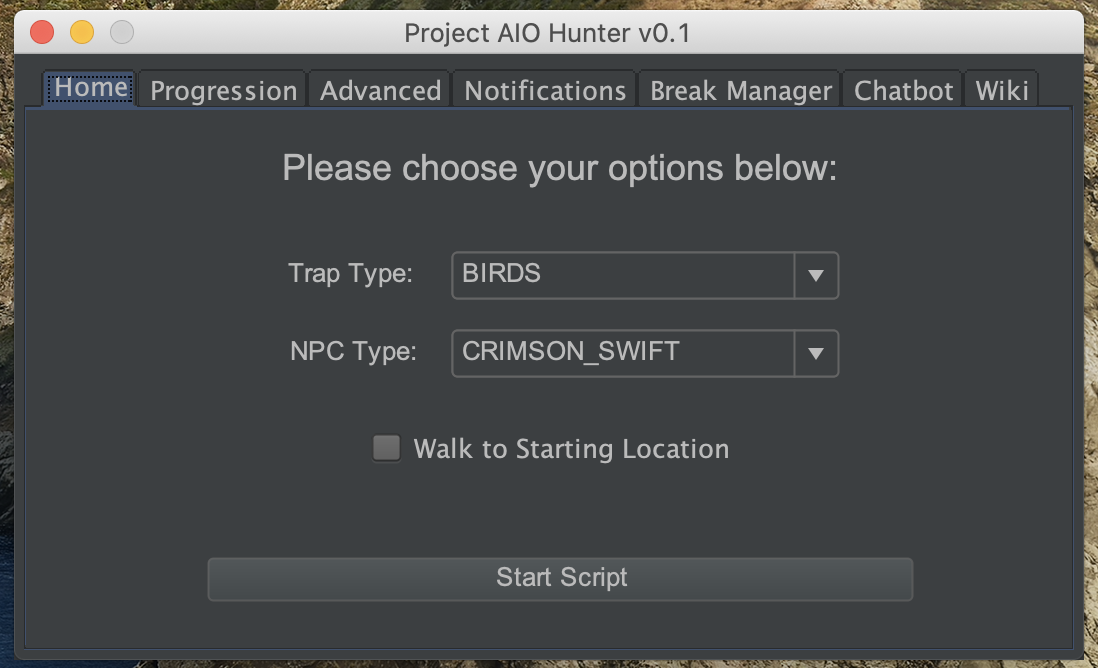
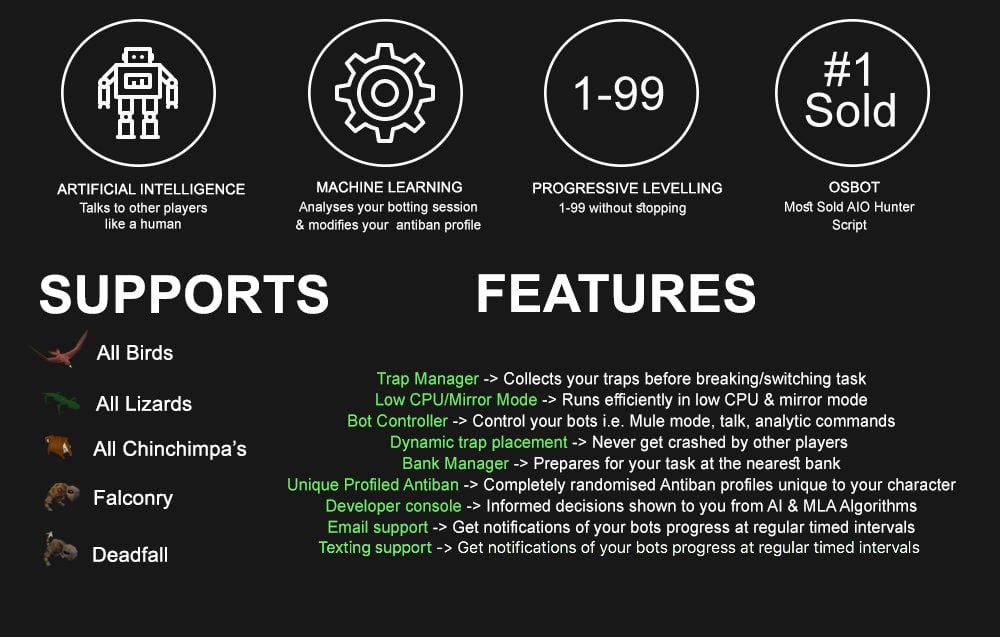
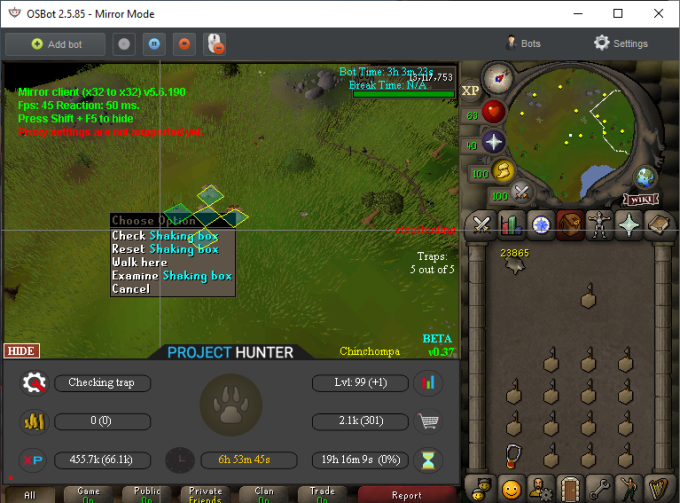
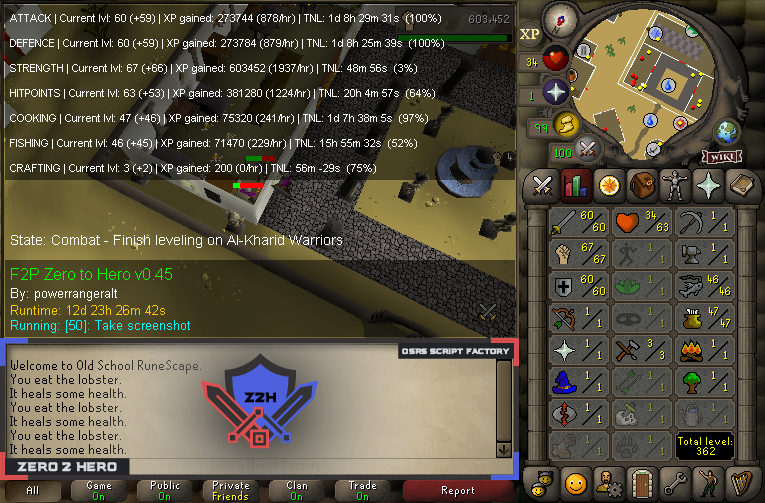
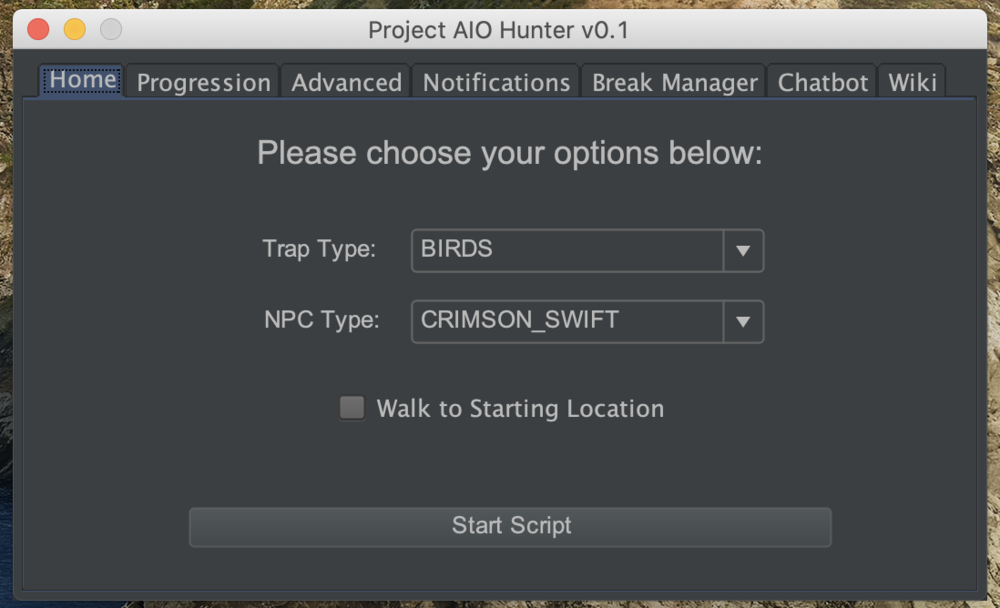
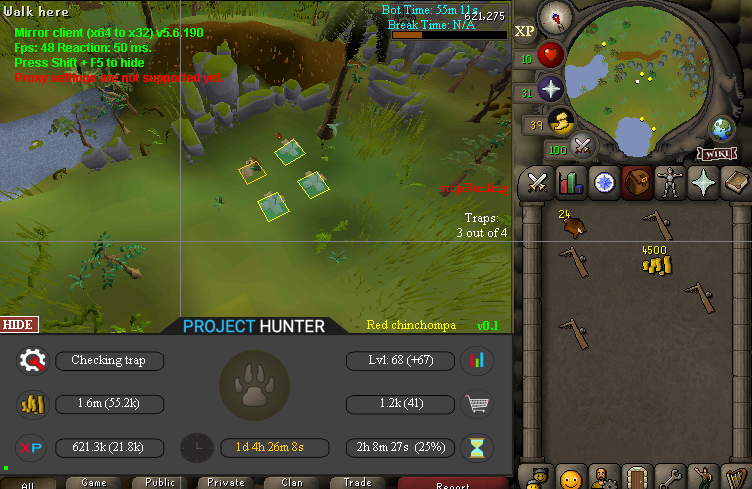
1 pointPPOSB - AIO Hunter Brand new trapping system just released in 2024! *ChatGPT Supported via AltChat* https://www.pposb.org/ ***Black chinchompas and Black salamanders have been added back*** Supports the completion of Varrock Museum & Eagle's Peak OR CLICK HERE TO PAY WITH 07 GOLD! The script has been completely rewritten from the ground up! Enjoy the all new v2 of the script JOIN THE DISCORD CHAT FOR QUESTIONS/ SUPPORT/ CHATTING/ UPDATES! New GUI: Features: Click Here Current functioning hunter tasks: (green - complete || yellow - started || red - incomplete) Screenshots: Progressive Leveling: 1-19 --> Crimson swift 19-43 --> Tropical wagtail 43-63 --> Falconry 63+ --> Red chinchompas Updates How to setup Dynamic Signatures Report a bug CLI Support - The script now supports starting up with CLI. The commands are given below. Please put in ALL values (true or false) for CLI to work properly. Make sure they are lowercase values, and they are each separated with an underscore. The script ID for the hunter bot is 677. Parameters: EnableProgression_EnableVarrockMuseum_EnableEaglesPeak_EnableGrandExchange Example: -script 677:true_true_false_true ***Don't forget to check out some of my other scripts!*** OSRS Script Factory Click here to view thread LEAVE A LIKE A COMMENT FOR A TRIAL The script is not intended for Ironman accounts. It still works for Ironman accounts, but you must have all equipment, gear, and items.


 1 point
 -
1 pointBefore buying, please ensure you check-out with the correct script. Swapping scripts is not possible. View in store $4.99 for lifetime access Features: All spawns - Supports every multi-crab spawn point both along the south coast of Zeah and Crab Claw Isle All combat styles - Supports Ranged, Magic and Melee combat training. The script will not bank runes of any type Saving GUI - Intuitive, re-sizeable and fully tool tipped GUI (Graphical User Interface) allowing you to tailor the script session to your needs, with configuration saving / loading Human replication - Designed with human simulation in mind - multiple options to replicate human behaviour available in the GUI Setup customiser - Inventory customiser allows you to visually see your trip setup CLI support - The script can be started from the command line All potions - Supports all relevant potion types (including divine potions!), multiple potion types simultaneously and varying potion ratios Healing in a range - Dual slider allows you to specify a range within which to consume food. Exact eat percentages are calculated using a Gaussian distributed generator at run time Healing to full at the bank - When banking, the script will eat up to full hit points to extend trip times Safe breaking - Working alongside the OSBot break manager, the script will walk to safe place approximately two minutes before a break starts to ensure a successful log out Anti-crash - Smart crash detection supports multiple anti-crash modes (chosen in the GUI): Hop worlds if crashed - the script will walk to a safe place and hop worlds until it finds a free one, at which point it will resume training Force attack if crashed - the script will fight back and manually fight pre-spawned sand crabs until the crasher leaves Stop if crashed - the script will walk to a safe place and stop Ammo and Clue looting - Clue scroll and Ammo looting system based on a Gaussian-randomised timing scheme All ammo - Supports all OSRS ammo types and qualities Spec activation - Special attack support for the current weapon to maximise your exp per hour Auto-retaliate toggling - The script will toggle auto-retaliate on if you forget Move mouse outside screen - Option to move the mouse outside the screen while idle, simulating an AFK player switching tabs Refresh delay - Option to add a Gaussian-randomised delay before refreshing the chosen session location, simulating an AFK player's reaction delay Visual Paint and Logger - Optional movable self-generating Paint and Timeout Scrolling Logger show all the information you would need to know about the script and your progress Progress bars - Automatically generated exp progress bars track the combat skills that you are using Web walking - Utilises the OSBot Web alongside a custom local path network to navigate the area. This means the script can be started from anywhere! Safe banking - Custom banking system ensures the script will safely stop if you run out of any configured items Safe stopping - Safely and automatically stops when out of supplies, ammo or runes Dropping - Drops useless/accidentally looted items to prevent inventory and bank clutter All food - Supports pretty much every OSRS food known to man. Seriously - there's too many to list! ... and many more - if you haven't already, trial it! Things to consider before trying/buying: Mirror mode - currently there appear to be some inconsistencies with behaviour between Mirror mode and Stealth Injection meaning the script can behave or stop unexpectedly while running on Mirror. I would urge users to use the script with Stealth Injection to ensure a flawless experience! Since Stealth Injection is widely considered equally 'safe' to mirror mode and comes with a host of other benefits such as lower resource usage, this hopefully shouldn't be a problem. Using breaks - the script supports breaks and will walk to a safe place ready to log out approximately two minutes before a configured break starts. However, upon logging back in, your spot may no longer be open. If you configure the crash mode to be either 'Hop if crashed' (default) or 'Stop if crashed', this will not prove to be a problem. However if using 'Force attack if crashed', the script will attempt to take back the spot by crashing the occupying player and manually attacking spawned sand crabs. Be aware that players have a tendency to report anti-social behaviour such as this! Avoiding bans - while I have done my utmost to make the script move and behave naturally, bans do occasionally happen, albeit rarely. To minimise your chances of receiving a ban, I would strongly suggest reviewing this thread written by the lead content developer of OSBot. If you take on board the advice given in that thread and run sensible botting periods with generous breaks, you should be fine. That being said, please keep in mind that botting is against the Oldschool Runescape game rules, thus your account will never be completely safe and you use this software at your own risk. Setting the script up - I have done my best to make the GUI (Graphical User Interface) as intuitive as possible by making all options as self explanatory as I could, however if you are not sure as to what a particular setting does, you can hover over it for more information. If that doesn't help, just ask on this thread! Web-walking - alongside a network of paths, the script moves around with the OSBot web-walking system, using it when in unknown territory. While it has proven very reliable, there are naturally some areas for which the web-walker may struggle. As a result, prior to starting the script, I would highly recommend manually navigating your player close to the sand crabs bank, however in practice, anywhere on Zeah should be fine. Script trials: I believe that trying a script before buying is paramount. After trying the script, hopefully you will be convinced to get a copy for yourself, but if not you will have gained some precious combat experience! If you're interested in a trial, please follow the instructions on my trials thread which can be found here. Gallery: Start up GUI (Graphical User Interface): Paint (optional, movable and self-generating): User screenshots: Recent Testimonials: Starting from CLI: This script can be started from the command line interface. There is a single parameter, which can take two (and only two) values: 'gui' or 'nogui'. 'gui' will start the script and show the gui, 'nogui' will skip the GUI setup and start the script using your save file as the configuration. To start from CLI with 'nogui', the script requires a valid GUI save file to be present - if you haven't already, start the script manually and configure the GUI to suit your needs. Then hit 'Save configuration' and in future starting from CLI will use these configured settings. The script ID is 886. Example CLI startup: java -jar "osbot 2.4.137.jar" -login apaec:password -bot apaec@example.com:password:1234 -debug 5005 -script 886:nogui1 point
-
1 pointScript Version: 3.6 | Last Updated: 4/27/21 [MM/DD/YYYY] Want a trial activated? Please leave a message under #request-a-trial in https://discord.gg/CGHsd4a Script features Media CLI Information Bug Report Template Status in the paint(Screenshot): Client Version: "Osbot x.x.x" Client Type(Mirror Mode OR Stealth Injection): Inventory layout: Equipment layout: GUI settings (Screenshot(s)): What is the error that is occurring? How can I replicate this error? Logger output (Screenshot):1 point
-
1 point
-
1 pointdude you have in client options---> dismiss all randoms and put F2p or p2p what u want1 point
-
1 point
-
1 point
-
1 pointTo not get banned, and make enough to pay for my fav hooker each weekend.1 point
-
1 pointThis is a client issue. My script has 0 random support since the client handles it all for you. I would make a report in the bugs section and Alek can look into it for you.1 point
-
1 point
-
Just wait like 1 week. You'll most likely be fine.1 point
-
1 pointI bought this script 3 days ago, havent been able to use it as of yet....1 point
-
1 point
-
1 point
-
1 point
-
1 point
-
1 point
-
Was there seriously nothing else that you dug up a 2 year old script?1 point
-
1 pointEver been to a Wal-Mart and got checked out in 30 seconds due to no one being in line.. now have you ever been to Wal-Mart and it took 30 minutes because there were a lot of people in line? You do realize their demand isn't the highest during your purchase time, so they probably only have 1 worker at that time. You standing next to their account in game is irrevleant they have hundreds of accounts. They don't rwt all their company on one account.1 point
-
1 pointArcus is ass. I stopped selling to them because they take so long. @Probemas sends me the paypal money in less than a minute always1 point
-
1 pointNot really, he can probably get it from a trusted service for cheaper.1 point
-
1 pointLooking to buy around 40m for $1 per 1m or 60m for .95/1m (40m can be in pieces, doesn't need to be all at once so doesn't have to be just one person) Payment Method: PayPal If you're not trusted you will be going first, I don't care about vouches on another website either. Only OSBOT. PM me your skype and I'll get to you ASAP.1 point
-
1 pointStarted at the safespot? Have falador teleports? no game updates should have broken it.1 point
-
1 point
-
The transaction will be broadcast, but will remain unconfirmed until its included in a block. The transaction will not be included into a block until all inputs have at least 1 confirmation. So, if you have 1 input and 1 output, the output will be confirmed sometime after the input is confirmed.1 point
-
Please stop using the callable interface for things like this Callable is reserved for concurrent programming hence why it's in the java.util.concurrent package and not the java.util.function package. Want to get 'functional'? Use the java.util.function package (https://docs.oracle.com/javase/8/docs/api/java/util/function/package-summary.html). You more specifically probably should use a BooleanSupplier in this case. Oh and by the way, curly braces usually aren't newlined in Java (this isn't C# !!!), I recommend you drop this habit asap . 11/10 for effort in terms of documentation and overal cleanness of you code though :)!1 point
-
this is crazy.. i bot for a hour and get perm banned1 point
-
lucky af as soon as i make account gets banned in 1 day if i bot1 point
-
1 point
-
1 point





.thumb.png.43a3c63bc5339fdfa7361190058696f9.png)