





Leaderboard
-

Czar
Global Moderator23Points23797Posts -

Scotty
Members10Points154Posts -
The Hero of Time
Members9Points11066Posts -
Mikasa
Ex-Staff8Points10756Posts




Popular Content
Showing content with the highest reputation on 05/11/16 in all areas
-
10 pointsthis is a story about how i fell in love with maldesto: i really like maldesto because he gave me many chances on osbot, i was a cunt to him to once when i got shown some stuff - i did some bad things but he forgave me, i have seen since that he is a gr8 individual i really like him - my love doesn't die - although he doesn't like me back really good guy, always sees the best in people and now im currently an assistant but i did some worse things to alek.. i cheated on him with frostbug.. he has forgiven me and now we have kittens on the way thx all10 points
-
👑CzarScripts #1 Bots 👑 👑 LATEST BOTS 👑 If you want a trial - just post below with the script name, you can choose multiple too. 👑 Requirements 👑 Hit 'like' 👍 on this thread4 points
-
4 pointsRUNNING 4 SESSIONS PER NODE NODE [2] WITH 4 MORE BOTS Showcase: 8 bots same time generating ~2.8m/hr which equals to roughly ~67m/day! 1 MULE PER MACHINE FAQ What is the script ID? 782 Can I run this bot with the Bot Manager? Yes, the parameters will be the saved file name in the setup window, you will see once you run the bot. Can I request features added to this bot? Yes, I am always listening to requests and adding new features all the time!4 points
-
4 points
-
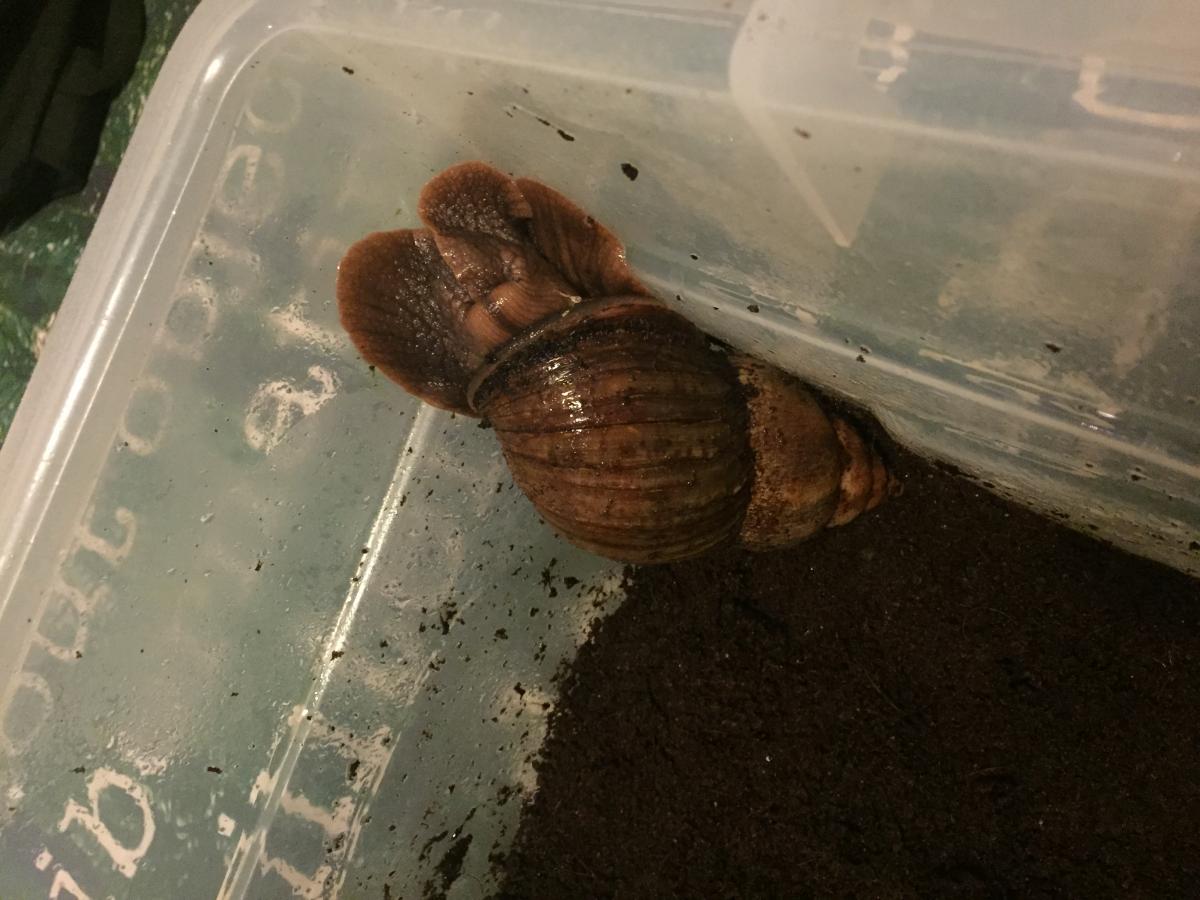
4 points4 points3 points3 pointsIn order to come back, he will need to let me team view him and enter the account information on HIS pc only. To verify he even gave you the right information. + Pay you back.3 points3 points3 points3 points2 points#1 SOLD MAGIC SCRIPT #1 MOST FEATURES MAGIC SCRIPT ESC MODE, HOVER-CLICK, NEAREST ITEM CLICK, FLAWLESS JMod nearby and we still alive. Anti-ban and Optimal script usage Anti-ban: - Don't go botting more than 3 hours at once, take breaks! Otherwise the ban-rate is highly increased! - Bans also depend on where you bot, for the best results: bot in unpopular locations Banking-related spells are the lowest ban-rate (spells which require banking or can be casted near a bank, e.g. superheating, maybe alching, jewelry enchanting etc etc) since you can just go to a full world and blend in with other non-bots (humans), for example: world 2 grand exchange If casting spells on npcs, then unpopular locations reduce the banrate by alot, So make sure not to go to botting hotspots otherwise you may be included in ban waves. - Some good areas used to be (until some got popular): grizzly bear, yanille stun-alching, any overground tiles (upstairs etc) but once the areas are overpopulated, try to go to another location which is similar to the aforementioned locations. This is a very popular thread with many many users so if a new location is mentioned, the location will be populated very quickly so I can only suggest examples of good locations - Don't go botting straight after a game update, it can be a very easy way to get banned. Wait a few hours! If you ever get banned, just backtrack your mistakes and avoid them in the future: you cannot be banned without making botting mistakes. Keep in mind you can be delay-banned from using previous scripts, so don't go using free/crap scripts for 24 hours then switching to a premium script, because the free/crap previous script can still get you banned! For more anti-ban information, see this thread which was created by an official developer: http://osbot.org/forum/topic/45618-preventing-rs-botting-bans/2 points2 points'the intelligent choice' by Czar Want to buy the bot, but only have rs gp? Buy an OSBot voucher here2 points2 pointsStarting with 500m even im gonna keep track for 10 days pretty accurately then ill update this weekly ill be staking I sold 420m so all pictures from day 3 - day 10 are starting from 80m day 1 start 5/11/16 hours played: 2 profit: +200m ill upload pictures when the items i won sell day 2 start 5/12/16 hours played: 5? profit:+300m day 3 start 5/13/16 hours played: 7 profit:305m day 4 start 5/14/16 hours played: 10 profit:150m day 5 start 5/15/16 hours played: 10 profit:500m~ day 6 start 5/16/16 hours played:5 profit:-1.635b cleanrioned WInners circle: at end of day 10 ill post pictures of my wins worth posting...2 points2 pointsLets see your pets guys and gals! I know this might come across as a bit of a strange request but i am a HUGE animal lover and im lucky enough to work with a variety of them and i was curious how many animal lovers we have here... Here is a few of mine2 points2 points2 points2 points2 pointsJust curious for now, please don't comment on how "magic ruined it" The email is UNREGISTERED2 points2 pointsYou could so something like: private void clickInSamePlace(final Entity entity){ if(!getMouse().isOnCursor(entity)) entity.hover(); else getMouse().click(false); } Or if you want to control the speed of the clicking, or the above doesn't work you could do: private void clickInSamePlace(final Entity entity) throws InterruptedException { if(!getMouse().isOnCursor(entity)) { entity.hover(); } else { final Point mousePos = getMouse().getPosition(); getBot().getMouseEventHandler().generateBotMouseEvent(BUTTON1, System.currentTimeMillis(), 0, mousePos.x, mousePos.y, 1, false, BUTTON1, true); sleep(500); // amount to sleep between clicks } } Or if you want to click super fast all in the same spot you can do: private void clickInSamePlace(final Entity entity, final int numClicks) { if(!getMouse().isOnCursor(entity)) { entity.hover(); } else { final Point mousePos = getMouse().getPosition(); getBot().getMouseEventHandler().generateBotMouseEvent(BUTTON1, System.currentTimeMillis(), 0, mousePos.x, mousePos.y, numClicks, false, BUTTON1, true); } }2 points2 points2 pointsFirstie!!!!!! Czar your scripts are so amazing me and @Tom look so much forward to this.2 points2 points1 pointNEW! supports new south + east shortcuts, new hopper (upstairs), and mouse invokes!!! (just like runelite!) 'the intelligent choice' By Czar 34-99 Mining on video!! Agility Shortcut Setup Window Preview 70 hours run time https://i.imgur.com/wiF6VPO.png1 point1 pointView in store $4.99 for lifetime access Key Features: Supports Bar smelting, Cannonball making and Item smithing Supports all tradeable bars for both smithing and smelting, with support for material-unique items (full list below) Supports the above activities in all locations you would ever want to perform them (full list below) Smart activity-based framework allows you to schedule tasks to be performed in succession (details below) Simple and intuitive start-up interface hosting the activity editor (Optional) Informative, concise, self-generating, recolourable and movable paint tracks useful run-time data (Optional) On-screen movable console logger to notify you exactly what the script is doing at any point in time Smart Gaussian-distribution derived Make-X value generator supporting letter scalar suffixes (Optional) Moves the mouse outside the game screen while idle Utilises the OSBot map web system with obstacle handling for inter-location traversal* (Optional) Ring of forging support for iron smelting ...and many more! *The OSBot web is very reliable however can occasionally (understandably) struggle with longer inter-location distances. As a result, I would highly recommend supervising the script while inter-location transitions take place. Supported Locations: Supported Bars: Bronze [1x tin ore, 1x copper ore] Iron (with & without Rings of forging) [1x iron ore] Silver [1x silver ore] Steel [1x iron ore, 1x coal ore] Gold [1x gold ore] Mithril [1x mithril ore, 4x coal ore] Adamant [1x adamantite ore, 6x coal ore] Runite [1x runite ore, 8x coal ore] Supported Smithing items: All generic material-independant items (e.g platebodies, knives, dart tips, etc...) Material dependant items: Bronze wire (bronze) Iron spit (iron) Oil lantern frame (iron) Studs (steel) Bullseye lantern (steel) Cannonballs (steel) Mith grapple tip (mithril) Activity based framework: The script features a fully-fledged activity system. This system allows you to completely customise each botting session and tailor it to the needs of your account. The system allows for 'activities' to be queued in sequence, whereby when started, the script will proceed to execute and attempt to fulfill each activity in turn. An activity is comprised of two parts - the task and the target. An example of a task may (arbitrarily) be 'Smelting gold bars at Edgeville' and an example of a target may be 'until level 70 Smithing achieved'. Both the task and the target can be fully customised to your needs, then saved and queued to the session activity manager. Task options: Smelting Bars (in a furnace) Making Cannonballs (in a furnace) Forging items (on an anvil) Target options: ... until out of supplies ... until level λ reached ... until λ experience gained ... until λ minutes passed (where λ is some inputted integer value) It is worth noting that by default all tasks are automatically considered complete if insufficient resources to perform the task are present. Setting up: Example paint: Gallery: Credits:1 point1 pointby Czar Script live, buy now (only $4.99!) http://osbot.org/forum/store/product/463-perfect-crabs/ Want to buy the bot, but only have rs gp? Buy an OSBot voucher here Features Supports both rock crab locations! Teleporting - using tabs/spells Potion support - including combat potions and super att/str/defence Aggressive mode - attacks other crabs World hopping when a cannon is nearby Can randomize fight locations between trips! Calculates next best crab to attack when current crab is low on health! Resets region when crabs don't attack Rotates region resetting every 20-60 minutes Configure inventory load-out with a single button! Changes between walking south and using the cave! Banking support Automatically prioritizes visible crabs when fighting Can recover from being idle Ranged support, loots any type of ammo you have Loots ammo in second intervals (every 2-18 seconds it will loot all) Picks up edible seaweed to extend trips World hops when 7 or more players in the area Displays 'goal' information, e.g. (at 77 strength it will also show details for 80 strength, time left, xp left, etc) Rock crab areas are split into sectors and are cycled every time a rock crab is not found FAQ Why should I use this script when there are millions out there? It is the best script. Simply. Why are you releasing this now? It's time to make this one public, it was privately used for myself and has gotten me 80 strength in a single bot session. How do I set it up? On first use, make sure your inventory is laid out nicely, and click 'Load inventory' to save it forever, then click start Instructions There are no instructions. We do the all the work for you. CzarScripting™ Tips If you have a pure account, it is advised to go east, because there are no dangerous npcs there Use camelot tabs for quicker trips! You can use any potions, including combat ones Clean paint and GUI Want to use potions? Have potions in inventory Want to use teleport tabs? Have tabs in inventory Want to use camelot teleport spell? Have runes in inventory Want to use special weapons? Have special weapon in inventory Want to use ranged? Have ammo equipped Everything is automatically detected like a real robot. We do all the work for you. Gallery nooby account from 1-33 range (for range guild pot) Just from TESTING THIS SCRIPT1 point1 pointdo u wanna earn mills u tired of getting bans u tired ihb in colab with @Alek, @Maxi, @MGI, @Zach & @Phosphatidylse presents: osbot's first amazing joke bot what can u expect from this bot: it asks for a donations for a joke iit accepts it tells a dank joke rinse and repeat ALSO: runs back 2 ge if it leaves ge or starts outside ge features: 30+ dank jokes, a sick paint, no antiban 4 all u edgy guys who dont like it a virus scan for my bot: as u can see u have n othing 2 fear using my script howeever if u are still skeptical use this 2 minute videofor a demonstration: this covers all question u may have: this is what i earned in 12 seconds of using my robot: download it today and become a get all the girls: asking for donations version: http://s000.tinyupload.com/index.php?file_id=17425321727993259738 place it in this directory: C:\Users\YOUR_NAME\Desktop\Recycle Bin Please post any WET one or two liners u have below and i will add them in if u want lol1 point1 pointWanting to buy a RSN or Two that are names of Fruit (gl me) Post/pm if u have one with proof and give me a price What are the chances of someone actually selling me one1 point1 point1 point1 point1 point1 point1 point1 point1 pointI've contacted them before and they just told me to wait for a hijacked banned forum thread.1 point1 point1 point1 point1 point1 pointAlright then set mouse zoom to default, you can still use the script without esc mode, but you need to set mouse zoom to default (just right click it) I added an alternative mode just in case esc mode doesn't get detected somehow First setup the mouse zoom: then the result should be:1 point1 pointThere is currently a bug with mirror client, but the fix is simple: restart client ^^ We are all waiting for a fix it affects all bots and it happens randomly, it can work for 100+ hours then suddenly boom it might stop , but it's easily fixed dw ;)1 point1 point1 pointIt didnt work, i always reseted the by pressed restore defaults...it still isnt working....1 point1 pointforgot to mention the script trial. rock crabs please! would very much appreciate it.1 point1 pointo ok cuz i didn't see it anywhere -.- edit: you just right click the lured npc every couple of mins and 'walk here' itll walk on him and force him to move then go at it again otherwise every 5 minutes of the npc not moving they respawn1 point1 point1 pointThe way you explain things really intrigues me, you should teach no joke.1 point1 pointMake sure to refresh scripts once you buy it, should appear ASAP good luck man ;) I have activated the script temporarily until payment is processed (from my control panel) it should be okay now1 pointThat might be because the post before yours was when it was worth it genius1 pointElo hell doesn't exist, i tested it Dropped to b5 and went s3 in 1 week, 90% winrate1 point1 pointCook.java (More locations can easily added with this setup) import org.osbot.rs07.api.map.Area; import org.osbot.rs07.api.map.Position; public enum Cook { VARROCK_EAST(new Position(3253, 3420, 0), new Position(3238, 3409, 0), new Area(3250, 3424, 3257, 3416), new Area(3235, 3416, 3241, 3402), new Area(3232, 3432, 3263, 3396)), FALADOR(new Position(3012, 3355, 0), new Position(2989, 3365, 0), new Area(3009, 3358, 3021, 3353), new Area(2988, 3367, 2991, 3363), new Area(2969, 3379, 3022, 3352)), ; private Position bankTile, entityTile; private Area bankZone, cookZone, pathZone; Cook(Position bankPos, Position entityPos, Area bankArea, Area cookArea, Area pathArea) { this.bankTile = bankPos; this.entityTile = entityPos; this.bankZone = bankArea; this.cookZone = cookArea; this.pathZone = pathArea; } public Position getBankTile() { return bankTile; } public Position getEntityTile() { return entityTile; } public Area getBankZone() { return bankZone; } public Area getCookZone() { return cookZone; } public Area getPathZone() { return pathZone; } } Supply.java (More Supply types can be added using this setup ) public enum Supply { RAW_SHRIMP("Raw shrimps","Shrimps"), RAW_KARAMBWANJI("Raw karambwanji", "Karambwanji"), RAW_SARDINE("Raw sardine", "Sardine"), ; private String raw, cooked; Supply(String raw, String cooked) { this.raw = raw; this.cooked = cooked; } public String getRaw() { return raw; } public String getCooked() { return cooked; } } Sample Script : skeleton.java (Not the best but it gets the job done. Enjoy ) *Note: Code may not be correctly aligned thanks to the code button * import org.osbot.rs07.api.map.Area; import org.osbot.rs07.api.map.Position; import org.osbot.rs07.api.model.RS2Object; import org.osbot.rs07.api.ui.RS2Widget; import org.osbot.rs07.api.webwalk.INodeRouteFinder; import org.osbot.rs07.event.WebWalkEvent; import org.osbot.rs07.script.Script; import org.osbot.rs07.script.ScriptManifest; import org.osbot.rs07.utility.Condition; import org.osbot.rs07.utility.ConditionalSleep; import java.awt.*; @ScriptManifest(name = "Script name here", author = "Your name here", version = 1.0, info = "About your script", logo = "") public class Skeleton extends Script { //Declare your variables here private INodeRouteFinder finder; private Area bankZone, cookZone, pathZone; private Position bankTile, entityTile; private String rawFood, cookedFood; @Override public void onStart() { //Code here will execute before the loop is started finder = INodeRouteFinder.createAdvanced(); //Create an advanced IRF to enable Osbot's human like webwalking paths. This will be used later loadCookingPrepArea(Cook.VARROCK_EAST); log(Cook.VARROCK_EAST); loadCookingSupplies(Supply.RAW_SHRIMP); log(Supply.RAW_SHRIMP); } @Override public void onExit() { //Code here will execute after the script ends log("Script ended! Please leave feedback on the forums"); } @Override public int onLoop() throws InterruptedException { if (bankZone.contains(myPlayer()) && (getInventory().contains(cookedFood) || getInventory().isEmpty())){ log("In bank zone"); if (!getBank().isOpen()){ getBank().open(); new ConditionalSleep(2400, random(600, 1200)) { @Override public boolean condition() throws InterruptedException { return getBank().isOpen(); } }.sleep(); } else { if (getBank().depositAll()){ if (getBank().contains(rawFood)){ getBank().withdrawAll(rawFood); new ConditionalSleep(3000, random(600, 1200)) { @Override public boolean condition() throws InterruptedException { return getInventory().contains(rawFood); } }.sleep(); } else { stop(false); log("No supplies left..please stock up!"); } } } } if (!bankZone.contains(myPlayer()) && pathZone.contains(myPlayer()) && getInventory().contains(cookedFood) && !getInventory().contains(rawFood)){ log("In path zone"); WebWalkEvent toBankArea = new WebWalkEvent(finder, bankTile); toBankArea.setBreakCondition(new Condition() { @Override public boolean evaluate() { return bankZone.contains(myPlayer()); } }); execute(toBankArea); } else if (!cookZone.contains(myPlayer()) && pathZone.contains(myPlayer()) && getInventory().contains(rawFood) && !getInventory().contains(cookedFood)){ WebWalkEvent toCookPrepArea = new WebWalkEvent(finder, entityTile); toCookPrepArea.setBreakCondition(new Condition() { @Override public boolean evaluate() { return cookZone.contains(myPlayer()); } }); execute(toCookPrepArea); } if (cookZone.contains(myPlayer())){ RS2Widget optionMenu = getWidgets().get(307, 2); log("In cook zone"); if (!myPlayer().isAnimating()) { if (getInventory().contains(rawFood)) { RS2Object cook = getObjects().closest(rs2Object -> rs2Object.getName().equals("Range") && cookZone.contains(rs2Object)); if (cook != null) { if (!getInventory().isItemSelected() && optionMenu == null) { if (getInventory().interact("Use", rawFood)) { new ConditionalSleep(3000, random(600, 900)) { @Override public boolean condition() throws InterruptedException { return getInventory().isItemSelected(); } }.sleep(); } } else { if (optionMenu != null){ if (optionMenu.isVisible()) { if (optionMenu.interact("Cook All")) { new ConditionalSleep(4000) { @Override public boolean condition() throws InterruptedException { return myPlayer().isAnimating(); } }.sleep(); } } } else { if (cook.interact("Use")) { new ConditionalSleep(3000) { @Override public boolean condition() throws InterruptedException { return optionMenu != null; } }.sleep(); } } } } } } else { log("Sleeping"); sleep(1200); } } return 600; //The amount of time in milliseconds before the loop starts over (600 ms is a basic game tick but it is best to randomize your ms) } @Override public void onPaint(Graphics2D g) { //This is where you will put your code for paint(s) //For a great example on using the painter, please follow Explv's Paint tutorial on Osbot. I will link it at the end. } public void loadCookingPrepArea(Cook mode){ this.bankZone = mode.getBankZone(); this.cookZone = mode.getCookZone(); this.pathZone = mode.getPathZone(); this.bankTile = mode.getBankTile(); this.entityTile = mode.getEntityTile(); } public void loadCookingSupplies(Supply mode){ this.rawFood = mode.getRaw(); this.cookedFood = mode.getCooked(); } }1 point




























.thumb.png.0fe4106a0a4436dcf3edfd68f6e37fea.png)





Account
Navigation
Search
Configure browser push notifications
Chrome (Android)
- Tap the lock icon next to the address bar.
- Tap Permissions → Notifications.
- Adjust your preference.
Chrome (Desktop)
- Click the padlock icon in the address bar.
- Select Site settings.
- Find Notifications and adjust your preference.
Safari (iOS 16.4+)
- Ensure the site is installed via Add to Home Screen.
- Open Settings App → Notifications.
- Find your app name and adjust your preference.
Safari (macOS)
- Go to Safari → Preferences.
- Click the Websites tab.
- Select Notifications in the sidebar.
- Find this website and adjust your preference.
Edge (Android)
- Tap the lock icon next to the address bar.
- Tap Permissions.
- Find Notifications and adjust your preference.
Edge (Desktop)
- Click the padlock icon in the address bar.
- Click Permissions for this site.
- Find Notifications and adjust your preference.
Firefox (Android)
- Go to Settings → Site permissions.
- Tap Notifications.
- Find this site in the list and adjust your preference.
Firefox (Desktop)
- Open Firefox Settings.
- Search for Notifications.
- Find this site in the list and adjust your preference.