





Leaderboard




Popular Content
Showing content with the highest reputation on 10/07/16 in Posts
-
4 pointsSo for those of you that don't know, there is a huge hurricane that is making its way along the east coast of the United States. Unfortunately, I live on the east coast and the storm is about to hit where I live. Over 600,000+ people have lost power, so there is a chance I might lose power. This is just a heads up if I don't come online or reply to anyone. I am hoping it doges me, because there have been sustained winds of over 100+ mph. Wish me luck!4 points
-
4 pointsI got this nice idea on how to setup a script and found my ways into another one! Starts from anywhere in varrock with noted Iron bars/Coins and a hammer. Sells knives and buys more Iron bars when out. Never uses the bank. Idle handler to fake afk behavior Will release for free if demand is there Really nice outcome!4 points
-
4 pointsthat awkward moment when all your notifications are from a mod removing your posts and giving you warnings @Saiyan4 points
-
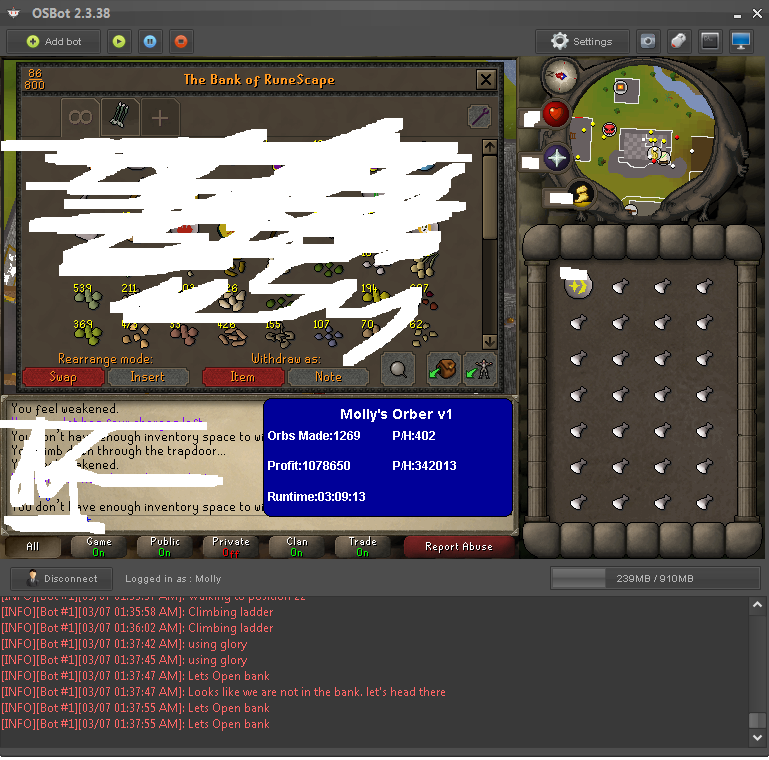
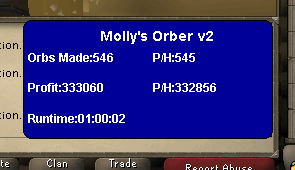
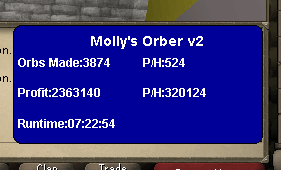
3 points3 points3 points3 points3 points3 points3 pointsSupport 100%. Now that we're at it, let's make it so you can only participate if you have at least 2 accounts registered on the same IP, you can't own any ranks (except TWC, obviously.) And once you're above 500 posts you can no longer participate in the market. (Use you second accounts, duh)3 points3 pointslol. Do you realize how stupid that sounds, why not change it to 500 posts and 100 days online. Then why not 1000 posts and 200 days. It of course will lower the risk, but completely remove our market. When there are plenty of new people who trade legit, they shouldn't be punished.3 points👑CzarScripts #1 Bots 👑 👑 LATEST BOTS 👑 If you want a trial - just post below with the script name, you can choose multiple too. 👑 Requirements 👑 Hit 'like' 👍 on this thread2 points2 pointsMolly's Orber This script is designed to make earth orbs and air orbs for over 350k gp/ph with the added benefit of getting over 30k mage exp per hour! Buy HERE Requirements: - 66 mage for air orbs, 60 for earth orbs. - 40+ hp recommended(especially at low def) Features: - Supports using mounted glory in house(requires house teleport tablets) - Supports eating any food at bank, when under a set hp - Hopping out of bot worlds - Recovers from deaths(respawn point must be lumbridge) - Emergency teleporting when under a set hp - Stamina potion usage, the bot will use one dose prior to each run - World hopping in response to being pked to prevent pkers from farming. -Ability to bring one food with you in case you drop below the emergency teleport hp, script will still tele if you drop below it and have already eaten your food. -Enabling run when near black demons to prevent some damage. -Re-equipping armor in inventory on death. Setup: Start at Edge bank, have all supplies next to each other in your bank, preferably in the front tab at the top. You must have the item "Staff of air" for air orbs or "Staff of earth" for earth orbs. Have a fair amount of cosmic runes and unpowered orbs, glories, as well as some food to eat as the bot walks past black demons and will take some damage. FOR EARTH ORBS YOU MUST HAVE ANTIDOTE++. If you are using house mounted glory option set render doors open to "On" under your house options in Runescape. CLI setup: Proggies:
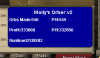
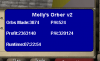 2 points>>>DOWNLOAD<<< This script will kill yaks in Neitiznot. Supports all weapon and bow special attacks. Supports most potions. If using food & pots, it'll withdraw 2 pots of whichever you select and the remaining spots will be food. If using food only, it'll withdraw 28. If using pots only, it'll withdraw 3 of whichever is selected. Only withdraws (4) doses. Updates: 10/9/2016 - 1.1 Should drink all potions properly now. Banking shouldn't get stuck in a loop anymore.2 points2 points2 pointsThen you messed up your break settings something. Or show some screenshots about your break settings and such Script updated to V1.06: - Only withdraws 2500 coins instead of 20000. - Rewrote profit calculation (foreman if under 60 smith) + (coffer if in w358) I did not test this change, let me know if you have any issues. Should be online in a few hours Khaleesi2 points2 points2 points2 pointsSo, Basically as of the last few months we've seen a sudden influx to people joining up, spamming 100 post count and buying Lifetime/Normal Sponsor in attempts to seem "trusted" or as if they were going to stick around. @Tiber (not so much scammed on his latest acc, but was defo planning it) and @kalemscott are just two of the names that have done this and there are more than don't even upgrade and just deals in secret and end up scamming members. What I propose is an application only marketplace. What do I mean by an application only market place? 1) New accounts won't be allowed to trade in the market place other than purchasing/selling to people who have applied and passed 2) all accounts that want to deal in the market place will have to apply and pass screening. This screening will entail activity on the forums / chatbox(for those who don't so much use the forums), The mods will search for linked profiles. 3) Depending on the scale of their plans of business such as flipping a lot of gold(not just few mil here and there) the Super mods/ Admins can be given a proof of I.D. to prevent them scamming and then coming on another account and trying it again as it will be in storage. I know this point won't be in favour for some, but those who're legit shouldn't mind at all. 4) In terms of Activity for point 2, you could possibly increase post count to 250+ All members will still be able to buy accounts, buy gold and vouchers from those who have applied and passed. They just won't be able to create threads relating to it until they pass the application process. Obviously I feel this will stunt the market place a little bit, but I feel in the long run and once a lot of people have passed the right measures it will be a safer environment for all who use osbot for profit.2 points1 point1 pointNEW! Added Gemstone Crab! 81 Hours at Cows Brutal Black Dragon support Sulphur Nagua support Blue Dragon 99 ranged 99 Ranged at Gemstone Crab 81 Range F2p Safespotting Hill Giants Hotkey List // F1 = set cannon tile // F2 = hide paint // F3 = Set afk tile // F4 = reset afk tile // F6 = Set safespot tile // F7 = activate tile selector // F8 = Reset tile selector // F9 and F10 used by the client, EDIT: will re-assign as they are no longer used by client // F11 = Set breaks tile // F12 = Reset breaks tile User Interface Banking Tab Demo (handles everything with banking) You can copy inventory (to avoid adding individual items...), you can insert item names which have Auto-Fill (for you lazy folk!) and you can choose whether to block an item and avoid depositing it in bank, ideal for runes and ammo. Looting Tab Demo (From looting to alchemy, noted/stackable items too) You can choose whether to alch an item after looting it simply by enabling a checkbox, with a visual representation. All items are saved upon exiting the bot, for your convenience! Tasking Demo (Not to be confused with sequence mode, this is an individual task for leveling) You can set stop conditions, for example to stop the bot after looting a visage, you can have a leveling streak by changing attack styles and training all combat stats, you can have windows alert bubbles when an event occurs and an expansive layout for misc. options! Prayer Flick Demo (Just example, I made it faster after recording this GIF) There are two settings: Safe mode and efficient mode, this is safe mode: Fight Bounds Demo Allows you to setup the fight bounds easily! Simplified NPC chooser Either choose nearby (local) NPCs or enter an NPC name to find the nearest fight location! Simple interface, just click! Level Task Switch Demo (Switching to attack combat style after getting 5 defence) You can choose how often to keep levels together! e.g. switch styles every 3 levels Cannon Demo (Cannon is still experimental, beta mode!) Choose to kill npcs with a cannon, recharges at a random revolution after around 20-24 hits to make sure the cannon never goes empty too! Results Caged Ogres: How does this bot know where to find NPCs? This bot will find far-away npcs by simply typing the NPC name. All NPCs in the game, including their spawn points have been documented, the bot knows where they are. You can type 'Hill giant' while your account is in Lumbridge, and the bot will find it's way to the edgeville dungeon Hill giants area! Here is a visual representation of the spawn system in action (this is just a visual tool, map mode is not added due to it requiring too much CPU) Fight Area Example (How the bot searches for the npc 'Wolf') Walking System The script has 2 main walking options which have distinctive effects on the script. The walking system is basically a map with points and connections linking each point. It tells the script where to go, and decides the routes to take when walking to fightzones. Walking system 1 This uses a custom walking API written by myself and is constantly being updated as new fightzones are added. Pros: - Updates are instant, no waiting times - More fightzones are supported Cons: - Sometimes if an object is altered, the changes are not instant - Restarting the script too many times requires loading this webwalker each time which adds unnecessary memory (there is no way to make it only load at client startup since I don't control the client) Walking system 2 This is the default OSBot webwalking API - it is relatively new and very stable since the developers have built it, but is currently lacking certain fightzones (e.g. stronghold) and other high level requirement zones. It is perfect for normal walking (no object interactions or stairs, entrances etc) and never fails. Pros: - Stable, works perfect for normal walking - All scripters are giving code to improve the client webwalker - More efficient when restarting the script since it is loaded upon client start Cons: - No stronghold support yet - Some new/rare fightzones not supported yet - If there is a game-breaking update or an unsupported fightzone, it may take some time to add/repair (less than 24 hours usually) So which system should I choose? Whichever one suits your chosen fightzone best! There really shouldn't be any problems - the sole purpose of these options are for backup and emergency purposes, if the script ever messes up there is always the next option to select. Note: If the script ever fails, there will be immediate updates to fix the walking systems! Script Queue/Bot Manager: Script ID is 758, and the parameters will be the profile name that you saved in the fighter setup! Bug Report templates: New feature request - What is the new feature - Basic description of what the script should do - Basic actions for the script: 'Use item on item' etc. For when the script gets stuck on a tile (or continuous loop): - Which exact tile does the script get stuck on? (exact tile, not 'near the draynor village') - Plugin or normal script? - Did you try all 3 walking options? Script has a logic bug (e.g. dies while safespotting) or (cannon mode doesn't pickup arrows) - What is the bug - How did you make the bug happen - (optional) recommendation for the bug, e.g. 'make the script walk back' or something - Tried client restart? - Normal script or a plugin? - Which exact setup options are enabled? Afk mode, cannon mode, etc etc.1 point1 pointWant to buy with OSGP? Contact me on Discord! Detailed feature list: - Supports mining every location in motherlode (Also top level) - Pick areas to mine in or use specific veins to mine - Included leveling you from 1-30 before going to motherlode - Pickaxe upgrading - Pickaxe special attack - Can use diary and agility shortcuts - Avoid other players option - Possible to enable the upgraded sack extension - Depositbox instead of bank option - Humanlike idles and interactions - Option to buy coal bag at 100 golden nuggets and stop script - CLI support for goldfarmers Custom Breakmanager: - Setup Bot and break times - Randomize your break times - Stop script on certain conditions (Stop on first break, Stop after X amount of minutes, Stop when skill level is reached) - Worldhopping - Crucial part to botting in 2023! Script queueing: - Support queueing multiple script in a row - All Khal scripts support flawless transitions in between scripts - Start creating your acc in a few clicks from scratch to multiple 99's - Flawless CLI support - Learn more here: How to use CLI parameters: - Example Usage: -script 612::ScriptFile.BreakFile.DiscordFile SAVEFILE = Saved Filename BREAKFILE = Breakmanager Filename - SAVEFILE: Save file can be created in the GUI. Navigate to the tab you want to run and press "Save As CLI file". Please choose your filename wisely (No special characters) - BREAKFILE (Optional): Breakfile can also be create in the GUI, set the breaksettings you wish to use and press "Save new CLI BreakFile". Please choose your filename wisely (No special characters) - Final form (Note that with some bot managers you do not need to specify -script 612): -script 612:TaskList1.4515breaks (With breaks) -script 612:TaskList1.4515breaks.discord1 (With breaks & discord) -script 612:TaskList1..discord1 (NO breaks & discord) Proggies:1 point1 pointClick here to go to the SDN page to add the script. Display: Note: This script exploits the no-tick fletching delay of darts and bolts. This script will be rendered useless if that's ever patched.1 point1 point1 point1 point1 point1 point1 point1 point1 point1 pointLogical walkthrough: Save time started startedAt = System.currentTimeMillis() Get Running time runTime = System.currentTimeMillis() - startedAt Convert runtime milliseconds to hours hoursRan = runTime / 3600000 Calculate per hour perHour = itemsMade / hoursRan1 pointraids can blow dick, bring back the regular dung skill1 pointThis is what i use: itemsmadeperhour= (int)(itemsmade / ((System.currentTimeMillis() - this.timeBegan) / 3600000.0D)); And then just add this in paint: g.drawString("Items p/h: " + itemsMadePerHour, 1, 1);1 point1 point1 point1 point1 point1 pointWell people can still run it on other worlds and I don't want to throw off the calculation for them. Hmm that's weird, will take a look at it1 point1 point1 point1 point1 pointJust keep it on-topic. If you're certain about the price of an account there's no need to price check and if there's an offer that obviously stupid just ignore. No need to make such a fuss We're all here to help after all.1 point1 point1 point1 pointPeople will trade whoever they want. I can't really stop it, but no I won't increase anything or change anything. Sorry.1 point1 pointBecause using a middle man negates the chance of being scammed after the middleman has been finished1 point1 point1 point1 pointhehe xd I was once a professional football player but forgot how to run1 point



























Account
Navigation
Search
Configure browser push notifications
Chrome (Android)
- Tap the lock icon next to the address bar.
- Tap Permissions → Notifications.
- Adjust your preference.
Chrome (Desktop)
- Click the padlock icon in the address bar.
- Select Site settings.
- Find Notifications and adjust your preference.
Safari (iOS 16.4+)
- Ensure the site is installed via Add to Home Screen.
- Open Settings App → Notifications.
- Find your app name and adjust your preference.
Safari (macOS)
- Go to Safari → Preferences.
- Click the Websites tab.
- Select Notifications in the sidebar.
- Find this website and adjust your preference.
Edge (Android)
- Tap the lock icon next to the address bar.
- Tap Permissions.
- Find Notifications and adjust your preference.
Edge (Desktop)
- Click the padlock icon in the address bar.
- Click Permissions for this site.
- Find Notifications and adjust your preference.
Firefox (Android)
- Go to Settings → Site permissions.
- Tap Notifications.
- Find this site in the list and adjust your preference.
Firefox (Desktop)
- Open Firefox Settings.
- Search for Notifications.
- Find this site in the list and adjust your preference.