






Gunman
Super Moderator
-
Joined
-
Last visited
Everything posted by Gunman
-
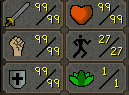
You mean me Maybe I will bring the account out of retirement and get 99 Range
-
@Lol_marcus I am like a god bro jeez 😔 else if (!getBank().isOpen()) { if (getBank().open()) { new ConditionalSleep(8000) { @Override public boolean condition() throws InterruptedException { return getBank().isOpen(); } }.sleep(); } }
-
30 nuggs, may ask for more later
-
Stealth NMZ all day bby
-
It tells you what you get. But no it does not get more efficient you just get to run unlimited clients and access to the mirror client EDIT: Before you ask what the mirror client is this thread is old but still decently accurate. But now you launch the official osrs client instead of the web version https://osbot.org/forum/topic/66338-reducing-banning-rates-behind-the-scenes-at-osbot-27-febuary-2015/
-
@EdTheGreat Pretty sure the problem people have with cracked accounts is because it's someone elses account they put time and effort in and did nothing wrong and are probably gonna receive a ban. And most people think they can appeal and will get it unbanned. Well yeah most the time they can but it will damage the account and possible the person rep with that bot ban. From personal experience when one of my accounts was hacked and botted on I had to appeal like 4 times a year later before they finally unbanned it. Guy ended up botting the account to 94 hunter 😂 Sadly he didn't loose any goodies on it TLDR: Unfair and cruel to the account owner I guess?
-
Yeah it has to be 8 and they changed it like a year or 2 ago where you now need to sign up a business or some stupid crap. Check your pms.
-
It got delayed; It should be coming sooner or later be patient.
-
-
You need to get to the point of tutorial island where you have access to the display settings.
-
To be honest any proxy that is open to the public will probably get you banned for just using it. Even if you create one account with the proxy within the next 3 days the account will be banned even though you never even logged into it. That's how bad it was from my experience. You're gonna need to pay for some okay proxies at bare minimum. You're also gonna want these proxies to be ipv4
-
Mirror mode only works with the display setting fixed. You need to manually login on the official client and go to display settings and change from resizable to fixed
-
-
No this is for if you're running CLI parameter norandoms, which disables all the solvers. He was right I was having brain malfunctions at the time because I was tired
-
Go to settings -> options -> then the mirror tab. You have to disable the first check box to move the sliders below.
-
-
Uuuh no? If you were botting then it would probably break the bot and lead to a ban but if you're doing this all by hand then no.
-
He's too dangerous to be kept alive
-
https://pastebin.com/5MCdcRbv
-
String valueItemName = curItem.getName(); Stuff like that will cause an NPE and break it since curItem is null. Null check bro EDIT: What you should do is null check curItem after declaring it so you won't have to null check it again.
-
-
Inventory slots start at 0 not 1.
-
@Malcolm bOT bAD nO wOrK pLS Fix eDiT: mY bAD rAn wRonG bOt rAn gUd
-
If any do it would be Khal's crafting script. Looked around the thread and pictures provided and doesn't look like it. There's a free tiara crafter, if you didn't know.
-
The only thing free users can't do that vip or above can is 1. Use mirror mode. 2. Run unlimited clients. (Free users are stuck with 1 client and 2 tabs) 3. No ads on website and client (Free users get ads) There's a few other forum additions you get like signature space increased; Similar shit like that. EDIT: Try looting, it's fairly low on bans and easy to start botting.




