Leaderboard
-

Czar
Global Moderator6Points23770Posts -
Khaleesi
Developer5Points27840Posts -

ProjectPact
Script Factory Developer4Points6493Posts -
Maldesto
Administrator4Points19230Posts




Popular Content
Showing content with the highest reputation on 09/16/23 in all areas
-
👑CzarScripts #1 Bots 👑 👑 LATEST BOTS 👑 If you want a trial - just post below with the script name, you can choose multiple too. 👑 Requirements 👑 Hit 'like' 👍 on this thread2 points
-
1 pointWant to buy with OSGP? Contact me on Discord! Detailed feature list: - Account builder mode to level your firemaking to level 50 or even higher. - Equips pyromancer gear option - Chopping and burning logs (base Option) - Relights brazier - Fletch option - Fix brazier option - Make potion and heal pyromancer when down option - Tons of food supported - Brazier swicthing when pyromancer is down - Advanced game settings to skip games, smart caluclate points, afk at certain points, ... - Bank or Open crates - Dragon axe special attack - Fletch at brazier option - Chop in safespot option - Worldhopping - CLI support for goldfarmers Custom Breakmanager: - Setup Bot and break times - Randomize your break times - Stop script on certain conditions (Stop on first break, Stop after X amount of minutes, Stop when skill level is reached) - Worldhopping - Crucial part to botting in 2023! Script queueing: - Support queueing multiple script in a row - All Khal scripts support flawless transitions in between scripts - Start creating your acc in a few clicks from scratch to multiple 99's - Flawless CLI support - Learn more here: How to use CLI parameters: - Example Usage: -script 909:ScriptFile.BreakFile.DiscordFile SAVEFILE = Saved Filename BREAKFILE = Breakmanager Filename - SAVEFILE: Save file can be created in the GUI. Navigate to the tab you want to run and press "Save As CLI file". Please choose your filename wisely (No special characters) - BREAKFILE (Optional): Breakfile can also be create in the GUI, set the breaksettings you wish to use and press "Save new CLI BreakFile". Please choose your filename wisely (No special characters) - Final form (Note that with some bot managers you do not need to specify -script 909): -script 909:TaskList1.4515breaks (With breaks) -script 909:TaskList1.4515breaks.discord1 (With breaks & discord) -script 909:TaskList1..discord1 (NO breaks & discord) Proggies:1 point
-
1 pointNEW: Released Chop & Firemake plugin Added 8 Forestry events!!!!!!!! Easy 99, Next! Map Chooser System Progress Results! Help How to use this with Bot Manager? Script ID is 631, and the parameters will be the profile you saved in the setup window, e.g. oak15.txt I want a new feature added? Make a post below and I am always listening, within reason! The bot is doing something I don't like? Make a post below and I will adjust the code to match your play style!1 point
-
1 pointWant to buy with OSGP? Contact me on Discord! Detailed feature list: - Plays the minegame flawless - Account builder from fresh to GOTR ready - Buys required items option - Times to use the portal as much as possible - Repair barriers - Assemble guardians - Use portal talismans - Keep mining until firts portal option - All pouches supported + progressive pouch mode support - Buy Raiments of the Eye outfit mode - Light and equip Abyssal lantern mode - Auto colossal pouch crafting - Multiple pouch repair modes - Lunars NPC contact (Requires Rune pouch) - Coredelia (Requires a bunch of abyssal perals) - UIM mode - Rune dropping option - Hide tanning - Auto balance points OR setup your own priority list - Use pickaxe special attack - Hop world mode - Pickaxe upgrading - Looting rewards guardian - CLI support for goldfarmers Custom Breakmanager: - Setup Bot and break times - Randomize your break times - Stop script on certain conditions (Stop on first break, Stop after X amount of minutes, Stop when skill level is reached) - Worldhopping - Crucial part to botting in 2023! Script queueing: - Support queueing multiple script in a row - All Khal scripts support flawless transitions in between scripts - Start creating your acc in a few clicks from scratch to multiple 99's - Flawless CLI support - Learn more here: How to use CLI parameters: - Example Usage: -script 1182:ScriptFile.BreakFile.DiscordFile SAVEFILE = Saved Filename BREAKFILE = Breakmanager Filename - SAVEFILE: Save file can be created in the GUI. Navigate to the tab you want to run and press "Save As CLI file". Please choose your filename wisely (No special characters) - BREAKFILE (Optional): Breakfile can also be create in the GUI, set the breaksettings you wish to use and press "Save new CLI BreakFile". Please choose your filename wisely (No special characters) - Final form (Note that with some bot manager you do not need to specify -script 1182): -script 1182:TaskList1.4515breaks (With breaks) -script 1182:TaskList1.4515breaks.discord1 (With breaks & discord) -script 1182:TaskList1..discord1 (NO breaks & discord) Proggies:1 point
-
1 point6.99$ Lifetime access You Get: - Gilded altar with Phials un-noting - Chaos Altar with banking (Warning: You will die to PKers) - Ectofuntus (Dueling ring method only) - Shop Buyer (Port Khazard, only buys Pot and Slime) - Loot & Bury - Bank & Bury (added all bones, all ashes scattering too!)1 point
-
1 pointWant to buy with OSGP? Contact me on Discord! Detailed feature list: - Chop & Bank (Presets) Preset locations for quick a start without too much settings to choice from (Barbarian assault, Castle wars, Catherby, Draynor, Edgeville, Falador-East, Gnome stronghold, Grand exchange, Hardwood grove, Mage training arena, Neitiznot, Port sarim, Rimmington, Seers, Varrock-East/West, Woodcutting guild, ...) - Chop & bank (Custom) Chop on any location of your choice Set a chop position and a chop radius Select the tree type you want to chop Banks at the closest bank possible - Chop & Drop Chop on any location of your choice Set a chop position and a chop radius Select the tree type you want to chop Drops all logs (unless fletching is used) Option to fletch your logs into arrow shafts OR bets item possible based on your level and Logs UIM mode (Only drops logs, carefull with bird nests etc.) - Redwood Option to drop logs instead of banking - Forestry support (Struggling sapling, Tree roots, Fox, Pheasant, Ritual circles, Leprechaun, Entlings, Beehive) - Log basket support - Bird nest pickup support - Axe special attack (Crystal, Dragon, Infernal, ...) - Progressive axe upgrading - Humanlike idles - Menu invokes - CLI support for goldfarmers Custom Breakmanager: - Setup Bot and break times - Randomize your break times - Stop script on certain conditions (Stop on first break, Stop after X amount of minutes, Stop when skill level is reached) - Worldhopping - Crucial part to botting in 2023! Script queueing: - Support queueing multiple script in a row - All Khal scripts support flawless transitions in between scripts - Start creating your acc in a few clicks from scratch to multiple 99's - Flawless CLI support - Learn more here: How to use CLI parameters: - Example Usage: -script 569:ScriptFile.BreakFile.DiscordFile SAVEFILE = Saved Filename BREAKFILE = Breakmanager Filename - SAVEFILE: Save file can be created in the GUI. Navigate to the tab you want to run and press "Save As CLI file". Please choose your filename wisely (No special characters) - BREAKFILE (Optional): Breakfile can also be create in the GUI, set the breaksettings you wish to use and press "Save new CLI BreakFile". Please choose your filename wisely (No special characters) - Final form (Note that with some bot managers you do not need to specify -script 569): -script 569:TaskList1.4515breaks (With breaks) -script 569:TaskList1.4515breaks.discord1 (With breaks & discord) -script 569:TaskList1..discord1 (NO breaks & discord) Proggies:1 point
-
1 pointRUNNING 4 SESSIONS PER NODE NODE [2] WITH 4 MORE BOTS Showcase: 8 bots same time generating ~2.8m/hr which equals to roughly ~67m/day! 1 MULE PER MACHINE FAQ What is the script ID? 782 Can I run this bot with the Bot Manager? Yes, the parameters will be the saved file name in the setup window, you will see once you run the bot. Can I request features added to this bot? Yes, I am always listening to requests and adding new features all the time!1 point
-
1 pointWant to buy with OSGP? Contact me on Discord! Detailed feature list: - NEW!! Added Wealthy citizens! - NEW!! Added Wealthy citizens house thieving mode! - Supports all Npcs in multiple locations - Masters farmer support - Vyres and Elves support !! - Banking support - Tons of food supported - Dodgy necklace support + bank amount - Gloves of silence support - Shadow veil support - Rune pouch support - Gem bag support - Swap gear mode at vyres - Supports most stalls - Steal 1 Drop 1 mode - Worldhopping - Supports most chest - Safecracking at Rogues' den - Wire thieving at Dorgesh-Kaan - CLI support for goldfarmers Custom Breakmanager: - Setup Bot and break times - Randomize your break times - Stop script on certain conditions (Stop on first break, Stop after X amount of minutes, Stop when skill level is reached) - Worldhopping - Crucial part to botting in 2023! Script queueing: - Support queueing multiple script in a row - All Khal scripts support flawless transitions in between scripts - Start creating your acc in a few clicks from scratch to multiple 99's - Flawless CLI support - Learn more here: How to use CLI parameters: - Example Usage: -script 1141:ScriptFile.BreakFile.DiscordFile SAVEFILE = Saved Filename BREAKFILE = Breakmanager Filename - SAVEFILE: Save file can be created in the GUI. Navigate to the tab you want to run and press "Save As CLI file". Please choose your filename wisely (No special characters) - BREAKFILE (Optional): Breakfile can also be create in the GUI, set the breaksettings you wish to use and press "Save new CLI BreakFile". Please choose your filename wisely (No special characters) - Final form (Note that with some bot manager you do not need to specify '-script 1141'): -script 1141:TaskList1.4515breaks (With breaks) -script 1141:TaskList1.4515breaks.discord1 (With breaks & discord) -script 1141:TaskList1..discord1 (NO breaks & discord, leave 2nd parameter empty) Proggies:1 point
-
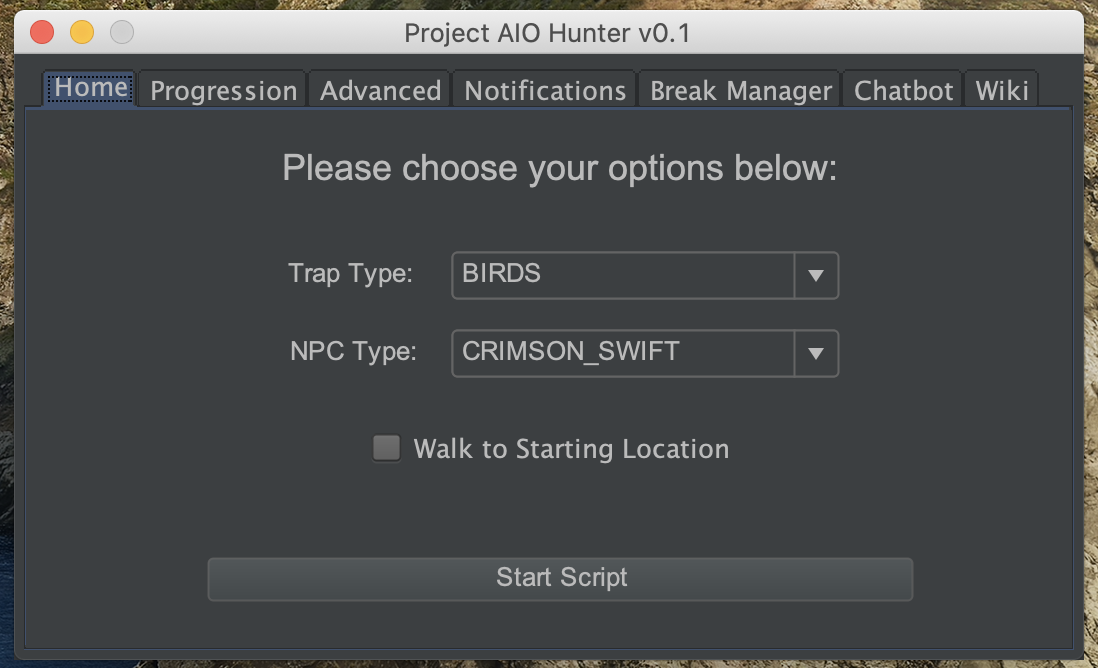
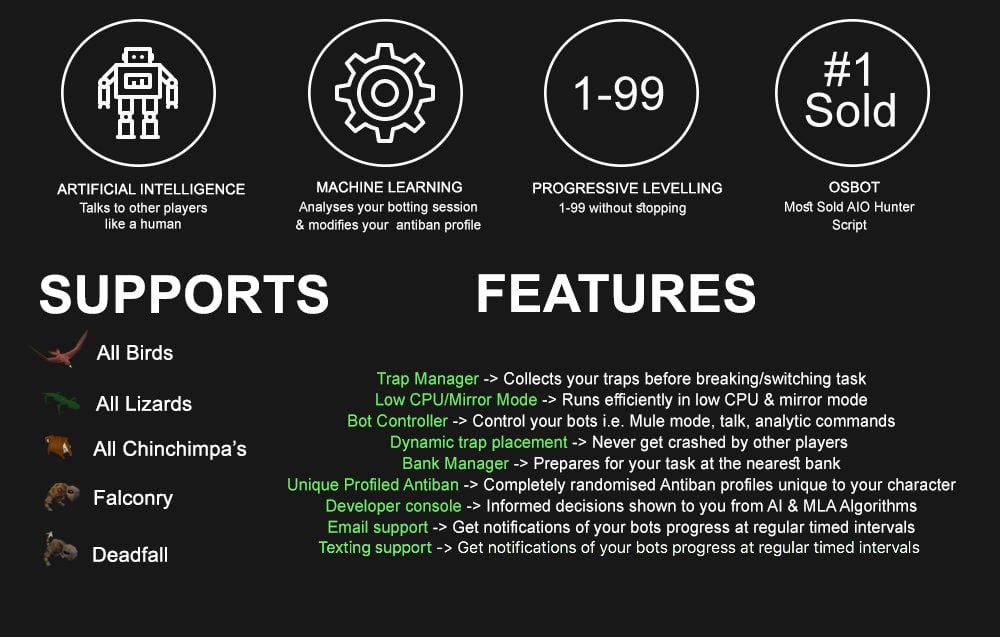
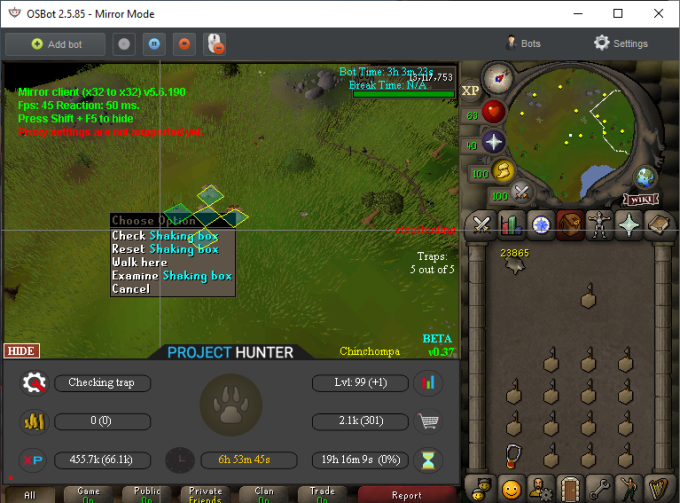
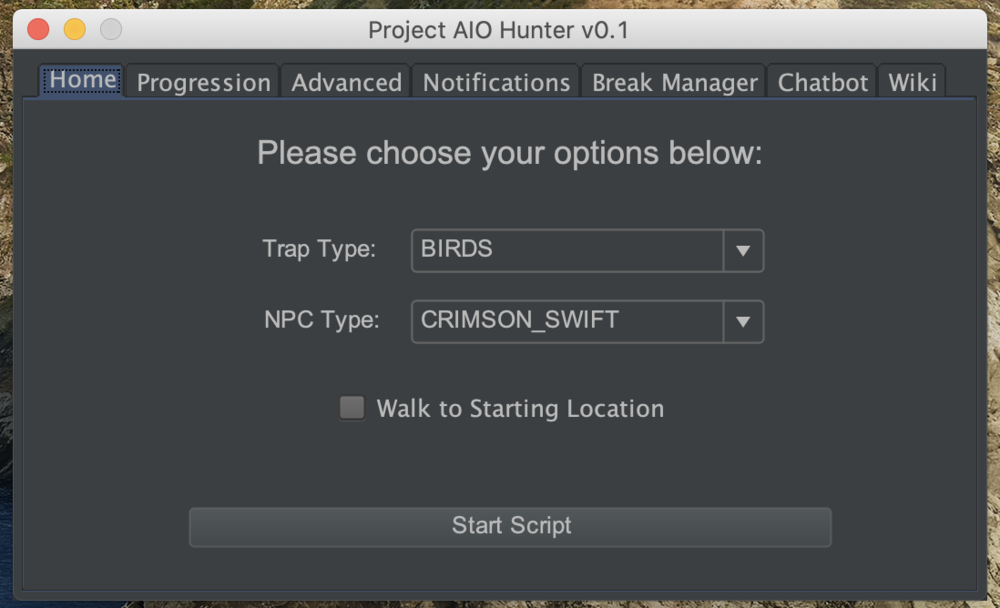
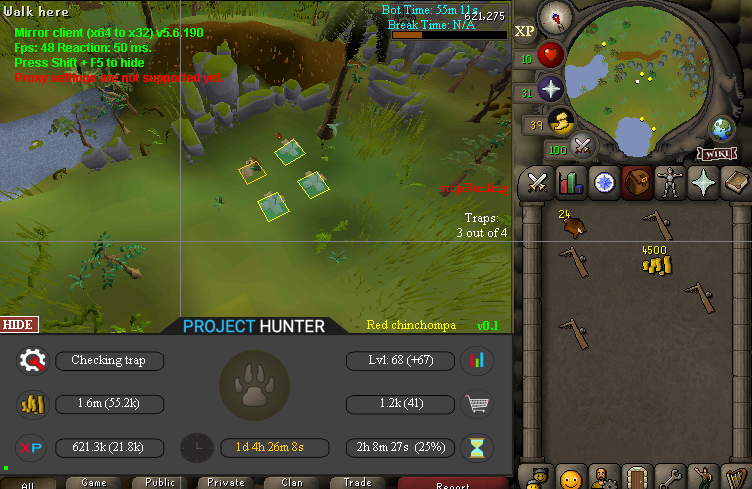
1 pointPPOSB - AIO Hunter Brand new trapping system just released in 2024! *ChatGPT Supported via AltChat* https://www.pposb.org/ ***Black chinchompas and Black salamanders have been added back*** Supports the completion of Varrock Museum & Eagle's Peak OR CLICK HERE TO PAY WITH 07 GOLD! The script has been completely rewritten from the ground up! Enjoy the all new v2 of the script JOIN THE DISCORD CHAT FOR QUESTIONS/ SUPPORT/ CHATTING/ UPDATES! New GUI: Features: Click Here Current functioning hunter tasks: (green - complete || yellow - started || red - incomplete) Screenshots: Progressive Leveling: 1-19 --> Crimson swift 19-43 --> Tropical wagtail 43-63 --> Falconry 63+ --> Red chinchompas Updates How to setup Dynamic Signatures Report a bug CLI Support - The script now supports starting up with CLI. The commands are given below. Please put in ALL values (true or false) for CLI to work properly. Make sure they are lowercase values, and they are each separated with an underscore. The script ID for the hunter bot is 677. Parameters: EnableProgression_EnableVarrockMuseum_EnableEaglesPeak_EnableGrandExchange Example: -script 677:true_true_false_true ***Don't forget to check out some of my other scripts!*** OSRS Script Factory Click here to view thread LEAVE A LIKE A COMMENT FOR A TRIAL The script is not intended for Ironman accounts. It still works for Ironman accounts, but you must have all equipment, gear, and items.


 1 point
 -
1 point
-
Looks promising! I'll be giving this a purchase for my new ironman and will update here in a while on how its going. Will be starting at 1 mining/smithing1 point
-
1 pointI agree, I talked to Project, we think lifetime at $9.99, is a better thing to do. Still 5 dollars cheaper than fury sold, but not monthly.1 point
-
I have had several users DM me about the Account Creator, Unlock, Appeal portion of the Bot Manager. This is near the end of development, but no actual ETA on this. I just wanted to let every single person know that IF you have Lifetime Manager, you will split the difference in price. Lifetime Manager Price = $59.99 Acc Creation, Unlock, Appeal is say 399.99. instead of paying $400, you would pay $340, it will give you the 60 dollar discount from the amount you've paid.1 point
-
1 point
-
1 point
-
1 point1 point1 pointHey Khal how does this react with the Forestry update? does it interact with those events? edit: lol nvm missed it in the first read1 point1 point1 pointAllowing more information to be pulled in like Group, World, Proxy, etc on the account import file would be nice too. Maybe keep it optional like the pin.1 point1 pointNew discord is up now!!1 point0 pointsNo, project had to essentially rewrite this. We apologize for that, but it was either no looter at all or release it "as new".0 points