ultramegahappy
Members
-
Joined
-
Last visited
-
I love that I can come back anytime and make dumb money
-
gimme script back reee
-
-
-
yoink
-
-
This script generally doesn't need mirror mode, it's certainly an option but it will drastically reduce looting success. Thanks pappi Fury
-
To give context to the autism, EB called @ajberardi92 a shill because, funnily enough, he was shilling some shitty mobile emulator bot. I reported the post before the feedback and it got removed for being shill-shit I assume.
-
@Mio Can you redistribute my Khal AIO Agility auth to someone else as I already own this script. Merry Christmas all
-
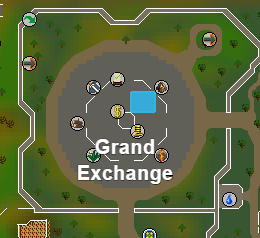
Just to clarify on this, THIS is an example of what the GE North East preset is. Now, it will loot anything within view from that blue area, and will run back to anywhere within that blue area. When you select the "only loot the run back area", you're asking the script to only pick things inside that blue box, and ignore everything outside it. As Fury mentioned, use https://explv.github.io/ to set an area, or set coords in the safe-zone and turn off "only loot the run back area".
-
@Alch is Bogla, just renamed since the sale. Alch.com is legit
-
yeet
-
this is actually really dope and i love this idea. I'll have to go back to using this again
-
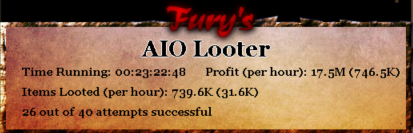
@FuryShark's AIO Looter, shit has made me stupid money with literally no effort, monitoring or maintenance.
-
Cunt am I cooked? I didn't know you could withdraw buckets as banknotes