






Medusa
Scripter II
-
Joined
-
Last visited
Everything posted by Medusa
-
-
Not sure why you'd use 2captcha over anticaptcha, but I guess I can do it. Will try to feature it in the next update. EDIT: Actually, might not do it. Can't seem to login to my account even though they literally sent me a new password in my email... Oh by the way.... For some reason my github account was flagged, so downloads/source is offline until the issue is resolved. Sorry everyone
-
Use java naming conventions (Doesn't change the way the script works obviously. It's just a good thing to do though)
-
Np. Pretty sure it only works for ~16.04, so that might be why.
-
If you follow exactly what he does (The literal 1 command you have to enter), and then use VNC VIEWER to connect, nothing should go wrong
-
Why are you doing it manually when you can just run one command? Just do this: bash <(curl -sL http://git.io/vWPiu)
-
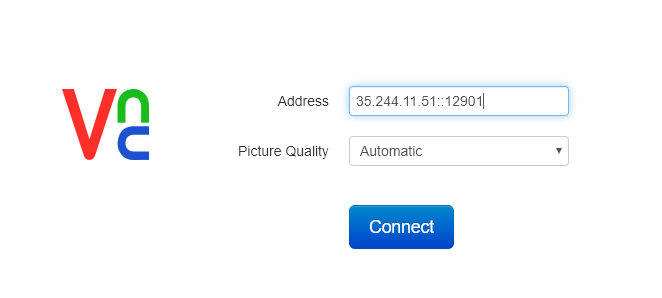
If you've followed his steps, you should be able to connect to the desktop environment using VNC viewer (Chrome extension) like this Then just use the username and password you set during the installation process.
-
Contabo is good. Only Windows servers have RDP, and you chose Ubuntu 18.04. Use this to get botting setup on your VPS https://osbot.org/forum/topic/69569-using-digital-ocean-to-run-osbot-start-to-finish/
-
I was banned after 30 minutes of botting fletching
-
Judging from her appearance (Seems depressed and shit), I honestly think she'll "fall into a trap". Could just be a character she's using to get to fame though. Who knows.
-
Sorry image is so big ;-;
-
That isn't a good thing. She'll just end up being addicted to cocaine and shit
-
-
-
Thanks to fraschm#4025 on Discord, the program might be working again. I have not yet compiled a release myself, but the code on Github should be working (I have not tested it). Apparently the issue was easier to fix than I thought. All we/I had to do, was update the site key I provided when requesting a captcha solve. Will remove all username features soon, as you now have to set a name ingame instead of upon creation.
-
-
-
or just trade me the gold. I'll accept it for 5m 07. I'll dispose of it safely
-
I've been unbanned many times using this method. Might just have been lucky.
-
or just make an email on protonmail and use the + trick (so medusaa+1@protonmail.com) - example
-
Updated code to fix people being able to quickly remove item from their offer and still get a joke. Look @ github
-
Uh... Obviously yea
-
Haven't even ran it for 10 hours lol. Might start it in a bit. EDIT: 15 minute proggy http://prntscr.com/n42bcl This might not happen to everyone though.. Obviously lmao
-
I mean partly yea. It actually works though, so you could potentially profit ¯\_(ツ)_/¯
-
It says on the thread that I won't pre-compile a jar due to the fact that it'd only contain 1 joke. If you send me a list of jokes (Already in the required code "format" (jOkEs.add("joke1p1:joke1p2");)) I can do it



