Chris01
Java Lifetime Sponsor
-
Joined
-
Last visited
Everything posted by Chris01
-
has there been an update to the script as of late?
-
Sooo when are you adding a possibility of alching while running roof tops? @Khaleesi
-
@Khaleesi Do you have the Wilderness course setup for the new tag and loot update? if so, does it account for getting attacked by players?
-
Hey Big Dog @Czar Mind sending me a trial for the script?
-
After Deleting a step, it still glitches in the GUI to where it wont show other teleport options. I'm only able to create one step before it does this.
-
Hey big dog @Khaleesi Was in the Farming Run configurator part of ur GUI and after I've added my first step it gets stuck and wont allow me to change the teleport location option, other then what was selected from the first step added.
-
yo @Khaleesi Shoot me that trial plz.
-
Could i get a fat free trial pls.
-
Hey @MalcolmWas using your UF script an its getting stuck at the west bank. want logs on it?
-
Hey Pat, could u send a trial my way @Patrick
-
Hey Khal, could u setup a trial for me?
-
Hey Pat, could you send a trial my way. 😃
-
True, but ya that should do the trick.
-
Bot does a full inventory reset when it sees a person? seems a bit much, maybe have it find a safe spot to hop worlds in the wilderness. @skillerkidos1
-
1. Pictures of the account stats 2. Pictures of the total wealth (if there is any) 3. Pictures of the quests completed 4. The price you will be starting bids at Price Drop! 🚫$125 BTC/ETH🚫 $100 BTC/ETH - New Price 5. The A/W (Auto-win) for your account Price Drop! 🚫A/W $250 BTC/ETH🚫 A/W $125 BTC/ETH - NEW A/W 6. The methods of payment you are accepting BTC/ETH 7. Your trading conditions You First! or MM if needed 8. Pictures of the account status 9. Original/previous owners AND Original Email Address I'm OO, and Email can either be transferred or I can give the original email.
-
Hey Token, mind letting me try this script out?
-
-
@The Suppliernoted thanks
-
-
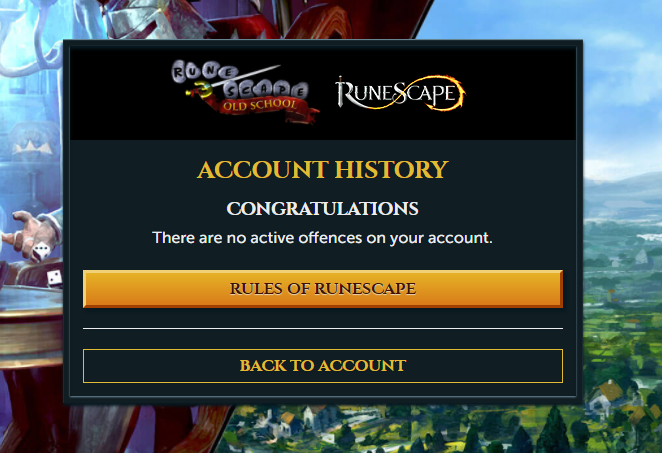
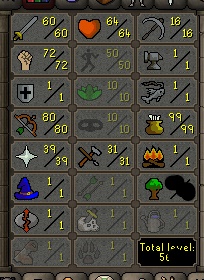
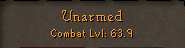
1. Pictures of the account stats 2. Pictures of the total wealth: No Wealth 3. Pictures of the quests completed 4. The price you will be starting bids at Starting bid: 20m 5. The A/W (Auto-win) for your account A/W: 175m 6. The methods of payment you are accepting BTC, 07 GP 7. Your trading conditions Buyer first when going through trade process 8. Pictures of the account status 9. Original/previous owners AND Original Email Address] I am OO and buyer would get full access to the email as well. The Account also has a coolish 5 letter name.

-
-
b
-
B
-
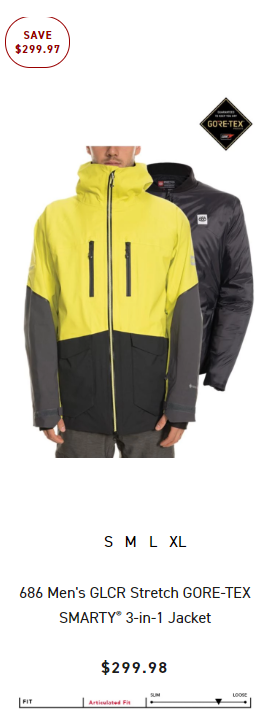
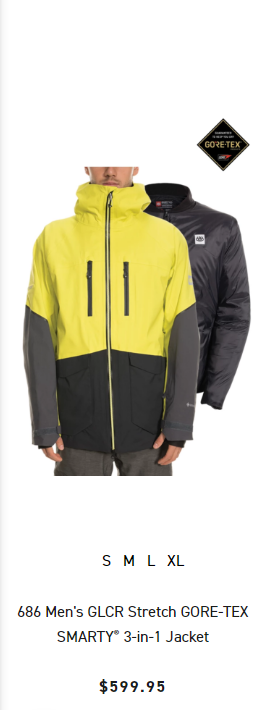
This part year of Snowboarding i was able to acquire a few 686 riders union access codes that allow you to buy up to 4 winter jackets and 4 winter pants and 10 accessories at crazy price cuts with the codes. ( Peep the screen grabs from the 686 website for proof its not a scam.) I love these guys and they rank at the top when it comes to quality stuff. I have no use for the amount of codes i have left and would be wasted, so i'm giving people the chance at grabbing a code or 2 for a fair price. P.S. *They all have an expiration date: Expiration date 12/31/19 *. Message me an ill try to respond asap
-