
Chris01
Java Lifetime Sponsor
-
Joined
-
Last visited
Everything posted by Chris01
-
Why we gotta be hurting the little Bulbasaur?
-
-
I have 40 rested accounts for sale! All account should have around 36 days of rest. If interested Send your Price for the lot to my PM box! Selling quick
-
Looking for quotes on 7-15 accounts with 40 farming as well as Fairy Tale part 1 an Ghosts Ahoy completed. Send PM's for quotes Or individual account that have already got these requirements completed.
-
-
-
-
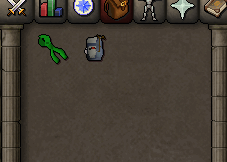
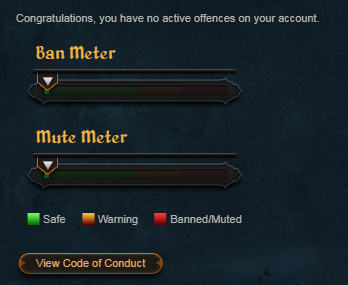
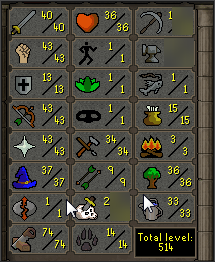
1. Pictures of the account stats 3. Pictures of the total wealth (if there is any) 4. Pictures of the quests completed 5. The price you will be starting bids at Bid Starts at 10m 6. The A/W (Auto-win) for your account A/W Will be set at 40m 7. The methods of payment you are accepting 07 gp8. Your trading conditions You first9. Pictures of the account status 10. Original/previous owners AND Original Email Address I'm OO and will switch email over on agreed price for the account.

-
bump
-
bump
-
bump
-
bump
-
bump
-
bump
-
bump
-
bump
-
bump
-
bump
-
bump
-
funny
-
-
bump
-
bump
-
bump
-
bump