






Kramnik
Members
-
Joined
-
Last visited
Everything posted by Kramnik
-
-
When I want to sell my gold to a website I mostly check them all ad hoc. Because if I sell to one one time it doesn't necessarily means that next time it will still have the best rate as it did before
-
@Malcolm Hi, there is one thing that is still buggy. When you create a lot account at once, say 20-30 in 15 minutes it bugges out because Jagex have some sort of protection in naming section. What mostly happens is bot doesn't do anything for 5 minutes, logs out, logs in, but the problem is that it doesn't try to type nickname anymore and just stands looking at naming part
-
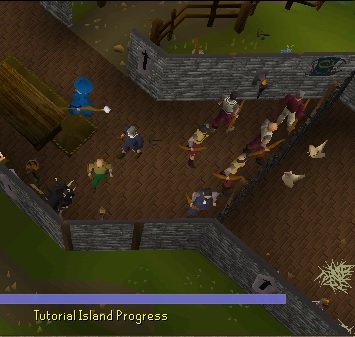
Cool. And in fact it did improve ban rate. In pats few days it was really crazy. Finished tutorial island, let account rest, but they were banned in couple hours Now they seem to survive after tut island, will take a deeper testing
-
@Malcolm Hi mate. Just noticed that the bot now randomize character. Any particular reasons you decided to implement this? Is it because ban rates?
-
Good point, would be nice to have
-
So is it working or gets stuck?
-
Here it is mate: int ban = random(0, 1) switch(ban) { case 0: ban( ); case 1: dontban( ); } return( every couple hours)
-
Info about how botwatch works will be released?
-
Send nudes you hot blonde
-
Hi, am I the only one experiencing G.E. Api methods not working properly? Using the method below, used to be working week ago. Also seems that the problem occur when bot writes the name of item but it doesn't click on the item name to continue the method. Anyone else has this problem? I am using 2.5.59 version of Osbot grandExchange.buyItem(536,"Dragon bones",100,29500);
-
-
Lag and getting killed. This is real OSRS boy
-
I use injection. The client interface freezes, you can't pause script, enable/disable input or even close it. You have to kill jave process But in the meanwhile you can see that script is running fine and logger doesnt give any errors
-
Hi, My script that I am working at the moment gets stuck by not showing any error in logger like null exception or something and in that time the script keeps on running well. Just that the client freezes. It also not necessery happens every time. Any ideas?
-
-
-
Hey guys, been lucking for one thread for sometime. It is where @Juggles created a thread how he was planning to learn scripting. I would really love to take one more glimpse to it as I did long time ago and hope it would assist it my learning aswell. Maybe someone remember where it is? Trying going though "Goals" forum but no luck, sadly searching something with "Juggles" or "Scripting" gives tons of results
-
You have to test it. No one can tell you that before hand. It is high probability that you would buy expensive account and get banned in couple hours, you never know
-
Train them by hand or buy already prepared accounts
-
-
Yes mate, I was using your script at the time. They run flawless
-
Yo mate how are u under TWC already? 😂
-
Hey yo mage guide part is broken dog
-
You mean it would just suck scrolling though the code searching what you need?


