





Leaderboard




Popular Content
Showing content with the highest reputation on 07/08/14 in all areas
-
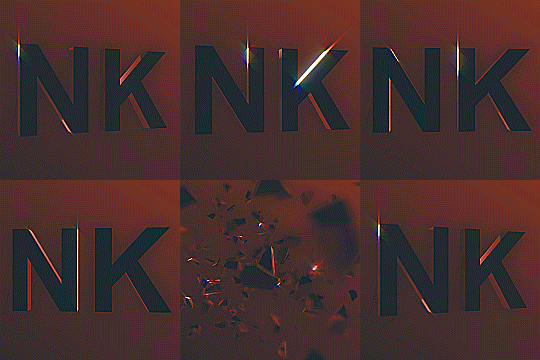
6 pointsPreKhal Clue Scroll Solver About - Me and @Khaleesi have been working on a script which solves Clue scrolls (easy) and we wanted to tell you guys all about it as you'll be seeing it in the store soon . What the Script does - It thieves H.A.M Members for a scroll, once it receives a scroll it teleports to the location which is closest to where it can be solved. From there it uses our flawless walker which can handle ANY Obstacle or Dialogue along the path without fault. Once completed it will either receive another scroll which it will then go on to solve or receive a reward. If it receives a reward it will proceed to bank the rewards and make it way back to the H.A.M Members so it can get another scroll to solve. Why i should use this Script - You can gain from 10-300k per hour depending on luck and what makes this script even better is the LOW REQUIREMENTS. And because this script is not repetitive as there are over 100 different scrolls to be solved, meaning the ban rates should be LOW. Features - Flawless Walker Loot Tracker Grabs Prices From Zybez Human-like Walking And much more to come This script is still a work in progress and is soon to be released to Beta Testers. But currently we wanted to announce what we have achieved so far! MORE TO COME! PreKhal is a @Precise & @Khaleesi Script.6 points
-
Hi there guys! Just want to show you a preview of the script in action. Remember, it is in alpha stages of development ;) @Precise & @Khaleesi6 points
-
6 points6 points5 points5 pointsSupport, not only because of browsing in public areas but out of respect for the few women that are actually on OSBot currently.5 points4 pointsHello everybody, I'm getting tired of seeing ass, bouncing tits, and bikini models everywhere. While I do understand this forum is a place to relax and such, I feel embarrassed when I'm browsing the forum in public and there's semi-naked women all over my screen. Could we please create standards for the avatar and signature spaces? I'm perfectly fine with semi-naked women on the forum as long as the thread has a NSFW title or something. Thanks, Dashboard4 points4 points4 points4 pointsThis is one of my jobs, and sometimes I won't pull out my laptop to fix something because of the NSFW on here. You should be able to keep it and have a SFW option that hides avatars and signatures.4 points4 pointsSignatures aren't even half of it. Avatars as well. I don't see the purpose behind having tits in your signature/avatar. If you want to jack off, there's another 14% of the internet for you.4 points3 points3 points3 pointsI voted @lolmanden, @Alek, and @Mikasa All for obvious reasons, manden has been doing great since twc removal, alek is best ever, and mikasa sucks but wanted him to feel cool3 points3 pointsThe don't browse it in church? It's like someone complaining to a porn site that they should tone it down because they view it around their parents...3 points3 pointsIs this a joke? If you care about what people think of you while you're browsing a forum with girls in bikini's you have to reevaluate your life...3 points2 pointsHello community, as promised we're releasing OSBot 1.9.1 to support our older OSBot 1 scripts & customers. We apologize for having taken very long to release an update for OSBot 1. This new build will connect to our new faster SDN servers and contains backported random solver fixes. Although we're releasing OSBot 1.9.1, please note that you should BOT AT YOUR OWN RISK. This version of OSBot has not been tested and therefore it is advised that you babysit it and report any bugs on the forums. We will begin releasing more maintenance releases for OSBot 1.9.X but please note that scripts may or have already become outdated due to changing object ids, names, etc. Download: http://osbot.org/legacy/OSBot-packed-1.9.1.jar Thanks, Sincerely, Laz and the OSBot Team. *NOTE: The client is titled as 1.8.1 but this is simply a bug in the build, the real version is 1.9.1.2 points2 points2 pointsWELCOME TO MY SWAPPING THREAD! Skype: Onefrom2 RATES: Your 07 ~ My RS3 - 1:8-10 Your RS3 ~ My 07 - 9-11:1 (depends on the amount swapped) Current stock: RS3: 990M 07: 50M2 points2 points2 pointsYes. Many scripters get paid to be here. I also browse these forums exchanging 07 gold and also get paid. If I couldn't make money off of this site, I would not be here.2 points2 points2 points2 pointsHello ClueScroll solvers! The time has come to show you a quick preview PreKhal Clue Scroll solver. Note: this is just in alpha stage. Precise & Khaleesi!2 points2 pointsThis thread is gay ass fuck. Oh, and u better not try to remove @Dylan's avatar...2 points2 points2 points2 pointsWhy do people keep bringing up "being embarrassed". It's not about being embarrassed man... People are on here to view content related to BOTTING, not half naked women. For example, if you have an office job, would you be watching porn and have your boss come in, and just tell them, "Yeah look at these tits, sexy huh?" No, that would be inappropriate. And this is exactly what people are arguing. Some people come on here for business related to scripts, and want it to be accessible anywhere.2 points2 pointsAnd what kind of music do you like? But ima guess what you like, im guessing country? Do you like singing about your tractor dying or your cow girl leaving you? I failed and forgot to put the 3rd video link in lol. 2:43 is the 2nd drop which is the best.2 points2 pointsClick settings -> Remove programs -> Remove Origin -> Confirm. I'd also suggest searching and removing anything that has to do with it. No problem, Nitrousek2 points2 points2 pointsI though you were @Maldesto for a second... you have his avatar. I am sure that many people will be excited about this release as long as it works2 points2 points2 points2 points2 pointsRuneScape has updated today to revision 50 but our updater is fine. No hook identifiers were broken during the process. We could theoretically update the bot right now but as an effort to prevent further bans, I'm going to be evaluating certain bugs which occur during random event solvers. Nearly all our random event solvers have been tested but there seems to be certain conditions under which they do not activate. We do not believe this is simply a trivial bug but an effort on part of Jagex's bot-watch campaign to efficiently detect players who use injection and/or reflection bots. The idea of having random events that some how bypass our random event solver queues is definitely a quick way to identify bots. These techniques can all be prevented and that is why I'm delaying the release of the #50 revision update until we fix the issue (which will be today for sure!) I'm the only active developer at the moment but no worries! The fix won't take long. Additionally, we're going to add some extra injections to accurately detect invisible NPCs and/or players (specifically moderators/admins). Sorry for the inconvenience but this wait works to everyone's benefit. We don't want to have bans occurring when they can EASILY be prevented by us. Thanks, Sincerely Laz.2 points2 pointsLOL I want it to be nice and fresh rather than waiting 5-7 to get the cookies in the mail2 points2 points2 pointspublic boolean selectMenuOption(String option) { if (sI.menu.isOpen()) { List<Option> options = sI.menu.getMenu(); for (int i = 0; i < options.size(); i++) { if (options.get(i).action.equalsIgnoreCase(option)) { return sI.mouse.click(new RectangleDestination(sI.bot, sI.menu.getX(), sI.menu.getY() + 20 + (i * 15), sI.menu.getWidth(), 15)); } } } return false; }2 points2 points2 points2 pointsI do not support. If you are scared to go on this forum in public because it has woman in bikinis and such, like Swizz said you need to reevaluate your life. If you want gender equality get your and supporters to have half naked men on your signatures, your choice.2 points2 pointssounds great2 points2 pointsOooooh a new team? ;) Looking forward to seeing this, looks promising ^_^2 points2 points1 point1 point1 point1 pointLookin sexy as ever guys, Good luck on the release1 point1 point1 pointI think it's obvious that there's a large percentage of us who aren't comfortable with the NSFW content on OSBot. Some of us (Script Writers) need to, or should be on the forum throughout the day for business purposes. The NSFW content makes us uncomfortable because it might make students / co-workers / friends / family / partners feel alienated or objectified. And I'm not a female, but I'd imagine the amount of semi-nudity on this forum would be rather unwelcoming. For future evaluation please consider that the NSFW content is not necessary at any level. By enforcing a SFW rule you would make a sizeable amount of OSBot members visit the forum more often, and would definitely improve reply times for those running small businesses. Thanks, Dashboard1 point1 pointswizz came to save the day, thanks for this. its too late for me to actually try to create this method1 pointCheers for this dude, i have a fresh account, gonna go train some slayer now1 point
























Account
Navigation
Search
Configure browser push notifications
Chrome (Android)
- Tap the lock icon next to the address bar.
- Tap Permissions → Notifications.
- Adjust your preference.
Chrome (Desktop)
- Click the padlock icon in the address bar.
- Select Site settings.
- Find Notifications and adjust your preference.
Safari (iOS 16.4+)
- Ensure the site is installed via Add to Home Screen.
- Open Settings App → Notifications.
- Find your app name and adjust your preference.
Safari (macOS)
- Go to Safari → Preferences.
- Click the Websites tab.
- Select Notifications in the sidebar.
- Find this website and adjust your preference.
Edge (Android)
- Tap the lock icon next to the address bar.
- Tap Permissions.
- Find Notifications and adjust your preference.
Edge (Desktop)
- Click the padlock icon in the address bar.
- Click Permissions for this site.
- Find Notifications and adjust your preference.
Firefox (Android)
- Go to Settings → Site permissions.
- Tap Notifications.
- Find this site in the list and adjust your preference.
Firefox (Desktop)
- Open Firefox Settings.
- Search for Notifications.
- Find this site in the list and adjust your preference.