IlliniGuy
Java Lifetime Sponsor
-
Joined
-
Last visited
-
bump
-
bump
-
bump
-
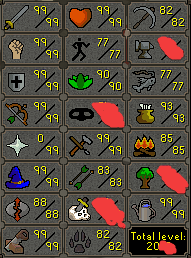
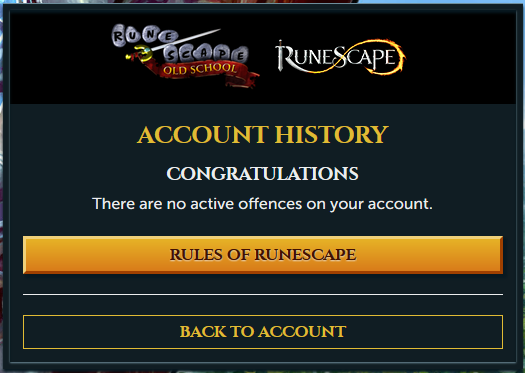
1. Pictures of the account stats 2. Pictures of the total wealth (if there is any) 3. Pictures of the quests completed 4. The price you will be starting bids at 1b osrs or btc equivalent (PP to trusted only) 5. The A/W (Auto-win) for your account 1.7b osrs or btc equivalent (PP to trusted only) 6. The methods of payment you are accepting osrs gold or btc 7. Your trading conditions you first 8. Pictures of the account status 9. Original/previous owners AND Original Email Address OO is @Turkoize
.png.a1a5bc018a60b057206b1a0c1d7d5cee.png)
.png.2fe487722b697ad6c812d16df46a70cd.png)
.png.9cc224e8703456e8299ea1ea69d596d3.png)
.png.9ea34ba623744a8c540d8de01a09dfb3.png)
-
Buying 100m osrs with paypal or btc. Message me on Skype live:illiniguy005 or PM me here.
-
If you bot you will get banned, simple as that. Don't bot on any account that you're not prepared to lose.
-
I need 9-60 hunter hand done with screenshots every level. my skype is live:illiniguy005 for faster responses
-
-
bump
-
yes
-
bump
-
bump
-
bump
-
bump
-
bump