Jesus1
Trade With Caution
-
Joined
-
Last visited
Everything posted by Jesus1
-
Download the Official oldschool client and then use that to bot on (right click ect) and then use osbuddy to play normal I do this myself, and it defiantly works this way, the proxy is only running through the runescape client, changing the ip address for all traffic through that and osbuddy, which is a seperate program, is untouched and runs of your home ip
-
Once you've added in a proxy, as shown in the guide. Make sure proxifier is running Right click on an old school client (if using mirror, otherwise just right click on osbot) and go down to proxifier and then choose the proxy you had configured before. Done If you want to test that your ip is changed and all is working, you can try doing what I said earlier, but open mozilla firefox and run the rs client off that, and then you can just open another tab for google, and just type in whats my ip and make sure its different from your home ip
-
Only bot on accounts you don't care about
-
come online ploxx ive been waiting for 48 hours (
-
hahah oh man, keep these up yeah
-
czar can I try your ankous script out?
-
This has happened to me before, look up a guide on where to stand and theres like specific spots that have worked for me idk
-
It should download by itself, just like the normal client does
-
Im not being impatient, was just trying to help sorry
-
It is isnt it? Oh error loading hooks now, Not sure whats going on
-
Just after that update, the client clicks on the settings tab and Im not running any scripts yet the scripts wont work with it constantly clicking on the settings tab
-
10m Edit: ive pmed on skype, ready when you are
-
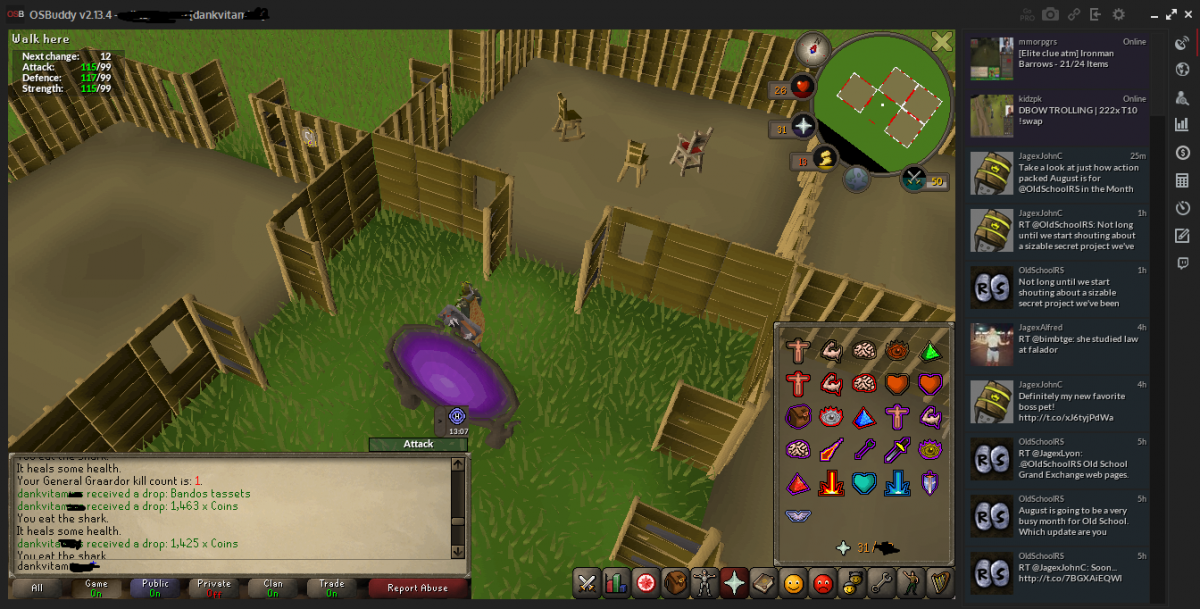
Im sorry if this is in the wrong section, but I honestly thought I was the unluckiest person on Runescape until now thank the RNG god Was my first time to bandos ever, couldnt find a team so I soloed
-
I have a dynamic ip, but its weird because even when my ip changed, I was still always banned of that server anyone know why?
-
I know it changes your ip, but can jagex still tell that its the same house/place of old ip Why I ask, is because quite a few years back, I got ip banned on a Call of duty 4 server for hacking (bad of me I know, but flying around the map fkin shit up was too tempting) and when I reset my router, the ip would change and I would still be banned of that server. It wasn't computer based either, because as soon as I went to a friends house, I could play on that server again (different ip) any know why this is? can jagex still detect the ip?
-
26m
-
Looking for a good obby mauler, will pay up to 10m
-
His questing page doesn't seem to say that he does mith gloves, will he do it if I ask him?
-
Someone point me in the direction of a service, that does mith gloves thanks
-
24 hours of ingame play, or you go members its used so goldfarmers/ botters such as ourselves cant make heaps of f2p accounts and suicide the fk out of them and not care
-
wow thanks for the tip dude
-
Yeah a vpn pretty much makes it seem like you're in a different country / place / ip address Just google dark web reddit and it will give you links to the dark wiki which has links to like everything oh yes those yummy dank vitamins are my fav just make you use bitcoin too
-
hey dude, i've been on the dark web many of times haha you need tor to access all websites which are hosted using the .onion thingo Use a vpn, and then use tor and you should be safe Also using a public wifi internet place is safer than using your home judging by your profile picture I imagine you are looking at buying certain types of plants yeah? Spotflux, cyberlink and tunnelbear are all free vpns if you were interested
-
ah okay, thanks heaps
-
what scripts were you using?