






Gunman
Super Moderator
-
Joined
-
Last visited
Everything posted by Gunman
-
Cry Close it via task manager. Were you running any scripts or was this a freshly open?
-
@hexx Assuming you're the same person in the discord who asked the same thing. https://osbot.org/api/org/osbot/rs07/api/Inventory.html In the inventory API ^ there's 2 methods getInventory().isItemSelected(); getInventory().getSelectedItemName(); And the person in the discord needed to make pies and pizzas. You just make a conditions checking an the item is selected, and the name equals the said ingredient, for the other said ingredient you want to combine. Doing more than 2 item combinations can get confusing. Widget may pop up for this I don't remember. https://osbot.org/api/org/osbot/rs07/api/Widgets.html Interacting with the Range should bring up some widgets what you wanna cook and etc. Then you interact with that widget whether you press space or clicking. Then for sleeping you could use an animation timer, or wait till you're out of the ingredients || a level up.
-
@CharlesWoodchuckIs that Mirror Mode? If so, sometimes the tool bugs out, and doesn't work correctly in Mirror Mode. That is in fact an object. I interacted with it using this code getObjects().closest("House Advertisement").interact("View")
-
What are you talking about? I just logged into an account and I am hovering it with the debug tool and it says object... EDIT: I even interacted with it just fine.
-
It might be an npc. Try getNpcs()
-
Those look all like java 8. But the first one is the recent one you installed.
-
@Micah2kool4u You have 2 versions of Java on your system. 12 is being set as default. You can either uninstall java 12 or google how to set java 8 as default.
-
-
99 att, str, def, hp and 1 drag defender lol ^How much is that worth.
-
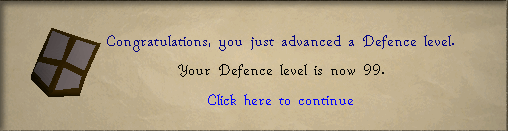
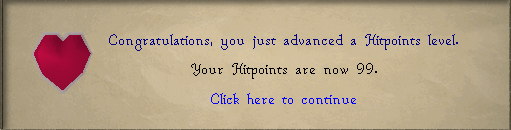
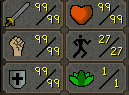
I did it. Couple days under 6 weeks but I did it!
-
Currently Token is working on Underground Pass and Regicide. Mainly Underground Pass ATM.
-
Don't use tabs. 1 client per bot.
-
@TiasJanos Because all the code is inside the first if. Btw this is posted in the wrong section. Should be in scripting help of the support section. Also null doesn't mean you can't see it, it means it doesn't exist anywhere around you in that loaded area.
-
It won't. Because it's part of the random solver.
-
private RandomSolver solver = new RandomSolver(RandomEvent.BREAK_MANAGER) { @Override public boolean shouldActivate() { return false; } @Override public int onLoop() throws InterruptedException { return 0; } }; Put this in onStart bot.getRandomExecutor().overrideOSBotRandom(solver);
-
Think I would rather do the over ride break manager method lol. And yeah I think they got rid of the spoiler button haven't seen it in a while.
-
@obrands Doesn't look like it's a script issue. If the jar is in the script folder and it's not showing up then it's something to do with the compile part. Look at this intellij setup and see if you did anything wrong. Only need to look at part 1 https://osbot.org/forum/topic/154399-script-development-setup/?tab=comments#comment-2011973
-
@obrands Put code in pastebin and post here
-
It's in mini game section I think. I am saying botting Nightmare Zone (A p2p mini game) is probably the safest thing to bot in the whole game. Your situation is still the same as everyone said above.
-
If you're saying you're not using that script I know. If you're saying it seems low ban rate, then I botted 14-20 hours a day with Stealth NMZ for the last 5 weeks and in like 3 days the account will be max melee.
-
Depends how you're botting it. But in my opinion NMZ is probably the lowest ban rate thing...
-
Locks are quite normal when using proxies. You gotta unlock them, which requires verifying an email to the account...
-
@Loque What isn't working? The link you provided is working fine for me. It shows by me just copying and pasting it.
-
If you're trying to do insert other media and use url you can use imgur for static pictures and I recommend google photos for gifs(had issues with imgur and so did others). Make sure you open the photo in another tab so it's the only thing on screen tho; like these 2 links of my bird. One from imgur one from google photo. (bit.ly is google photo. shorten because was long. Also forced both to show link instead of photo.) https://i.imgur.com/cuSBZzG.jpg https://bit.ly/3bgzvj4
-
@Porter11Because that's just the way botting is. @CharlotteThink he justs wants to bot a pure




