m4tis
Members
-
Joined
-
Last visited
-
Hi. Im interested in buying 10 accounts that can trade. Preferably with some small stats and some armour not naked looking like bot. If anyone has to anything to offer let me know.
-
Hey, is there anyone who could help me to run python application (web) on hosting? Discord: Matas#0415
-
Still looking
-
Hello. If there's anyone who's willing to help me with simple javascript task reach me out at Discord: Matas#0415 Paying by osrs gold
-
Hey. Is there anyone who would be willing to code me a simple javascript/html task that I have. i would pay by osrs gold. Discord: Matas#0415
-
interested into account 3/4. add me on discord: Matas#0415
-
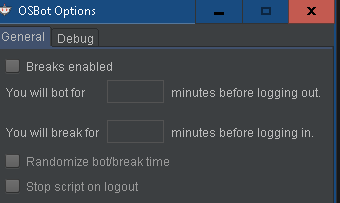
Hello. So im in progress of finishing my first script, and the last thing I can't figure out is how do I make script logout for 15minutes and then login. EDIT: I dont need this..
-
Messaged on skype.
-
amazing tutorials. make more!!
-
HEY. Is there anyone who could dedicate 5minutes for me and explain/show couple of things? I would give you my teamviewer numbers, and you would connect to me. add me on skype: K4L231 or catch me up in osbot chat. TY!
-
Thank you mate. You're my hero!
-
Hey guys. Can someone help me solve my problem. I have website called www.zhobby.org and there are two buttons which on you drag your mouse has to turn into blue. Although it works, one buttons "SHOP" is always in blue. Can someone help me fix it ?
-
-
-