greiter
Java Lifetime Sponsor
-
Joined
-
Last visited
Everything posted by greiter
-
Im confused, what has happened. Member for 13 years, i've spent about $1k usd in scripts vip memberships and lifetime sponsor. I shouldnt need to pay monthly for VIP if I have lifetime sponsor, that is why I stopped paying for monthly and got LIFETIME sponsor. Really confused why I am no longer able to use my account.... feels like ive been scammed. I need to pay more to even get access to all my scripts is insane
-
not working properly
-
May I trial this script?
-
still selling!
-
Bump, he only had 100m to offer.
-
Thank you for your offer! Just waiting a few more days for offers otherwise its yours
-
Does not have DT completed. starting bid 150m has no bans or temps will supply more pics if youd like. I am original owner of the account I will be keeping my email, you may switch the account over to an email of your choosing autowin 250m?
-
excited to try out regicide quest line on new account
-
Id say have 2-3 VMs(Virtual machines( if your pc has enough resources to do so)) and have a paid private proxy on each VM, then make X amount of accounts on each VM and then bot, so it does not flag your IP address, which in turn will make it impossible to bot basically. proxy6.net has great cheap proxies ive used for the past 6+ months
-
-
https://oldschool.runescape.wiki/w/Optimal_quest_guide check this out man
-
This script is really sucking up a lot of memory, and the shift dropping is buggy, keeps getting stuck by instead of dropping it just clicks use.
-
Could i trial this script?
-
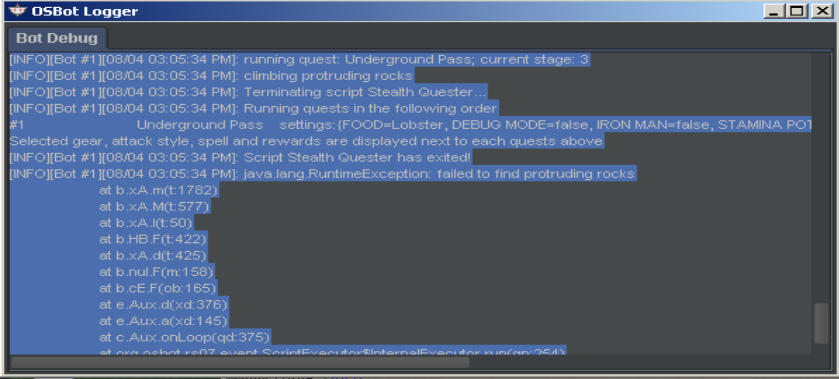
messing up on underground pass. After falling in the pit twice (the maze) the script cancels. So I then figure out the pattern and get across, and then go to start script again it wants to restart from the beginning and tries to teleport to falador, but has no tab.
-
sounds brilliant! yay for updates!
-
Script is no longer starting up again
-
It is working, thank you for the update
-
No longer launching
-
Mirror mode at 50ms, have also tried recommended settings, and also at 50ms with the option of letting script override settings. All same results.
-
Personally I think that reaction time when alching should be sped up, it's very bot like with how long it takes to navigate from the cupboard to alch spell, to clicking item.
-
just bought this script, roughly how long does it take to get a pair of boots?
-
Could I trade my Khal fisher for excellent dragons :)?
-
Makes sense, thanks for the tip! Beautiful beautiful
-
Yes, it is after breaking! Also, could not open logger due to client freezing. Also after starting script again, it uses enchanted gem to check task, and then goes to bank or slayer master, rechecks task gets food and goes back to spot. Huge waste of time IMO and suspicious. mHope next update clears some stuff up
-
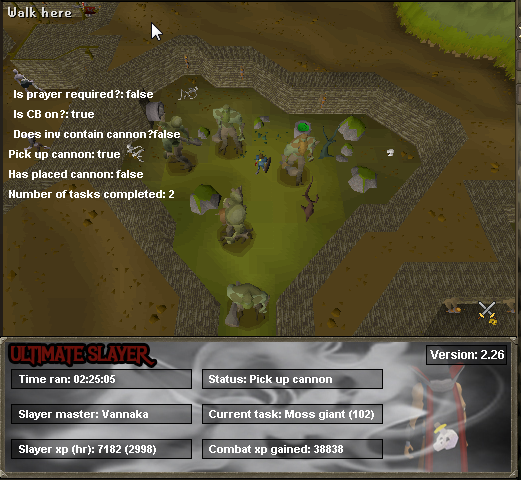
Having a problem where it seems to be trying to pick up cannon, and I do not have settings set for a cannon. It is causing huge spike in memory and causing to lag severely. Unfortunately I have to often check on the script because after 1-4 tasks it messes up on something and gets stuck in loop