







Czar
-
Joined
-
Last visited
Posts posted by Czar
-
-
Edited by Czar
I've pumped out ~5 updates in the past 2 days, when was the last time you tried the script? Walking is fine, I tested it for east and mode, I tested the entrance for resetting aggro, I made it avoid the unicorn for deaths. Teleports work, both tabs and spells.
the only standing issue is world hopping, which I have just fixed a few hours ago.
As for spamclicking for map, show me where it does that, and show me how you made it happen and I will fix it ASAP. If there are any features which are below standard just list them, it is my duty to keep this script at a #1 standard.
@Trial, enjoy ;)
-
-
-
Will fix crafting guild and improve lumbridge bank, thanks for feedback

As for the antiban, sure I can do something like that, I can make it only drop the ores so you can keep whatever items you want
-
 1
1
-
-
-
-
-
-
Nope I can make a nice update which makes it walk to a safe position (3 tiles away from every rock crab) to worldhop
-
1
-
-
Edited by Czar
Tips:
Don't use less than 2 food when loading inventory,
Don't use multiple teleports,
Use east mode for more reliability
As for bugs, if there are any, just post the bug details and tell me which GUI options you used.
EDIT: After
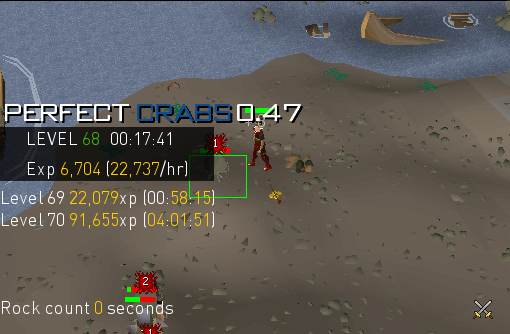
Has only ran south once (to reset aggro). Please be as detailed as possible when sending bug reports, I can't make the script bug out whatsoever o_O
EDIT: Turn off world hopping if you are running south
-
Range bonus needs to be increased if you want higher xp, also use a longbow and set it to accurate. I may add ranging potions (If I find out they actually help)
As for the always right click, that is out of my control I'm afraid, every script on osbot that gets launched, will go through a mouse zoom solver (even if unnecessary) yes, I know it's BS but what can we do, the developers coded it and we can't do anything about it. I had my own one (working perfectly fine) and only sets mouse zoom if it's not on default, but hey

I'm glad you guys are enjoying the script
good luck ;) -
-
-
-
-
-
-
-
-
-
-
-
-
 so just set osbot memory to 512, 768 or 1024


GG account.
in Botting & Bans
don't worry, since you used a czar script there will be no problems regarding bans ;)