Jump to content
View in the app

A better way to browse. Learn more.

OSBot :: 2007 OSRS Botting

A full-screen app on your home screen with push notifications, badges and more.

To install this app on iOS and iPadOS
  1. Tap the Share icon in Safari
  2. Scroll the menu and tap Add to Home Screen.
  3. Tap Add in the top-right corner.
To install this app on Android
  1. Tap the 3-dot menu (โ‹ฎ) in the top-right corner of the browser.
  2. Tap Add to Home screen or Install app.
  3. Confirm by tapping Install.

Dread Pirate

Members
  • Joined

  • Last visited

  1. wrote a simple script cuts and banks, must have DS1 completed to access the resource area. Start on the island, next version I'll make where you can start anywhere, if you can't equip your axe and have 28 free inventory slots then change method check 4 to [4, Inventory, getAmount, 1:Maple logs, 2:27, 1:==]. Have fun guys.
  2. May I have a 24 hour trial will most likely be purchasing
  3. like 24/7 as in no breaks? and you're actually asking why you got banned /s .
  4. it does I looked very much worth the 5$ a month because you can basically write any script you want, and make it so different from any others that are used in mass it lowers your chance of ban
  5. Dread Pirate started following Zackaery
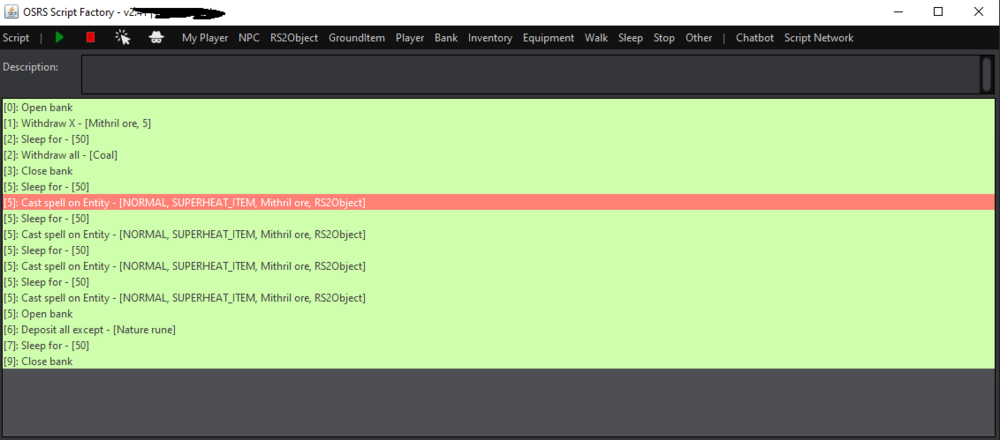
  6. I tried a few things like hover mouse over object, then sleep , then left click after spell was selected. might just buy the pro
  7. I have standard does click to script come with pixel randomizing ? if so I'll def purchase
  8. would like a trial please ๐Ÿ™‚
  9. Dread Pirate started following Acerd
  10. Dread Pirate changed their profile photo
  11. Dread Pirate started following Faustinio
  12. Dread Pirate started following Faust
  13. Dread Pirate started following Chris
  14. Dread Pirate started following ProjectPact
  15. Dread Pirate started following Khaleesi

Account

Navigation

Search

Configure browser push notifications

Chrome (Android)
  1. Tap the lock icon next to the address bar.
  2. Tap Permissions โ†’ Notifications.
  3. Adjust your preference.
Chrome (Desktop)
  1. Click the padlock icon in the address bar.
  2. Select Site settings.
  3. Find Notifications and adjust your preference.