






drewhasdirtyham
Members
-
Joined
-
Last visited
-
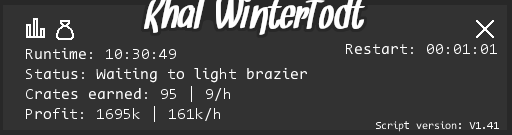
Heres a proggy for ya
-
Could I get a Trial please?
-
Came back after around 4 hours and was just sitting in lumbridge, any way you can make it so if this happens it stops the script and logs out? just so its not sitting there for hours on end. obviously died and it couldnt find a way back to WT which is fine, but just looks kind of sketchy
-
I've noticed the slowness problem has to do with mirror mode, otherwise it works fast and great.
-
i have no problem buying other scripts but because it has the 0.00 for renewel or whatever it wont let me purchase. is there any way you can take that off? by the way can i get a trial?
-
best way to run this so I dont get banned? ive read on here run for 2-3 hours with breaks, do you mean like 2-3 hours a day, with breaks inbetween those times, then stop for the day? or run 2-3 hours, take a break, then keep going for another 2-3 hours? trying to find a thread elsewhere but cant find anything *edit* got banned already, got like 25 quest points in 2 hours earlier and trained on chickens for a hour and ran to the GE and got banned. 4th account in a week. i quit
-
Could I have a trial please?
-
not sure if it was this script specifically or what, but i logged in and as soon as i started this bot up near chaos alter, instant perma ban. granted i had gotten 35 quest points within the past 12 hours and only took 5 hours of break time.


