




Jump to content
View in the app

A better way to browse. Learn more.

OSBot :: 2007 OSRS Botting

A full-screen app on your home screen with push notifications, badges and more.

To install this app on iOS and iPadOS
  1. Tap the Share icon in Safari
  2. Scroll the menu and tap Add to Home Screen.
  3. Tap Add in the top-right corner.
To install this app on Android
  1. Tap the 3-dot menu (⋮) in the top-right corner of the browser.
  2. Tap Add to Home screen or Install app.
  3. Confirm by tapping Install.

city22

Members
  • Joined

  • Last visited

  1. can I get trial?
  2. thank you, been running it for maybe 20 mins now and it stops after I grow a level anyway you can fix this? im doing range btw
  3. can I get trial?
  4. city22 replied to Czar's topic in VIP Scripts
    whats the ban rate on this?
  5. city22 replied to Token's topic in Others
    trying to do the dwarf cannon quest keeps walking bank to bank
  6. did you ever fix this i am having the same problem
  7. also changed the permissons on ssh
  8. city22 replied to MGI's topic in Releases
    @randomguru run osbot normal and then you will see this select mirror then make sure you have like oldschool runescape client runnning in background
  9. city22 replied to Alek's topic in Releases
    Thank you my dude
  10. Thank you for statement stop the new people making thread every 5 mins
  11. just wait for it no point on making all these threads thank p.s here for post count
  12. city22 replied to Fruity's topic in Minigames
    i would get 75 for blowpipe if i was you
  13. city22 replied to Fruity's topic in Minigames
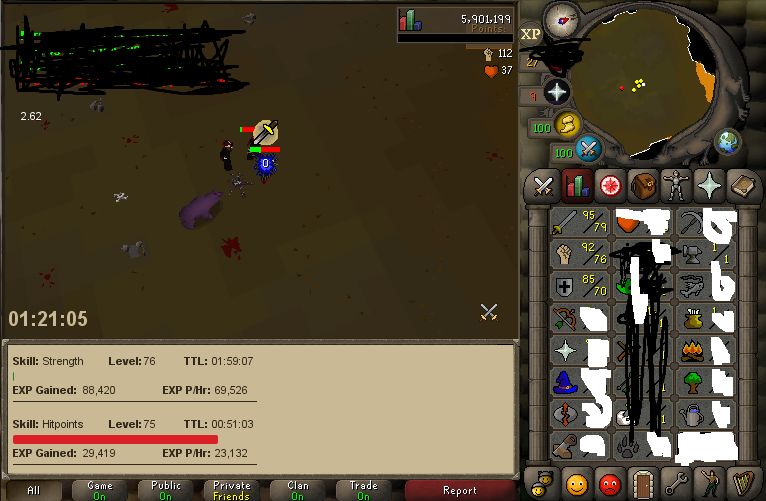
    progress so far love it thank you started at 70 , 70 , 70
Account

Navigation

Search

Configure browser push notifications

Chrome (Android)
  1. Tap the lock icon next to the address bar.
  2. Tap Permissions → Notifications.
  3. Adjust your preference.
Chrome (Desktop)
  1. Click the padlock icon in the address bar.
  2. Select Site settings.
  3. Find Notifications and adjust your preference.
