Skeletor
Members
-
Joined
-
Last visited
Everything posted by Skeletor
-
man this was a good read
-
mmmm yes this looks nice
-
working fine for me, try restarting your pc
-
iv'e gotten 3 99s from crafting fletching and cooking (1-99) so yeah i believe its very possible
-
Iv'e used plenty of free tutorial island bots to safely say that he is a bullshitter.
-
with the cake stall it doesn't need to run so far away in order to lose the npc aggro. it just needs to run here (where the blue square is): https://i.gyazo.com/18448a227eafb438c5733fcb446ca116.png it would save some time having to run all the way out
-
nice update
-
bought 50m via skrill . super fast delivery
-
spiderman is doing quests and torso for me
-
you still selling? added on skype
-
I'm not sure if it's just me but for a while now the profiles don't load correctly. When loading a profile it just loads the bank settings. Nothing else. Can you look into that? Thanks Czar
-
Czar this script is amazing, I will be planning to purchase. Did 10 hrs non stop without any bans on the trial. Can also confirm the bakers stall needs a lot of work because the guards always interrupt and the bot gets confused.
-
got the exact same problem :\ rly annoying
-
Terminator Alien Predator
-
very nice
-
-
Can you make script log out when no arrows left. Woke up and my bots were running around cows with no arrows lol.
-
Still not crossing to wilderness, have to manually click.
-
You can easily find a working torrent of sylenth1 and massive as they are some of the many commercially used plugins in the edm industry. There are even forums dedicated to sample packs and vst plugin torrents. All my vsts are torrented including the latest version of fl studio 12.4.
-
hey bro for just starting to learn its pretty good. i used to be signed n shit but got lazy and decided producing wasnt for me. heres one of my tracks https://digitaldjpool.com/Songs/88146/Jack-Stewart-Drops-Original-Mix i recommend getting sylenth1 and massive plugins.
-
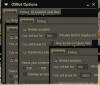
Windows 10 64bit. Yep, all drivers up to date. Java is the latest version. I can still manage to navigate the client by moving the window and it goes back to normal, however as soon as i move my mouse pointer over the window it glitches out. just kinda annoying.
-
Anyone know what causes client to glitch out like this or is it just me?
-
pretty sure it's possible. i did it with 70 def 70 range and 60 prayer
-
Hi i have a problem with green drags (west) when it glory's on pker=true it will deposit my inventory then it will withdraw 1 food, hop world and continue to west drags when it should be withdrawing x amount of food. also it does not recognize the wilderness warning message that displays when jumping over the ditch (it will not click continue). i will try paste log when i replicate the error. [iNFO][bot #1][11/21 10:01:32 AM]: PKer ? true [iNFO][bot #1][11/21 10:01:32 AM]: PKer ? true [iNFO][bot #1][11/21 10:01:32 AM]: PKer ? true [iNFO][bot #1][11/21 10:01:41 AM]: WebWalkingEvent; Terminated because of break condition! [iNFO][bot #1][11/21 10:01:53 AM]: useLootBag is off...depositing bag [iNFO][bot #1][11/21 10:01:56 AM]: grabbing food only grabs 1 food
-
This happens to me sometimes lol. Sometimes the script won't load for a whole minute. But yeah a restart usually fixes.