
Album
Java Lifetime Sponsor
-
Joined
-
Last visited
Everything posted by Album
-
looks so good that im not even waiting for you to wake up and come online and request a trial, just buying it right away 😘
-
thats just because u are switching ip. doesnt get locked if you play with same ip or create acc and play with same ip
-
gyn membership after lifting in basement gym for 2.5 years
-
-
dude after 2 months you still havent fixed the swamp paste bug "deposit all items expect swamp paste" keeps withdrawing random shit in the bank endlessy and deposit them the script gets stuck there
-
often gets stuck at fishing trawler bank at banking everything expect swamp paste
-
seems to die with 24hp too, could you add some teleports so it doesnt travel throught wolf white moutain
-
level 26 pet
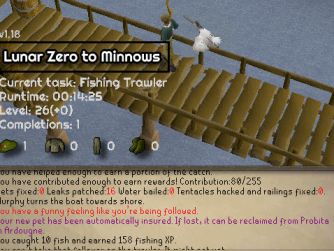
-
bro is going for 99 str on cows
-
hey level task isnt working i think its because of sand crab plugin
-
one thing to note is that it kinda requires some hp level since it does not use teleports and at somepoint walks throught wolf mountain so dies there if you are skiller
-
everything fine again 😃

-
hey, sorry, yeah it started randomly later i think it was after i restarted client
-
hey, doesnt work at minnows anymore it fishes like 40 minnows then runs to bank and gets stuck there says emptying inventory of unwanted items but there is no junk items only fishing net and the minnows, and it does not deposit anything
-
how is this broken again...
-
first progress with this started from zero, soon at minnows so ticking the box "barbarian fishing" will only work if i already have 15 agility and strength right?

-
hey man is there way to delete saved profiles? i tried to go to the folder but only found one, im using sandbox and it has different ones there
-
haha might be the case btw, what is the point of clicking those tabs to highlight them? for example my clicking fishing contest it highlights it clicking fishing trawler it highlights it, i thought it was like select what things you want it to do, but to problem is that you can highlight only one box. So could you eleborate that?
-
hey, the script stopped because "ran out of feathers" at level 60 in barbarian fishing, previously it normally just bought them
-
damn, that will be sick no have to worry and check iban blast charges, or worry if supplies are running out. Can just freely let it run. Insta switch from frost barrows when that comes out ;D
-
awesome, bought the script, need more of these progressive, restocking, ge support scripts, imo very important. do i need to buy from ge anything myself? or just have coins?
-
hey can i get a trial please?
-
gonna switch to this when it gets replenishing iban staff 😛 also 1 idea i have would be selling the barrows loot and buying some potions and what not so restocking basically.
-
also, i think it always did it on the first trip only
-
yeah it does not stop the script, all the brothers gets killed and it afks on the surface and not on the tunnels, sometimes i have found that even the chest is opened lol, it have runned back on the surface i guess