







FuryShark
-
Joined
-
Last visited
Everything posted by FuryShark
-
i ran out of tissues now
-
3m if you have all the items
-
If you want the lowest 0% chance of getting banned. dont bot it
-
-
y
-
You dont need VIP just put them in your "scripts" folder i think???
-
Wow gz lmaonice
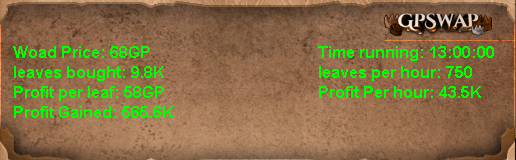 to pay for bonds for my mainOnly recently realised how much this script offers, one bug idk if its just me though as it used to work--- loading a saved preset thingy xD - also if i start with noted items it doesnt unnote - disable input does nothing for this script as wellhttps://gyazo.com/9522badbeb132593ca4c2a0d5802449c doggo pictures?Maybe level 59?Why not garys hood?I was watching it run away tried stopping it but it was too late lol there was nobody thereDid i miss itI can do it very cheap i need feedback xDInstall the newest version of antiban


