
Master00j
Trade With Caution
-
Joined
-
Last visited
Everything posted by Master00j
-
you need just the magic levels without any other stats? I could build such an account with your supplies
-
-
Noted
-
bump
-
-
b
-
Many people had issues with proxyfish in the past.
-
bump
-
bump
-
0.85$/mill Discord: https://discord.gg/EGUT3Pb
-
bump
-
bump
-
bumpà
-
Quests for nmz bosses: Tree gnome village Mountain daughter Vampire slayer Fight Arena Lost city Rock cake: Cook's Assistant Fishing contest RFD: helping the cook RFD: Dwarf subquest Some helpfull quest: Waterfall quest
-
-
All the nmz quests are done aswell waterfall quest and rock cake quest. You can hop straight into nmz. Atm i got 1 account ready --> https://osbot.org/forum/topic/140058-nmz-ready-account-707070-43pray/
-
bump
-
bump
-
bump
-
you only need the quests done? i got 1 ready for you 14m (13days member left) skype: drocgecacher discord: https://discord.gg
-
for prices: https://docs.google.com/spreadsheets/d/16o5z5Tnp5bc0Ee9as03x6OUQexAaSAf-Zos4K2B3KVc/edit?usp=drivesdk skype: drocgecacher discord: https://discord.gg/Hwnhad
-
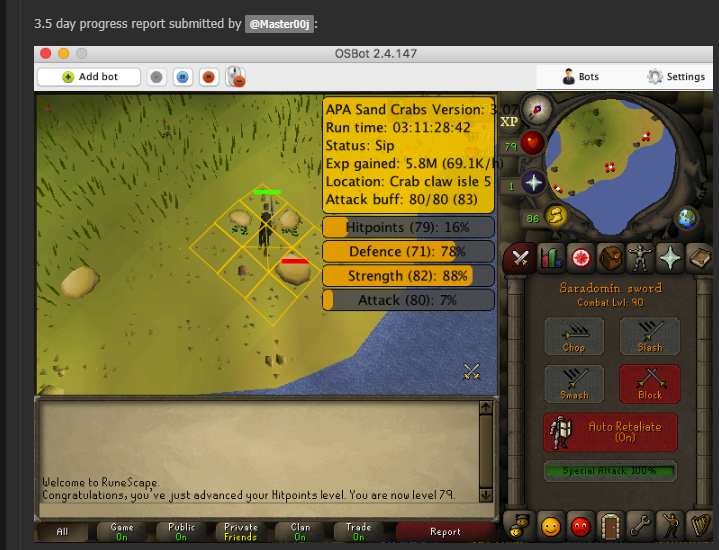
Sandcrabs are pretty safe to bot, and the script runs really smooth so low chance of getting caught.
-
this was without taking any breaks just in a straight line. i think i've made it to 85/85/85 and changed then to nmz script ended up with 99/99/99 without any bans
-
skype: drocgecacher discord: https://discord.gg/Hwnhad
-
Just buy it :p, this script works amazing some proggy from few months ago -->