Leaderboard
-
Khaleesi
Developer2Points27837Posts -

BananaTown
Java Lifetime Sponsor2Points456Posts -
Monkeyn4t
Members1Points108Posts -

Czar
Global Moderator1Points23768Posts




Popular Content
Showing content with the highest reputation on 03/08/24 in all areas
-
👑CzarScripts #1 Bots 👑 👑 LATEST BOTS 👑 If you want a trial - just post below with the script name, you can choose multiple too. 👑 Requirements 👑 Hit 'like' 👍 on this thread1 point
-
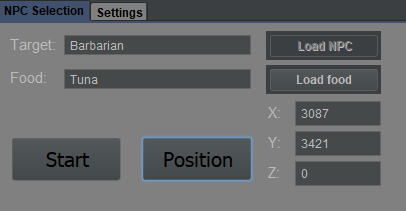
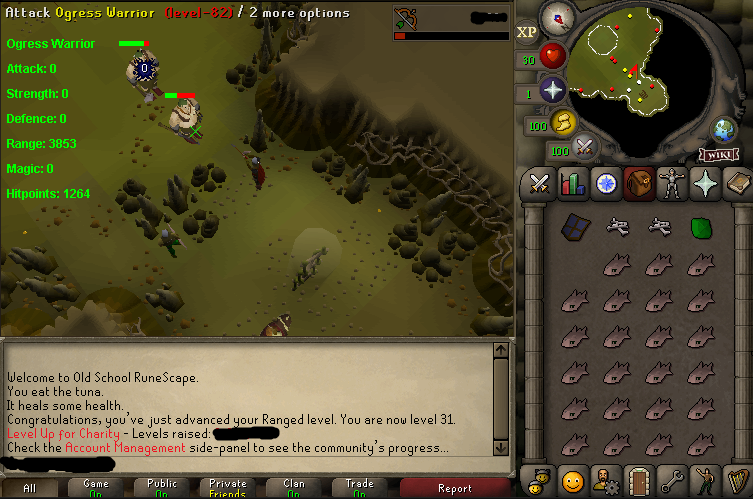
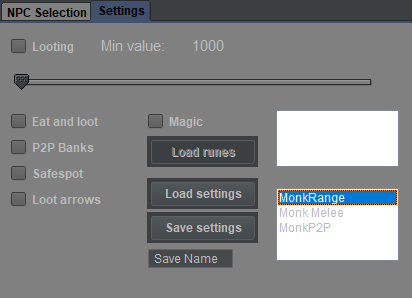
1 pointAIO combat script. Enter NPC name and load food. Load current player position. It will keep attacking the NPC until out of food, loot, then it will run to closest bank and refill inventory. After that it returns to original location, and keeps going - repeat until out of supplies. Able to save settings so it doesn't require re-typing. Infinite mobs/locations/combat styles can be saved. Limits: Some positions might not work. Will likely result in script not refilling food. 99% of spots work fine though. To use safespot feature: Load/set position as the safespot. The bot will return here after aggro is gained. Might be broken in some spots, but seems to work well overall. Glhf! NOTE: Looting is based on GE prices. Sometimes these prices aren't loaded for an item, and bot won't loot that item. If it misses one type of item over and over, it's due to this. Changelog: Coming soon: Images:
 1 point
 -
1 pointthis is my first released script pls b nice idk java Timberscape is a f2p tree -> oak chopper that chops trees and oaks in draynor. This script is designed to be started directly off tutorial island to suicide WC bots. (but can be started anywhere, with clear/ full inv) It will switch axes AS LONG as they are in the bank IT WILL NOT sell / buy logs or buy / sell axes Level 3 friendly Currently does not support equipping axes. will take 5 min to fix. eta Soon(TM) Supports "Steel axe", "Adamant axe", "Bronze axe", "Black axe", "Mithril axe", "Rune axe" Progress reports1 point
-
1 pointyou're thinking of a GUI, cli is a command line interface. In practice with osbot this means you can launch a specific bot, with a specific script, with specific command line arguments for this script. you can find tonnes of examples of this on the forum. But these are separate things. I do not think i will add a GUI to this script, as I already have a version with one, and i just do not like it. I will be implementing CLI at some point though to allow for more customizable usage. Keep in mind this is a free script so this will happen when I feel like it™️ Good idea to post the 36wc in unofficial scripts. didn't think it'd be worth it but if you want it i'm sure other people do as well. Ill be posting it soon™️1 point
-
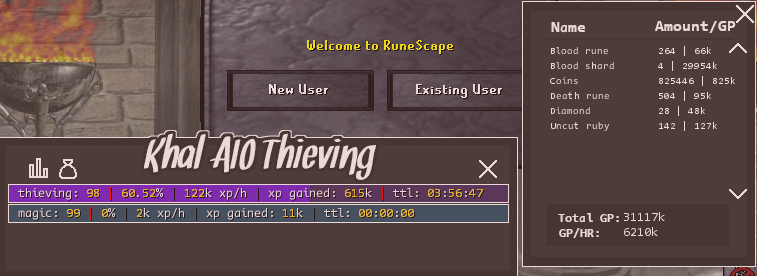
1 pointcant recommend this enough. started at about 50 and now nearly 99 got a good proggy for you
 1 point
 -
1 point
-
1 point
-
1 pointmy only complaint about the trial is waiting for it to end so I can purchase the script. thanks!1 point
-
I downloaded the newest version and that did fix things. You won't be prompted to update the client, you'll have to uninstall/reinstall.1 point
-
1 pointSo how do you stop them at 36 wcing automatically, maybe at a particular minute mark they're guaranteed a wcing level? because I also wanna get to 36 wcing. Additionally if it could score 200 total normal logs for me or keeps going at normals until 20 woodcutting before going to Oaks that would be dreamy.1 point
-
1 point
-
1 point
-
1 pointWill the script using binding necklaces and dueling rings to solo lava craft? does it allow staminas and stuff to be used?1 point