







ProjectPact
Script Factory Developer
-
Joined
-
Last visited
Everything posted by ProjectPact
-
I’ll be making a post when it is released.
-
it sure does! Just start it in the area and it will work fine! Banking will not be supported because there are no links to the area, but the area is always dead because no one has the requirements to get in lol.
-
Finally have my custom methods finished and working! I will be pushing the newest version of the script ASAP!
-
I can get a fix for this the world hopping problem ASAP! And instead of doing names I did levels only because some locations wouldn’t fit in the message length. I can add it back, but can’t promise the entire message will fit because runescape limits message length
-
Yes, there is an option for it in the GUI
-
I've already mentioned this to the developers and am working on getting a fix out ASAP!
-
video on the first page of the thread ?
-
I don't do trials, and trials for a script like this would be completely pointless
-
Yes you can save your personalized category order
-
You can choose to not use bank tabs if you just throw all items above the predefined tabs in the GUI. And scripts should support tabs.
-
I don't think I've ever lost a game of Fortnite
-
I have notified the developers about the situation
-
Looking into it now! I'll let you know ASAP! Thanks for letting me know.
-
What version of OSBot are you running?
-
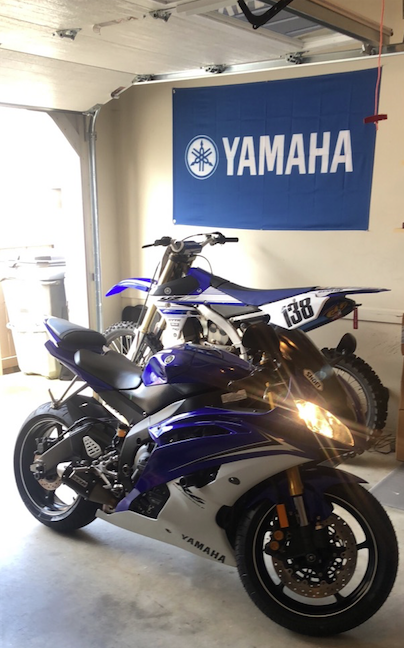
Nice bike! I’ve got a Yamaha R6 and a YZ250F
-
Try it with the newest OSBot dev client. Alek released it this morning. He looked at the banking problem that was reported.
-
is it still broken? Alek pushed the new client today which is supposed to fix that
-
hahahhahaha Yea, I can speed it up a bit. Some users reported it misclicking items a while ago, so I slowed it down.
-
This is a problem with OSBot's bank method. I've notified the developers about the situation and they are looking into itTry reloading the client. Let me know if that worked, If not I will look into it!Sorry, I am not doing trials for this script.ahh yes, see the reason for that is because it only supports Z == 0 (main level of runescape). I could look into adding a stationary feature where you would not be required to load in a Zone. Good ideaCan you send me the logger and picture of your inventory layout? SENDING REPORT LOG: 1. Go to your OSBot folder on your computer. (Usually found in your "Users" directory) 2. Go to the "Data" folder. 3. Click on the "projectpact" folder. 4. Next go to the "logs" folder. 5. Finally, private message me the most RECENT log you have ran. If you need help determining which one is the newest, you can sort the files in order from date created, and that should give you the most recent one.On the same spot? I just ran it the other day because someone else reported the same problem (they were on mirror mode as well), and I didn't get it on Injection. The script is intended for injection. Do you have all the required items for the quest? You must use the items needed (teletabs and all)



