paulpbrd
Members
-
Joined
-
Last visited
-
-
trial please
-
check for 99 melee atk, str, def im aware i cant sell yet.
-
Can i get a trial please?
-
Can i trial this please.
-
Wrote me a great script with the features i asked for and it works flawlessly! Very pleased, top guy, Big vouch, Thanks again man much appreciated.
-
Agree.
-
Pc on 85 mining accounts, I'm looking to finish up a couple shortly. I know I cannot sell here yet.
-
Hi, I have used this script a lot in the past but now when I run it my accounts are banned within 5 hours of finishing tutorial island, tested by running a few accounts over the last week doing nothing but tut island, all banned, it worked great for a while. Think I could have been ip flagged?
-
-
Hi, I think I may have had a trial of this in the past, if its the script I'm thinking of, but I didn't get to use it at all, will I be able to actually trial it now?
-
paulpbrd changed their profile photo
-
trial please.
-
yeah haha its still going.
-
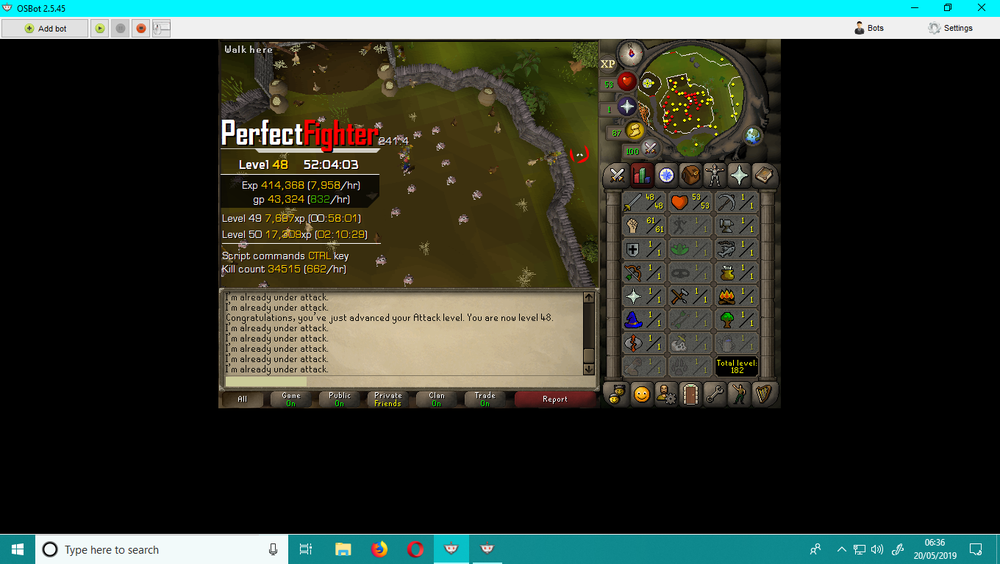
I left this running whilst i was away over the weekend, I didn't set it up to do much, I just let it slaughter chickens, not bad.
-
Nvm the trial, bought the script instead and has been fantastic so far.. Only problem I've encountered so far is when I set it to hop worlds in ftp it will always try to hop to a members one.