






Protoprize
Members
-
Joined
-
Last visited
Everything posted by Protoprize
-
Thank you!
-
https://storage.googleapis.com/osbuddy-exchange/summary.json This gets updated every 5 mins with the OSBuddy prices. All you will need to do is create a parse for it to scrape for specific data. (This is a json file so a bit of google won't hurt ? ) https://codeshack.io/json-sorter/ This website will show you exactly what you're actually looking at, after being formatted properly. From this onwards, I'd look into how to work with JSON files and how to extract only specific content from it
-
Just a little input here from a Mac user! Try opening up a terminal prompt (press cmd and space, then search for terminal) and type in "java -version" For example, this is what should come up and comes up on my Mac: For me, this version works, and if you want to install it, I suggest following this tutorial first: https://www.java.com/en/download/help/mac_uninstall_java.xml and then installing java from either: JDK: https://www.oracle.com/technetwork/java/javase/downloads/jdk8-downloads-2133151.html JRE: https://www.java.com/en/download/

-
I should be posting a new version of the script nearly every day if you ever want to use it! I'd say it'll probably be worth while to use it in about 3-4 days once I get some of the other features implemented fully Also, thank you!
-
nope
-
Turn down scaling to 100% in windows
-
That is literally what I'm saying. I'm using the official client for mirror mode on windows. Also, the xeon that you've mentioned is comparable (single core performance wise) to my i5 4690k,. After playing legit for like 6 hours in a row, I've noticed massive ram usage from runelite and the official client. Osbot can always be optimised, but it also relies on osrs being optimised, and from what it seems, it's runescape that's having these issues rather than osbot but ay, lets hope we get an answer one way or another since performance sucks for us both ?
-
I've noticed the same issue on my home pc and mac. But I don't think the problem is on Osbot's end as 3rd part osrs clients are also taking resources like crazy for me. Running two legit accounts on my mac using runelite has recently turned my macbook into a plane engine (note, this has only been the case for the past week or so) While on my main pc I can only run one mirror mode client now and it still gets less than 40 fps in -game. Running another one is just not possible (even when using injection) Macbook basic specs: 6c/12t - i7 16gb ram radeon 555x pro PC basic specs: 4c/4t - i5 4690k - OC to 4.7 GHz 32gb ram gtx 1060
-
Hey, mind if I get a trial for this?
-
So far so good! Script works perfectly and the new paint is a nice touch
-
Sadly it doesn't, just seems to get stuck on that specific part, if it is only me having the issue then I'll try on a VM
-
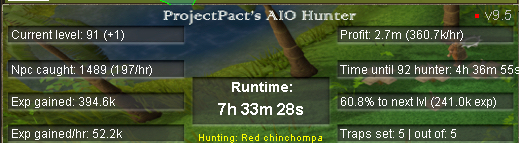
The bot has been working amazing so far
-
Hey, the bot seems to get stuck on lighting the logs after cutting them. Otherwise, everything seems to be working fine! There is no logger output and the bot just stands there unable to light the log (doesn't click on the log or tinderbox)
-
Been having an issue for a while now with this bot on multiple different machines. It does not find ANY NPC's around my player. Meaning I can't use it. Manually typing the names in seems to not work either so I'm unsure if it's me or the script. I've cleared my osbot directory and tried the script on different machines (Mix of normal computers/laptops and virtual machines)
-
Trial for perfect fighter please


