Skip to content
View in the app

A better way to browse. Learn more.

OSBot :: 2007 OSRS Botting

A full-screen app on your home screen with push notifications, badges and more.

To install this app on iOS and iPadOS
  1. Tap the Share icon in Safari
  2. Scroll the menu and tap Add to Home Screen.
  3. Tap Add in the top-right corner.
To install this app on Android
  1. Tap the 3-dot menu (⋮) in the top-right corner of the browser.
  2. Tap Add to Home screen or Install app.
  3. Confirm by tapping Install.

bifas86

Trade With Caution
  • Joined

  • Last visited

Everything posted by bifas86

  1. .

    bifas86 replied to bifas86's topic in Accounts
    bump only for 355m!!!! final price!!!!
  2. .

    bifas86 replied to bifas86's topic in Accounts
    bump special price!!!! oportunity to buy insane acc for only 355m!!!!!!!
  3. .

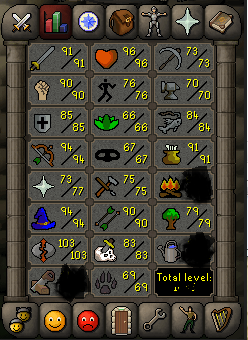
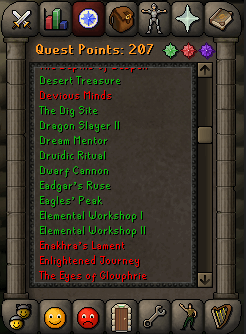
    bifas86 posted a topic in Accounts
    .
  4. .

    bifas86 posted a topic in Price Check
  5. .

    bifas86 replied to bifas86's topic in Requests
    bump
  6. .

    bifas86 posted a topic in Requests
    as title says.
  7. pmd u
  8. hello, as title says i am renting an account ready for killing of vorkath, for details please pm me.
  9. .

    bifas86 replied to bifas86's topic in Runescape 2007
    sold out
  10. soz i just sold that guy all my gold.
  11. bifas86#5452
  12. talking with u on discord right now.
  13. bifas86 replied to Norscax's topic in Runescape 2007
    i am ready
  14. bifas86 replied to Norscax's topic in Runescape 2007
    .65 can sell u
  15. .

    bifas86 replied to bifas86's topic in Runescape 2007
    .65 if u take all.
  16. .

    bifas86 posted a topic in Runescape 2007
    .
  17. bifas86 replied to javidamme's topic in Runescape 2007
    Pmed you.
  18. what's the rate?
  19. .

    bifas86 replied to bifas86's topic in Runescape 2007
    sold out
  20. pm me if u need.
  21. .

    bifas86 replied to bifas86's topic in Runescape 2007
    120m in stock bump.
  22. can sell u if still need.

Account

Navigation

Search

Search

Configure browser push notifications

Chrome (Android)
  1. Tap the lock icon next to the address bar.
  2. Tap Permissions → Notifications.
  3. Adjust your preference.
Chrome (Desktop)
  1. Click the padlock icon in the address bar.
  2. Select Site settings.
  3. Find Notifications and adjust your preference.