




Jump to content
View in the app

A better way to browse. Learn more.

OSBot :: 2007 OSRS Botting

A full-screen app on your home screen with push notifications, badges and more.

To install this app on iOS and iPadOS
  1. Tap the Share icon in Safari
  2. Scroll the menu and tap Add to Home Screen.
  3. Tap Add in the top-right corner.
To install this app on Android
  1. Tap the 3-dot menu (⋮) in the top-right corner of the browser.
  2. Tap Add to Home screen or Install app.
  3. Confirm by tapping Install.

AntwerpFinest

Members
  • Joined

  • Last visited

  1. can i have a trial?
  2. Hi Is it possible to try it out? I'm looking for a good script to use on my ironman This seems to be a good thieving bot
  3. is it possible to have a trial cheers
  4. can i try before buying please? thx
  5. im interested in buying this script, can I try it out first please ?
  6. May I ask you how m hours u run it max
  7. Would like to buy the scrip, is there a possibility to try ? thx
  8. Can I have a trial?
  9. i would like to try this script pls (trial pls thx)
  10. Nice work / got pet 2 while using your bot thx should be 20K xp/h @lvl 50 but paused it a lot
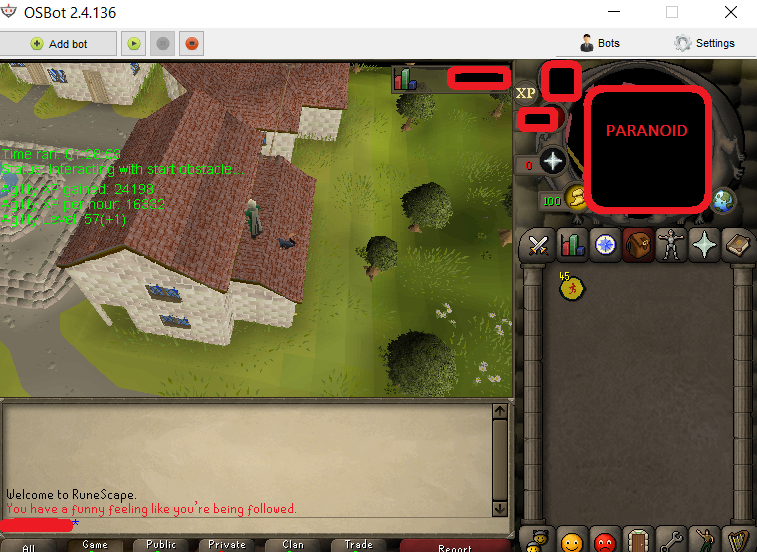
  11. why u always lieyiingggg use max zoom out mode and i've run it for several hours and its works flawless

Account

Navigation

Search

Configure browser push notifications

Chrome (Android)
  1. Tap the lock icon next to the address bar.
  2. Tap Permissions → Notifications.
  3. Adjust your preference.
Chrome (Desktop)
  1. Click the padlock icon in the address bar.
  2. Select Site settings.
  3. Find Notifications and adjust your preference.