




Jump to content
View in the app

A better way to browse. Learn more.

OSBot :: 2007 OSRS Botting

A full-screen app on your home screen with push notifications, badges and more.

To install this app on iOS and iPadOS
  1. Tap the Share icon in Safari
  2. Scroll the menu and tap Add to Home Screen.
  3. Tap Add in the top-right corner.
To install this app on Android
  1. Tap the 3-dot menu (โ‹ฎ) in the top-right corner of the browser.
  2. Tap Add to Home screen or Install app.
  3. Confirm by tapping Install.

js_olalo

Members
  • Joined

  • Last visited

Everything posted by js_olalo

  1. js_olalo replied to ez11's topic in Combat & Slayer
    lookin to buy the script, would love a trial g
  2. js_olalo replied to ez11's topic in Combat & Slayer
    hey can i get a week trial?
  3. can i get trial plz?
  4. js_olalo replied to Tom's topic in Magic & Prayer
    Get me a trial bro
  5. can i get trial??
  6. js_olalo replied to Fruity's topic in Minigames
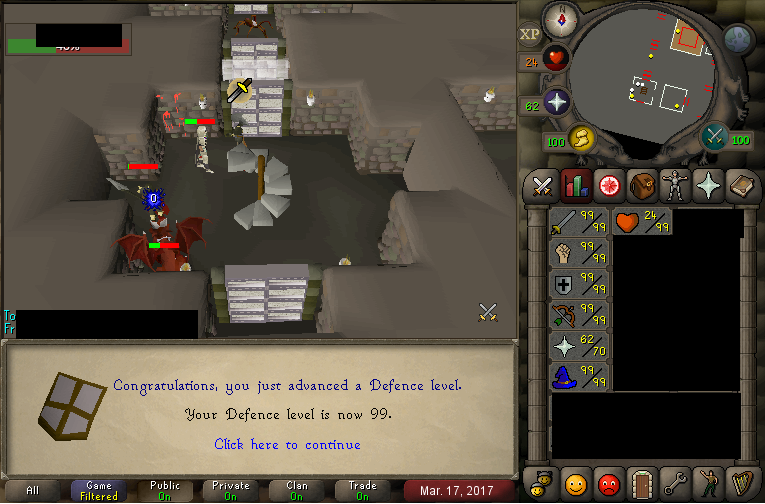
    REVIEW Just MAXED my account after 2 weeks of using this amazing and flawless script. Without this I would never reach this far. Kodus to this ********a who created it. Keep in mind, on several consecutive days I let it run for 12+ hours straight and never got a single report-abuse. With my freshly made stats I stepped into Duel Arena and... Yea look for yourself 10/10 Script. Would really recommend to atleast first try it.
  7. js_olalo replied to Fruity's topic in Minigames
    can i get trial my g
  8. Hey, can i get a free trial?

Account

Navigation

Search

Configure browser push notifications

Chrome (Android)
  1. Tap the lock icon next to the address bar.
  2. Tap Permissions โ†’ Notifications.
  3. Adjust your preference.
Chrome (Desktop)
  1. Click the padlock icon in the address bar.
  2. Select Site settings.
  3. Find Notifications and adjust your preference.
