skillerkidos1
Java Lifetime Sponsor
-
Joined
-
Last visited
Everything posted by skillerkidos1
-
Looking for a mid or low level barrows ready account please post or pm me offers
-
Bump
-
Still looking
-
No team viewer? That’s literally what I’m requesting lol
-
I need some quests done via teamviewer. It’s a main account 99 att str def 99 rng 87 prayer 97 magic Quests - Monkey madness 2 Throne of Miscellania please post or pm me prices if you can do one or both
-
Bump
-
Please PM me for Skype/ Discord if you want more information on the account!
-
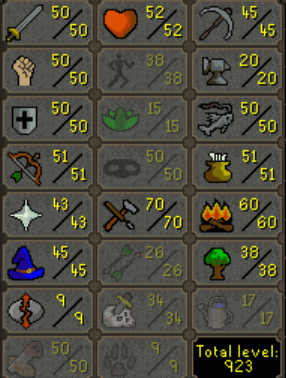
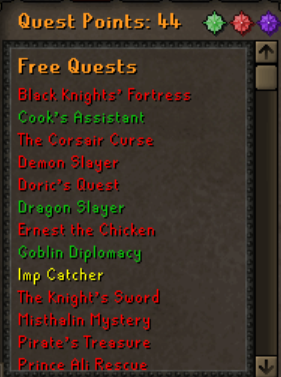
1. Pictures of the account stats 2. Pictures of the total wealth (if there is any) 3. Pictures of the quests completed 4. The price you will be starting bids at 500m 07 5. The A/W (Auto-win) for your account 1B 07 6. The methods of payment you are accepting RS07 GP 7. Your trading conditions Will use MM 8. Pictures of the account status 9. Original/previous owners AND Original Email Address OO is Chuckles I will ask him to post here. POH has max pool and all teleports and altars All Prayers Unlocked
-
Does this work in mirror mode?
-
b
-
-
-
-
-
got me infernal cape on my main was so fast and nice A+++++
-
-
-
bought 30m rs07 fast and easy
-
-
-
could you share how you organized yours? your loadout of whatever its called lol
-
anti-venom+ potion? also i dont think bastion potion is worth it for how much it will dig into your profits, just use a range pot
-
I don’t see any layouts in the discord either people in the discord said to check here
-
they look at trades
-
do you have just a zulrah helper script? one that just shows like paint for where to stand a pray?