IcyFeminist
Trade With Caution
-
Joined
-
Last visited
Everything posted by IcyFeminist
-
Ill do 15m ea, hand done, 40m for 3 You pay half first, half when done or something like that
-
First reply best reply.
-
If you're not the original owner your account is never safe.. To buy an account relies on trust.
-
I can do this, add my skype Harry.greene01
-
Hi I had a school function/irl stuff on during my trial, onl ygot to test for like 30 minutes at the end, Can i try perfect motherload again? thx
-
Lol ill do for 1.5m Will legit take an hour max so why not Maybe cheaper if decent melee for slay
-
probably 2-3m depending on the account, blackmarks etc Would prefer if you never set a reg email on the accs too 2-3m if no bond, 2-3m + bond if it has a fresh bond on it
-
Buying high level mining accounts! 60+ mining Will pay more for no blackmarks/never had a reg email set Comment below or send me a message
-
Ill do graceful for 8m, I can go first
-
Can I please try your motherload mine script? I plan on buying one of the motherload mine scripts, want to try them all first thanks, fem
-
Hi id like to buy 17m osrs $1.2/mill skype: harry.greene01
-
Hi Id like to try out perfect motherload before I buy it later today thanks\
-
Okay thank you very much
-
Thanks for the quick reply,Do I use 2 accounts per socks5 or 1? Why 2?
-
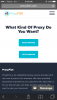
I'm making a bot farm in a week, for the first time using proxies. I'm going to buy VIP and proxies from proxy fish but I don't know which type in supposed to buy. Pic related Added the photo
-
Im actually a libertarian I was just joshing ya mate ya cheeky niglet
-
Shut the fuck up you jeremy bentham utilitarianism looking cracka
-
What do I use them for? Do I get them when I buy VIP in 1-3 weeks? Do I use them when suiciding armies of f2p bots or just for good p2p bots like zulrah/rune ore etc etc Proxies
-
Wil try later moofni