




Jump to content
View in the app

A better way to browse. Learn more.

OSBot :: 2007 OSRS Botting

A full-screen app on your home screen with push notifications, badges and more.

To install this app on iOS and iPadOS
  1. Tap the Share icon in Safari
  2. Scroll the menu and tap Add to Home Screen.
  3. Tap Add in the top-right corner.
To install this app on Android
  1. Tap the 3-dot menu (⋮) in the top-right corner of the browser.
  2. Tap Add to Home screen or Install app.
  3. Confirm by tapping Install.

Spodermen

Members
  • Joined

  • Last visited

  1. Can I get a trail of this please? TIA!
  2. Spodermen changed their profile photo
  3. Spodermen posted a topic in Price Check
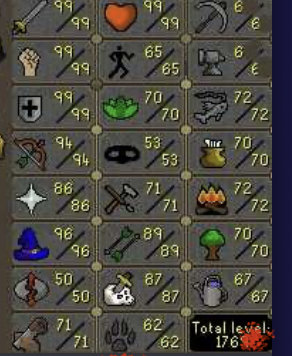
    184 QPs, fcape, torso, gloves, full void set
  4. Spodermen started following IlliniGuy
  5. nvm my dumb ass was using a butler not demon butler i think thats the problem.
  6. Alright what am I doing wrong? it just sits there on waiting for butler.... http://prntscr.com/k0mjmi
  7. Does this script have an ANTI Ban?
  8. that didnt work either. restarted it 3 times.
  9. what am i doing wrong?
  10. I tried the exact steps, and now it just sits on "waiting for GUI input"
  11. Purchased script, ran it to make mahogany tables, my butler is standing next to me & it still says "Status" waiting on butler.

Account

Navigation

Search

Configure browser push notifications

Chrome (Android)
  1. Tap the lock icon next to the address bar.
  2. Tap Permissions → Notifications.
  3. Adjust your preference.
Chrome (Desktop)
  1. Click the padlock icon in the address bar.
  2. Select Site settings.
  3. Find Notifications and adjust your preference.