-
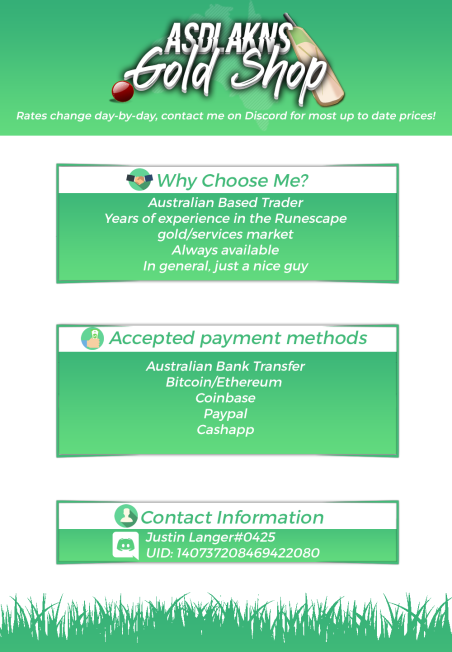
legacycm❄♕ BUYING & Selling OSRS Gold >>BEST RATES<< FAST✔RELIABLE✔NICE GUY
bump
-
legacycm❄♕ BUYING & Selling OSRS Gold >>BEST RATES<< FAST✔RELIABLE✔NICE GUY
bump
-
legacycm❄♕ BUYING & Selling OSRS Gold >>BEST RATES<< FAST✔RELIABLE✔NICE GUY
bump
-
legacycm❄♕ BUYING & Selling OSRS Gold >>BEST RATES<< FAST✔RELIABLE✔NICE GUY
- legacycm❄♕ BUYING & Selling OSRS Gold >>BEST RATES<< FAST✔RELIABLE✔NICE GUY
- dispute against legacycm
Sorry, I'm not giving R1sky anymore. I can't afford it, and as a service owner, I don't earn very much at all. All I get are 10% of orders and that doesn't amount to much. 9M is all I can afford and I've given that to R1sky. Runes cost 1.5m so the 500k extra is goodwill.- [70+ Feedback][VIP][700k+/hr] Creating Blast Furnace ready accounts!
Confirmed, talking to you on Skype.- [70+ Feedback][VIP][700k+/hr] Creating Blast Furnace ready accounts!
You will just need to provide a bond and then you're ready to play the minigame! Accepted, awaiting reply.- buying 6.50 voucher with OSRS GP
- 70/70/70
- Mald is love, Mald is life
10/10 would read again- 70/70/70
- dispute against legacycm
9M has been paid to .- Buying Zulrah ready accounts
Can make some for you, will add your Skype tomorrow.- dispute against legacycm
I apologize R1sky, i have really bad college hours, from 2pm - 9pm. Travel time is 2hrs to and from my house. By the time I get home, Im burnt out and not thinking properly. I recently received and updated my Java to Runtime 51 and RS refused to load. Know that i had no intention of any shady behaviour. I will be back at approx. 11pm. I will keep in contact with you on Skype whenever possible. - legacycm❄♕ BUYING & Selling OSRS Gold >>BEST RATES<< FAST✔RELIABLE✔NICE GUY

Account
Navigation
Search
Configure browser push notifications
Chrome (Android)
- Tap the lock icon next to the address bar.
- Tap Permissions → Notifications.
- Adjust your preference.
Chrome (Desktop)
- Click the padlock icon in the address bar.
- Select Site settings.
- Find Notifications and adjust your preference.
Safari (iOS 16.4+)
- Ensure the site is installed via Add to Home Screen.
- Open Settings App → Notifications.
- Find your app name and adjust your preference.
Safari (macOS)
- Go to Safari → Preferences.
- Click the Websites tab.
- Select Notifications in the sidebar.
- Find this website and adjust your preference.
Edge (Android)
- Tap the lock icon next to the address bar.
- Tap Permissions.
- Find Notifications and adjust your preference.
Edge (Desktop)
- Click the padlock icon in the address bar.
- Click Permissions for this site.
- Find Notifications and adjust your preference.
Firefox (Android)
- Go to Settings → Site permissions.
- Tap Notifications.
- Find this site in the list and adjust your preference.
Firefox (Desktop)
- Open Firefox Settings.
- Search for Notifications.
- Find this site in the list and adjust your preference.