





Jump to content
View in the app

A better way to browse. Learn more.

OSBot :: 2007 OSRS Botting

A full-screen app on your home screen with push notifications, badges and more.

To install this app on iOS and iPadOS
  1. Tap the Share icon in Safari
  2. Scroll the menu and tap Add to Home Screen.
  3. Tap Add in the top-right corner.
To install this app on Android
  1. Tap the 3-dot menu (⋮) in the top-right corner of the browser.
  2. Tap Add to Home screen or Install app.
  3. Confirm by tapping Install.

Rate plz?

Featured Replies

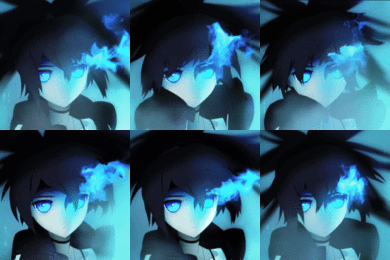
Made a new sig...

I think the text could be worked on a bit... but tell me what you guys think xD

Edited by Kronos

looks pretty cool

i like it i think the design is great


pros: great color format, nice animation


cons: none that i can see all seems great.


improvements: boarder it and add some background movement such as blue flame formed from burning led, and maybe a blue mist boarder.


please don't take offense to the improvements i suggested as it was not meant to be a abusive comment and i love it anyways.

  • Author

i like it i think the design is great


pros: great color format, nice animation


cons: none that i can see all seems great.


improvements: boarder it and add some background movement such as blue flame formed from burning led, and maybe a blue mist boarder.


please don't take offense to the improvements i suggested as it was not meant to be a abusive comment and i love it anyways.


No offense taken :P

I think I'll keep it boarderless to "fade" into OSBot's Animate theme but I like the idea of the burning LED... might add that in my next project.

Very nice! I would think you should Make the kronos and dev come back slower because it's like it just want's to go speedy mode :D

Guest
This topic is now closed to further replies.

Recently Browsing 0

  • No registered users viewing this page.

Account

Navigation

Search

Configure browser push notifications

Chrome (Android)
  1. Tap the lock icon next to the address bar.
  2. Tap Permissions → Notifications.
  3. Adjust your preference.
Chrome (Desktop)
  1. Click the padlock icon in the address bar.
  2. Select Site settings.
  3. Find Notifications and adjust your preference.