







Failed4life
$100.00 Donor
-
Joined
-
Last visited
Everything posted by Failed4life
-
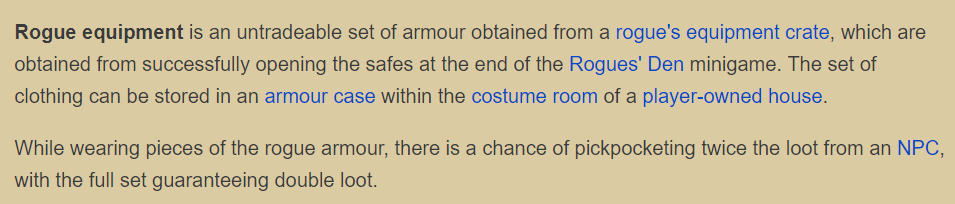
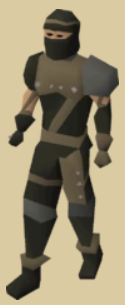
bumpBumpI can sell the last 45m! Add my discord (in sig)People with anime profiles usually have the better opinions though ?I can sell the 50m Can you do 0.8/m?Its just one account with the picture posted multiple timesYou will never get it. Just look at meAfter payment is received, the order is usually able to be completed within 4 hours, though the mini-game is rng dependent I am a little busy right now with real life things, so after things clear up I will be able to start taking orders!What is the Rogue Outfit? Requirements: 50 Agility 50 Thieving Preferably at least 25 Stamina potions AND 50 Energy potions Price: 10m for Full Set (Helmet, Body, Legs, Gloves, Boots) How Long? Once Payment is received, the service will be started immediately. The Rogue Den's minigame is RNG based, so completion time may vary. Completion time is typically between 1-4 hours. Contact me: Discord: Failed4life#3370 (Preferred) Skype: jon.macko Always ask for a pm via OSBot!! Terms of Service: 1) You will pay upfront. 2) I am not responsible for any mutes or bans that may occur during and after the service. 3) You may NOT log onto the account during the service, if you do, the service will be canceled and a refund may be given based on how much work has already been done. 4) You must change the password upon completion of the service. 5) If you decide to have the service canceled, a refund will be given based on the amount of work that has been completed. 6) You must give feedback after the completion of the service. 7) By using my service, you automatically agree and accept the terms of service.
 http://multitwitch.tv/oldschoolrs/mmorpgrs/b0aty/faux This should make your experience a WHOLE lot better!I can sell 50m, add my discord Failed4life#3370I can sell you the 70m. Hows .83/m sound?I can sell 100m if ur interested

Account
Navigation
Search
Configure browser push notifications
Chrome (Android)
- Tap the lock icon next to the address bar.
- Tap Permissions → Notifications.
- Adjust your preference.
Chrome (Desktop)
- Click the padlock icon in the address bar.
- Select Site settings.
- Find Notifications and adjust your preference.
Safari (iOS 16.4+)
- Ensure the site is installed via Add to Home Screen.
- Open Settings App → Notifications.
- Find your app name and adjust your preference.
Safari (macOS)
- Go to Safari → Preferences.
- Click the Websites tab.
- Select Notifications in the sidebar.
- Find this website and adjust your preference.
Edge (Android)
- Tap the lock icon next to the address bar.
- Tap Permissions.
- Find Notifications and adjust your preference.
Edge (Desktop)
- Click the padlock icon in the address bar.
- Click Permissions for this site.
- Find Notifications and adjust your preference.
Firefox (Android)
- Go to Settings → Site permissions.
- Tap Notifications.
- Find this site in the list and adjust your preference.
Firefox (Desktop)
- Open Firefox Settings.
- Search for Notifications.
- Find this site in the list and adjust your preference.
