






Pali
Java Lifetime Sponsor
-
Joined
-
Last visited
Everything posted by Pali
-
-
-
Hey man did u ever have an agility script?
-
so i use runeloader, use the nmz and prayer beep features. main is never botted. i use my surface pro 4 with touch screen to drink my prayer pots and overloads. i do nmz legit for about 13 hours. but mostly afk at work. drink the overloads and prayer pots when i hear the beep. seems like i am doing the same thing as fruity nmz script. but doing it actually legit with the help of runeloader. after drinking the potion my mouse usally always hover over the last clicked potion. never off screen because i dont need to use computer at work
-
-
i buy 200m paypal verifed. just bought 300m few days ago from TWC
-
-
-
-
-
-
U sell for 1.13 I asked u last time. Bump
-
bump...... still need 200m
-
-
-
$1 a mill. go first to trusted. paypal
-
-
-
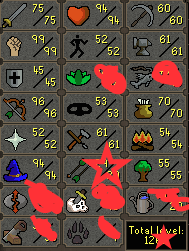
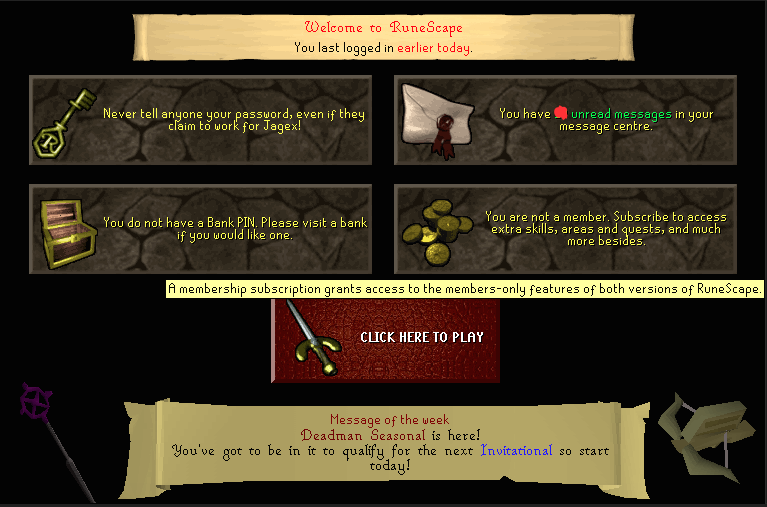
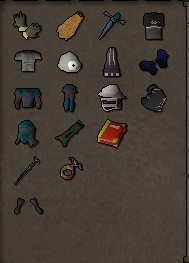
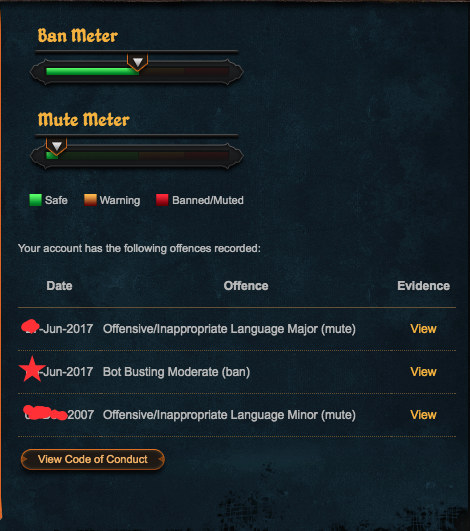
1. Pictures of the account stats 2. Pictures of the login details 3. Pictures of the total wealth (if there is any) - Unholy book has all pages. 4. Pictures of the quests completed 5. The price you will be starting bids at 200m 6. The A/W (Auto-win) for your account 300m obo 7. The methods of payment you are accepting 07 or western union 8. Your trading conditions You go first or mm. 9. Pictures of the account status 10. Original/previous owners AND Original Email Address. Its an old account roughly 12 years old so its not an email login name. Original owner is me.



-
For me if I change my IP, my host name is still the same always. When u log in it displays last login. From my host name
-
happen 2 times [INFO][Bot #1][09/12 03:27:23 PM]: Sipping potion: Super combat potion(3) [INFO][Bot #1][09/12 03:28:37 PM]: Eating food: Monkfish [INFO][Bot #1][09/12 03:28:56 PM]: Started random solver : Dismiss Random [INFO][Bot #1][09/12 03:28:58 PM]: Solved Leo dismissal random. [INFO][Bot #1][09/12 03:28:58 PM]: Random solver exited : Dismiss Random [INFO][Bot #1][09/12 03:37:50 PM]: Terminating script APA Sand Crabs... after the random, the script doesnt resume and the bot just logs off. because i lost agro but bot doesnt move to reagro so i get kicked for inactivity
-
script is still running perfectly for me. nothing wrong what so ever. no breaks, stealth injection!
-
Happened 2 times now, after it banks it logs off. Says In logger said I was crashed. I selected log off if crashed. Does this every first time it banks even though I wasn't crashedhey, i would like a trial

