Skip to content
View in the app

A better way to browse. Learn more.

OSBot :: 2007 OSRS Botting

A full-screen app on your home screen with push notifications, badges and more.

To install this app on iOS and iPadOS
  1. Tap the Share icon in Safari
  2. Scroll the menu and tap Add to Home Screen.
  3. Tap Add in the top-right corner.
To install this app on Android
  1. Tap the 3-dot menu (⋮) in the top-right corner of the browser.
  2. Tap Add to Home screen or Install app.
  3. Confirm by tapping Install.

Furious 7

Trade With Caution
  • Joined

  • Last visited

Everything posted by Furious 7

  1. Knife in prison, it's 2018 smh
  2. Ya caught me. I'm a big hoax
  3. Smh Yeah I know. I'm surprised you get pet when Jad dies, and not when ur outside the cave.
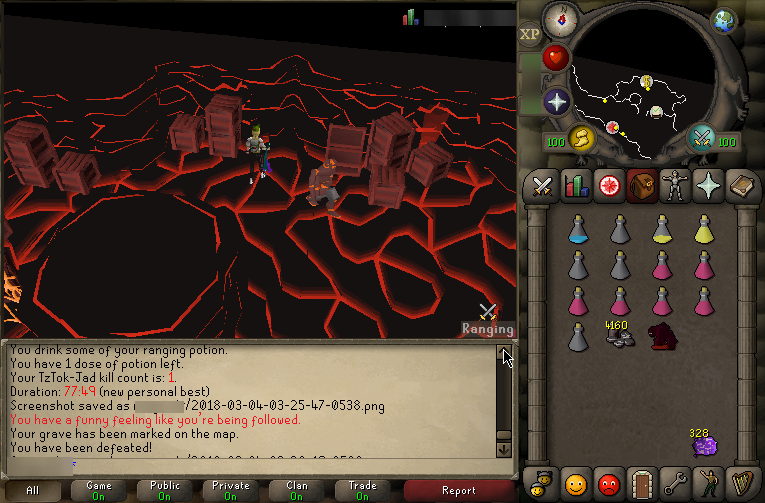
  4. Chat box says you've been defeated ?
  5. Yeah, Not my account ?
  6. Furious 7 replied to Maldesto's topic in Spam/Off Topic
    ?
  7. Zerkers, easily.
  8. Can do both. Feel free to contact me for negotiation. Contact info in my signature.
  9. 1 sec and 575 milli sec to 1 sec 700 milli with interval on.
  10. Can do. Contact me for negotiation. Contact info in signature.
  11. Furious 7 replied to Ryfusion's topic in Tutorials
    Welcome ?
  12. Not a wise choice to reveal your ingame name on a botting site.
  13. It's tough to say whether you get banned or not. You can't always guarantee no ban, no matter how long/short you bot.
  14. Can do all. Contact me for negotiation.
  15. 11M per account.
  16. Furious 7 replied to RoomScape's topic in Spam/Off Topic
    ?
  17. Furious 7 replied to sohail's topic in Requests
    @Pink Clay
  18. 20M. Within 4 hours. Contact information in my signature.
  19. 10.5M. Bank pin is mandatory. Contact information in my signature.
  20. Welcome : )
  21. Can train via sand crabs for 1.5M. Contact info in signature.

Account

Navigation

Search

Search

Configure browser push notifications

Chrome (Android)
  1. Tap the lock icon next to the address bar.
  2. Tap Permissions → Notifications.
  3. Adjust your preference.
Chrome (Desktop)
  1. Click the padlock icon in the address bar.
  2. Select Site settings.
  3. Find Notifications and adjust your preference.