TheRealJok3y
Trade With Caution
-
Joined
-
Last visited
Everything posted by TheRealJok3y
-
a lot of people i know got banned today bro so it's not just you!
-
-
-
-
Welcome back !
-
Don't feel like they should've added it.
-
thanks for the help!
-
-
-
Ohhhhh ok ok, makes sense! (Last question) Which is somewhat of the same type of question, I just want a simple answer, yeah you have to wait or no you don't. If I hypothetically said I had $0.00 cent in my PP account and wanted to buy 07 gold. I have to transfer money into my account and wait those X amount of days before I could even start to buy the gold...
-
But what I'm saying is, It took me 3-5 days to show up into my account. My friend did it the same exact time as me, and his popped up read to use and everything in like a minute.... Doesn't makes sense.
-
So once i transfer the money to my PP, it won't show up but i can use the X amount of money I transferred into my account? So once i transfer the money to my PP, it won't show up but i can use the X amount of money I transferred into my account?
-
How do I get my bank to transfer money to my PP in seconds? I had to wait 3-5 days, but my friend has the same bank and he did it in seconds. Somebody help..
-
thanks, ill keep it in mind bro!
-
Awesome
-
mind sending me a pm of a link or image of the stats on the account? (just curious, wanna compare it to mine)
-
let me know who you buy from!
-
Good Luck everyone
-
hm you selling for? i need asap
-
That's what i'm really thinking about now man. That could possibly be what I do.
-
All depends on what you want man, I say go for it
-
Hmm..maybe, might consider it man, thanks!
-
-
Never thought of this, I actually might think about this one dude, smart idea. Sadly I can't, I don't have 100 post
-
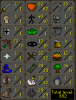
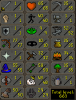
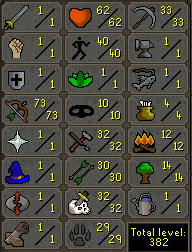
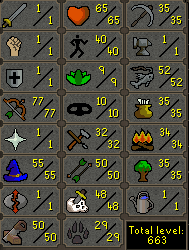
Here's a before an after picture on the account I've been working on Please leave any comments or suggestions on what you think of it and/or what I can do to it. Anything helps and goes into consideration, Thanks!