
N64Controller
Members
-
Joined
-
Last visited
-
It is a weird one and happens every kill during a run, but once it resets at bank it doesn't do it again. I've seen it 3 times out of the 600kc i'm at now so not a huge issue.
-
For some reason script is looting everything even though I have defined what I want. Everything else seems to work great! https://app.gemoo.com/share/image-annotation/629444793790226432?codeId=DGWNrAoQ5V1AO&origin=imageurlgenerator&card=629444792850698240
-
Wanted to post a PROGGIE, Was already 99 thieving but wanted sceptre for house/ master clue steps. Took about 650k xp for me to get 2 scepters only searching rooms 4-8 sarc and chest. Had issues with banking before I got sceptre. It would just sit outside pyramid until log Once inventory was full or I ran out of food. Typically I would catch it and once I opened my bank, script would take back over as usual. Once I had sceptre though, I had no problem with the script. Got second sceptre shortly after!
-
-
Hey buddy, can i get a trial?
-
-
Hey Khal, bought this to superglass make. Anyway you could add rune pouch functionality? Currently it just banks the pouch and then yells at me for not having astral runes because they're all in my pouch 😅. I have the upgraded pouch if that matters.
-
Trial me baby!
-
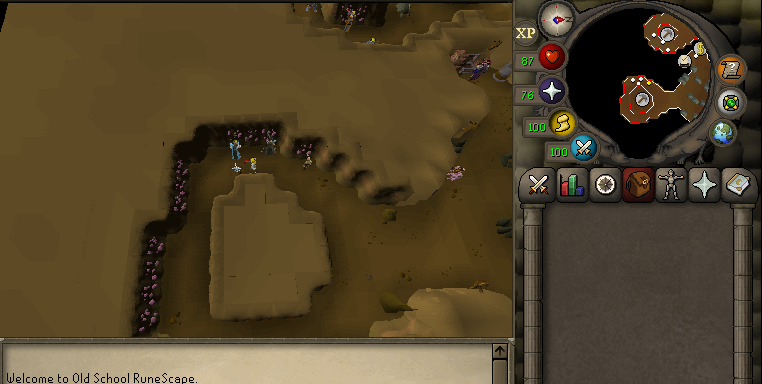
Yes, the area where anyone can mine amethyst. I'm also running mirror mode which may be adding to the issue? Unfortunately before I started using OSBOT I made a jagex account which forces me to use mirror mode excluseively. The angle my screen shot is taken enables the bot to hit the bank no problem. However, after 1 or 2 or 3 (happens randomly) inventories of amethyst, the bot will change the angle and then can't find the bank and eventually logs out.
-
@Tom I've been having issues with Amethyst. Sometimes I'll run the script and have to watch for the first inventory as sometimes it will not bank and just sit at the last amethyst spot mined. If I click towards the bank with the bot running, it will then figure it out and bank accordingly. After 2 or 3 successful trips to the bank, it will then get stuck randomly with a full inventory. UPDATE: So I've found that it's less likely to get stuck if I position the camera straight up and as far out as possible. Problem is the script will occasionally move the camera back to where it likes to set it...not sure if that makes sense or not.
-
I'd check back every couple of hours. Give um time for patches
-
I can't seem to get sandstone grinding to work. I have circlet of water so i don't need skins but the sciript either does nothing, walks back and forth to farthest sandstones or tries to bank at shanty... EDIT: Okay, so by selecting specific rocks I was able to fix the running back and forth issue. Seems to be working alright now. will monitor it for a bit.
-
Am I only one checking this forum for a 3rd time today 😅
-
@Khaleesi has best scripts imo, no offense @Czar! To be fair I don't have any of yours at the moment 😅
-
Was working this morning but then I kept getting this error. I'm still able to play RS, OSBOT just not connecting I guess. Any idea's? https://ibb.co/cb1P4Yg