Jump to content
View in the app

A better way to browse. Learn more.

OSBot :: 2007 OSRS Botting

A full-screen app on your home screen with push notifications, badges and more.

To install this app on iOS and iPadOS
  1. Tap the Share icon in Safari
  2. Scroll the menu and tap Add to Home Screen.
  3. Tap Add in the top-right corner.
To install this app on Android
  1. Tap the 3-dot menu (⋮) in the top-right corner of the browser.
  2. Tap Add to Home screen or Install app.
  3. Confirm by tapping Install.

jen140

Members
  • Joined

  • Last visited

  1. Great script, misses a few trades but it's really doing well. Thanks for it mate 😃
  2. Btw, the current death mechanics are not working yet. Those that you need to talk with death after you get a gravestone.
  3. jen140 replied to Khaleesi's topic in Agility
    Looks like canifs is bugged, bot just stays on "humanlike idle for 3 seconds" than for 6, 7, 3. If the breaks are disabled, than it just stays there "setting up the script". Mirror mode, 2.5.85 osbot
  4. Well, the script is magical, after looking it run so smoothly I've insta bought it. Thank you very much for such a great script.
  5. Also requesting free trial. Thanks.
  6. Script works, the problems were already mentioned, but just in case: -walking in the beginning -getting kicked for inactivity sometimes (sometimes it's too slow for mirror mode) -getting stuck if the net was ripped -tries to do the activity without paste Screens:
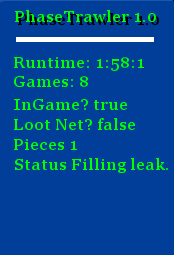
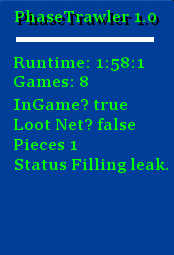
  7. Script works, the problems were already mentioned, but just in case: -walking in the beginning -getting kicked for inactivity sometimes (too slow with default config on mirror mode) Screens:
  8. jen140 replied to Token's topic in Others
    It doesn't always happen, but I'd say 2 in 5 cases when it successfully passes the obstacle. Looks like it only happens on the first plank.
  9. jen140 replied to Token's topic in Others
    Underground pass, when crossing the logs it sometimes triple clicks and goes back when the first one was done. [INFO][Bot #1][]: [DEBUG][INERACTIONS] No destination tile found [INFO][Bot #1][]: position: [x=2380, y=9634, z=0]; next: Underground Pass; queue: 4; member: true; mirror: true; input: false, resized: false [INFO][Bot #1][]: running quest: Underground Pass; current stage: 4 [INFO][Bot #1][]: navigating up area #2 [INFO][Bot #1][]: crossing stone bridge #1 [INFO][Bot #1][]: position: [x=2379, y=9634, z=0]; next: Underground Pass; queue: 4; member: true; mirror: true; input: false, resized: false [INFO][Bot #1][]: running quest: Underground Pass; current stage: 4 [INFO][Bot #1][]: navigating up area #2 [INFO][Bot #1][]: crossing stone bridge #1 Death mechanics are also not working. [INFO][Bot #1][]: going to bank [INFO][Bot #1][]: WebWalkingEvent; No route found! Destinations = [[x=3166, y=3486, z=0], [x=3270, y=3167, z=0], [x=2616, y=3333, z=0], [x=2654, y=3284, z=0], [x=2725, y=3491, z=0], [x=2443, y=3083, z=0], [x=2809, y=3440, z=0], [x=3093, y=3244, z=0], [x=2536, y=3573, z=0], [x=3427, y=2891, z=0], [x=2661, y=3162, z=2], [x=3094, y=3494, z=0], [x=3013, y=3356, z=0], [x=2945, y=3370, z=0], [x=3208, y=3219, z=2], [x=3253, y=3421, z=0], [x=3183, y=3437, z=0], [x=2612, y=3092, z=0], [x=2386, y=4460, z=0], [x=3369, y=3170, z=0]]; Also, shouldn't it just be buying like 10-30 arrows instead of 3k ?
  10. jen140 replied to Token's topic in Others
    Merlin Crystal gets stuck in Port Sarim door, debug: [INFO][Bot #1][]: running quest: Merlins Crystal; current stage: 4 [INFO][Bot #1][]: opening door [INFO][Bot #1][]: sleep interrupted
  11. jen140 replied to Token's topic in Others
    Great script had a chance to try out most of the f2p and p2p quests. Had some issues with "Shadow of the Storm" at the Ritual part (the ritual didn't start and bot was trying to talk with Denath instead of talking to Matthew) but don't have the logs saved.
  12. Would love to test this out. Thanks

Account

Navigation

Search

Configure browser push notifications

Chrome (Android)
  1. Tap the lock icon next to the address bar.
  2. Tap Permissions → Notifications.
  3. Adjust your preference.
Chrome (Desktop)
  1. Click the padlock icon in the address bar.
  2. Select Site settings.
  3. Find Notifications and adjust your preference.