






bren
Members
-
Joined
-
Last visited
Everything posted by bren
-
-
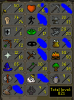
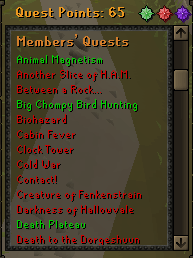
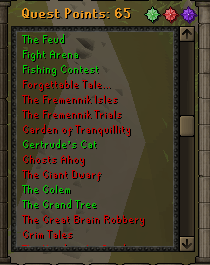
not trash but the mouse and keyboard isvery nicegoodluckPC in OSRS gp please Key points: Username IS NOT a email, desert treasure complete, full zammy book, mith gloves, Full Grace with 110 graceful points, also has access to RSC

 My keyboard records mouse clicks and then I can set a randomized time to clickAnyone tried setting up a randomized click macro for splashing? and not get banned?.Can I get a trial please?Looking for Firecape service skype is nadnerb.kpGear/inventory for a 70 def 85 range 78 hp fire cape?










Account
Navigation
Search
Configure browser push notifications
Chrome (Android)
- Tap the lock icon next to the address bar.
- Tap Permissions → Notifications.
- Adjust your preference.
Chrome (Desktop)
- Click the padlock icon in the address bar.
- Select Site settings.
- Find Notifications and adjust your preference.
Safari (iOS 16.4+)
- Ensure the site is installed via Add to Home Screen.
- Open Settings App → Notifications.
- Find your app name and adjust your preference.
Safari (macOS)
- Go to Safari → Preferences.
- Click the Websites tab.
- Select Notifications in the sidebar.
- Find this website and adjust your preference.
Edge (Android)
- Tap the lock icon next to the address bar.
- Tap Permissions.
- Find Notifications and adjust your preference.
Edge (Desktop)
- Click the padlock icon in the address bar.
- Click Permissions for this site.
- Find Notifications and adjust your preference.
Firefox (Android)
- Go to Settings → Site permissions.
- Tap Notifications.
- Find this site in the list and adjust your preference.
Firefox (Desktop)
- Open Firefox Settings.
- Search for Notifications.
- Find this site in the list and adjust your preference.