






Fabiolous88
Members
-
Joined
-
Last visited
Everything posted by Fabiolous88
-
Got banned again- I think this script needs an update..
-
About 60 quest points; all quests done except for rfd. yes permanently banned. temp ban in december and permanent on the third of April
-
May I have a trial for your AIO thieves?
-
May I have a trial please?
-
May I have a trial please?
-
Got banned twice for using it. Got me from 40-90str and 50-90 ranged. Still an amazing script, will be using it on my new account. Honestly, don’t know what I’ve done wrong.. maybe because I used it a couple of hours a day for a week playing legit only once..
-
-
May I have a trial please?
-
Hey! Can i get a trial please?
-
May I have a trial please
-
I don't have discord Can I have the trial anyways? even for a shorter time..
-
May I have a trial please?
-
May I have a trial please?
-
May I have a trial please
-
OK. Thank you very much Apa!
-
Looks good! may i have a trial?
-
I can't see my trial activated
-
May i have a trial for rooftop agility please
-
Looks like a nice script
-
Got temporarily banned 3 weeks ago for using this script, from a moderator comment. Should I stop using it or can I still use it a couple of hours a day carefully?
-
Can i get a trial for AIO Cooker please? thanks in advance
-
ok sorry didn't read the guide properly, now its working. thank you
-
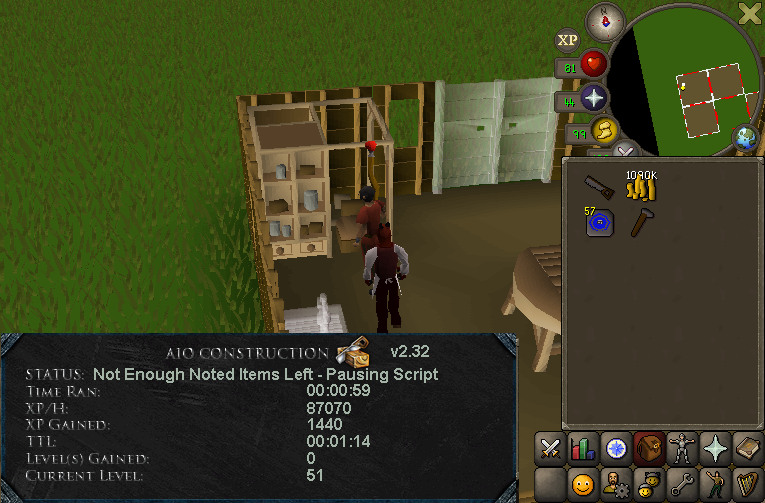
Now it just says this
-
-


