






duinroosjes
Members
-
Joined
-
Last visited
-
i want to test for you too
-
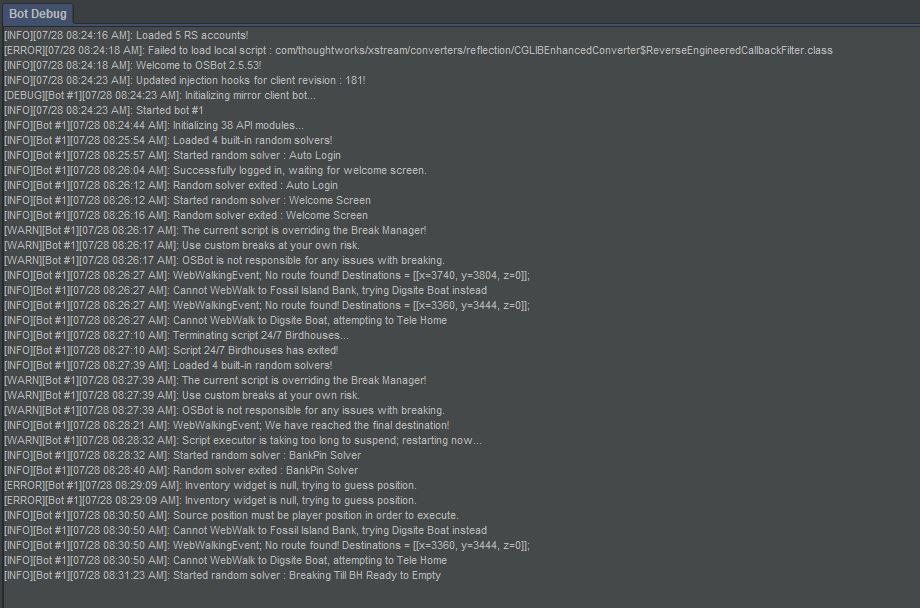
can i try this, birdhouses only logs in and logs out
-
very nice
-
-
barrows tab also ardy and cementary but does the same as barrows tried fenkenstein but it just logs out
-
Hi, i have some problems with the script. Running essence is fine Tab creating get stuck after selecting the spell it does not click on create i have to click on create myself or the script wont run after creating it runs back to bank to retrieve more essence [INFO][09/10 11:50:19 PM]: Welcome to OSBot 2.5.58! [INFO][09/10 11:50:30 PM]: Updated injection hooks for client revision : 182! [DEBUG][Bot #1][09/10 11:50:30 PM]: Initializing mirror client bot... [INFO][09/10 11:50:30 PM]: Started bot #1 [INFO][Bot #1][09/10 11:50:37 PM]: Initializing 38 API modules... [INFO][Bot #1][09/10 11:50:46 PM]: Loaded 4 built-in random solvers! [INFO][Bot #1][09/10 11:51:05 PM]: Terminating script UltimateArceuusTabs... [INFO][Bot #1][09/10 11:51:05 PM]: Script UltimateArceuusTabs has exited! [INFO][Bot #1][09/10 11:51:06 PM]: Started random solver : BankPin Solver [INFO][Bot #1][09/10 11:51:06 PM]: Random solver exited : BankPin Solver [INFO][Bot #1][09/10 11:55:49 PM]: Loaded 4 built-in random solvers! [INFO][Bot #1][09/10 11:56:19 PM]: Script UltimateArceuusTabs has paused! [INFO][Bot #1][09/10 11:57:10 PM]: Script UltimateArceuusTabs has resumed! [INFO][Bot #1][09/10 11:57:38 PM]: WebWalkingEvent; We have reached the final destination! [INFO][Bot #1][09/10 11:59:23 PM]: WebWalkingEvent; We have reached the final destination! [INFO][Bot #1][09/10 11:59:51 PM]: WebWalkingEvent; We have reached the final destination! [INFO][Bot #1][09/10 12:03:02 PM]: WebWalkingEvent; We have reached the final destination! [INFO][Bot #1][09/10 12:03:31 PM]: WebWalkingEvent; We have reached the final destination! [INFO][Bot #1][09/10 12:06:10 PM]: WebWalkingEvent; We have reached the final destination!
-
-
hai, excellent script, i
-
same here ;(

