
Jump to content
View in the app

A better way to browse. Learn more.

OSBot :: 2007 OSRS Botting

A full-screen app on your home screen with push notifications, badges and more.

To install this app on iOS and iPadOS
  1. Tap the Share icon in Safari
  2. Scroll the menu and tap Add to Home Screen.
  3. Tap Add in the top-right corner.
To install this app on Android
  1. Tap the 3-dot menu (⋮) in the top-right corner of the browser.
  2. Tap Add to Home screen or Install app.
  3. Confirm by tapping Install.

BananaTown

Java Lifetime Sponsor
  • Joined

  • Last visited

Everything posted by BananaTown

  1. RIP none of my accounts got a code
  2. This script is well worth the money
  3. Opened advanced settings and got stuck on the first part, was able to fix and it seems to run fine now
  4. Could you add an icon for the curser? I know it's a small feature but i'd appreciate it
  5. Hey man i think the profit and profit /h is broken EDIT: its now working fine, weird
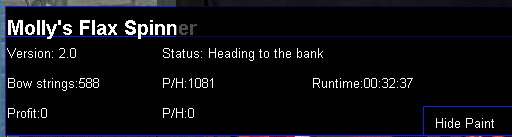
  6. here's a progress pic if anyone wants it
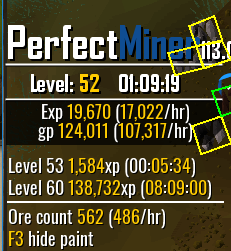
  7. Does paint disappear after switching accounts for anyone else? or is that just me?
  8. Could I please have a rooftop agility trial?

Account

Navigation

Search

Configure browser push notifications

Chrome (Android)
  1. Tap the lock icon next to the address bar.
  2. Tap Permissions → Notifications.
  3. Adjust your preference.
Chrome (Desktop)
  1. Click the padlock icon in the address bar.
  2. Select Site settings.
  3. Find Notifications and adjust your preference.