Jump to content
View in the app

A better way to browse. Learn more.

OSBot :: 2007 OSRS Botting

A full-screen app on your home screen with push notifications, badges and more.

To install this app on iOS and iPadOS
  1. Tap the Share icon in Safari
  2. Scroll the menu and tap Add to Home Screen.
  3. Tap Add in the top-right corner.
To install this app on Android
  1. Tap the 3-dot menu (⋮) in the top-right corner of the browser.
  2. Tap Add to Home screen or Install app.
  3. Confirm by tapping Install.

zzluis12

Members
  • Joined

  • Last visited

  1. If you want i could build them to you, how much are you willing to pay for them? 30/30/30 44RC ??
  2. zzluis12 replied to Zack0wns's topic in Requests
    I can do these for you... imma send you a pm
  3. I could build it for you, without the prayer... offer
  4. zzluis12 replied to Idfix's topic in Requests
    I can do it for 43m if we're using your supplies. I can get your account 30days membership so you wont need to bond it. which will make it cheaper. It will have membership when i finish the job. My Discord zzluis#4366
  5. zzluis12 replied to Idfix's topic in Requests
    I can do 85 magic as long we use a MM or you go first. But throw a price. You only need it in one account?
  6. Hey! I was wondering like how much will this cost,
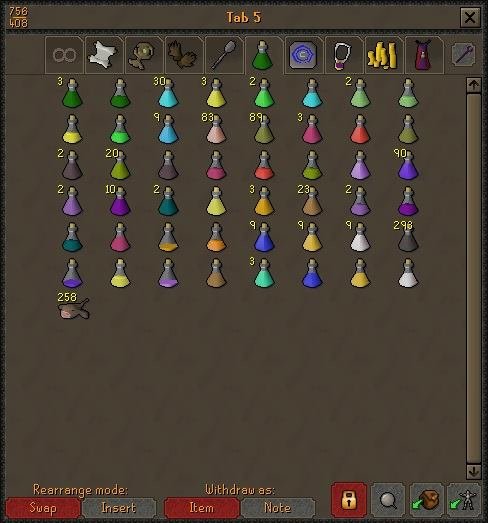
  7. zzluis12 replied to bethy's topic in Requests
    I'll do it for 65M, pm me if you are interested
  8. 6m for thieving, all hand done, since you dont have rep i'd ask you to go first, pm me if you are interested
  9. I could do it for 25M, as long it have all the req skills for the series of quests, and the full void... about 1week all hand done, pm me if you're interested
  10. zzluis12 replied to Zynce's topic in Requests
    If you still need add me to skype zzluis12
  11. Sent you a PM
  12. Sent you a friend request in Skype. Can do like 10 at once. How many of these do you need?
  13. Added you on skype.
  14. Talked to you via discord. will do it for 35m using your supplies, if you are interested PM me to confirm.

Account

Navigation

Search

Configure browser push notifications

Chrome (Android)
  1. Tap the lock icon next to the address bar.
  2. Tap Permissions → Notifications.
  3. Adjust your preference.
Chrome (Desktop)
  1. Click the padlock icon in the address bar.
  2. Select Site settings.
  3. Find Notifications and adjust your preference.